


My RAID is in degraded read-only mode. What should I do?
Applicable Product
- All QNAP NAS models
Scenario
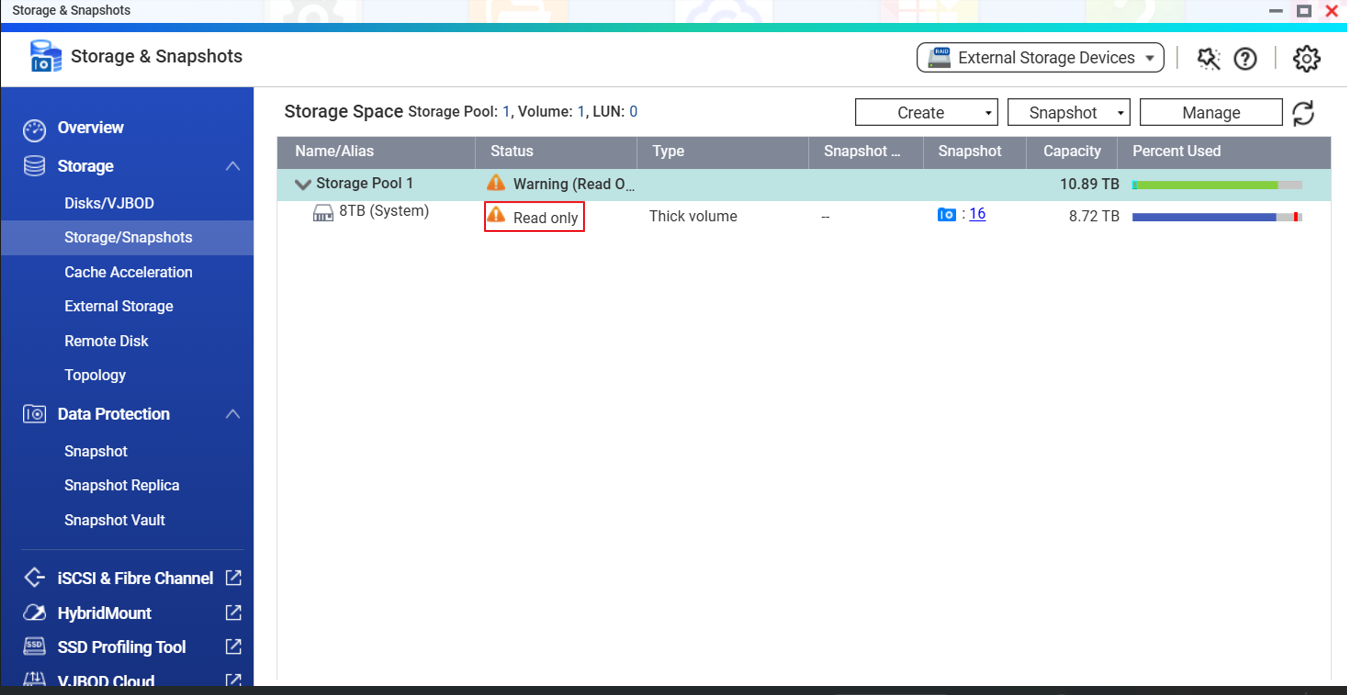
One day, I could not write data into my shared folder and I found my RAID becomes read-only mode. What can I do?
Solution
If a RAID is in degraded read-only mode, it means more than the allowed number of drives have failed and the RAID can’t be rebuilt even if you replace the faulty drives.
RAID Configuration | The Maximum Number of Drives Allowed to Fail |
RAID 5 | 1 |
RAID 6 | 2 |
RAID 10 | 2 |
The RAID pool and volumes will be put in read-only mode by the system to stop any accidental data corruption. The data should be backed up to another location as soon as possible. Please follow the steps as below:
1.Backup all the data stored on the faulty RAID.
Suggest to copy out the data by SMB by File Explorer in Windows or AFP by Finder in OSX or setup External Drive Backup in Hybrid Backup Sync.
If the above methods don’t work, please install and use WinSCP in Windows see if you can copy the files out through SSH. If this still doesn’t work, please help to open a ticket by QNAP Service Portal.
2. After backup is finished, remove the volumes and/or pool on the faulty RAID volume.
Note: All data will be removed, make sure the data has been backed up.
3.Replace all the faulty HDDs.
4.Create a new RAID on storage pool or static volume
5.Restore the data to the new volume.
Bạn vẫn cần hỗ trợ?
Hãy đăng câu hỏi của bạn trong Cộng đồng QNAP. Nhân viên QNAP và những người dùng giàu kinh nghiệm sẽ trả lời.


