


How do I access my NAS if the security code is incorrect or I cannot access 2-step verification?
Last modified date:
2023-05-31
Applicable Products
QTS 4.4.3 or later
Details
You can disable 2-step verification by pressing the reset button of your NAS for 3-5 seconds.
Note
- This does not delete any data from your NAS.
- The admin account's login credentials will be restored to their default values.
- You may need to use Qfinder Pro to access the NAS after the reset.
- Locate the reset button on the back of your device.
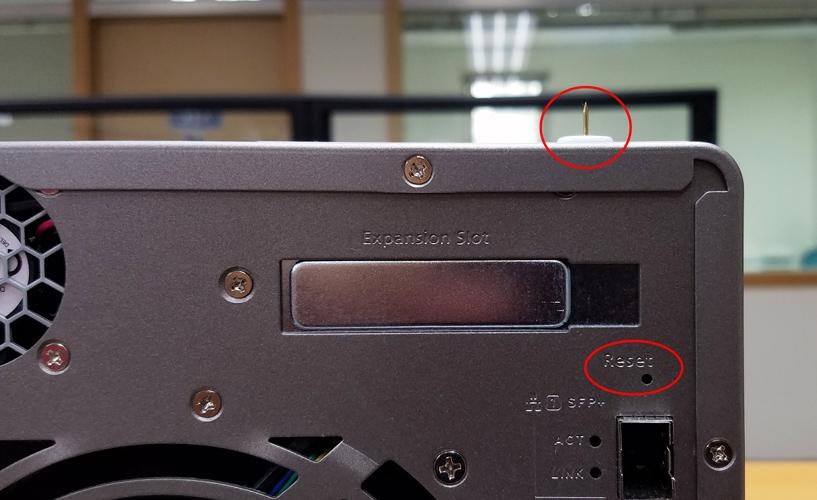
- Use a pin, paperclip, or other thin piece of metal to press the button for 3-5 seconds.
- The NAS will beep to confirm the reset.
Note
If there is no change after pressing the reset button for 3 seconds, the reset button may be disabled. Please contact QNAP support for assistance.
Further Reading
The different ways of resetting your NAS - explained!
What is the default username and password of the QTS administrator account?
Để được hỗ trợ thêm, hãy hỏi những người dùng khác và chuyên gia QNAP trong cộng đồng. Đến Cộng đồng QNAP


