


Tracking the logging connections in NAS
Applied models:
Applied Firmware:
-
All firmware versions
To track the logging connections in NAS is really simple, it is only necessary to go to the Control Panel > System > System logs, then click on the "System Connection Logs" tab, so you can later click on the "Start Logging" button and enable the function that will track all the logins done into the NAS. See the picture below as a reference to find the option to enable the function.
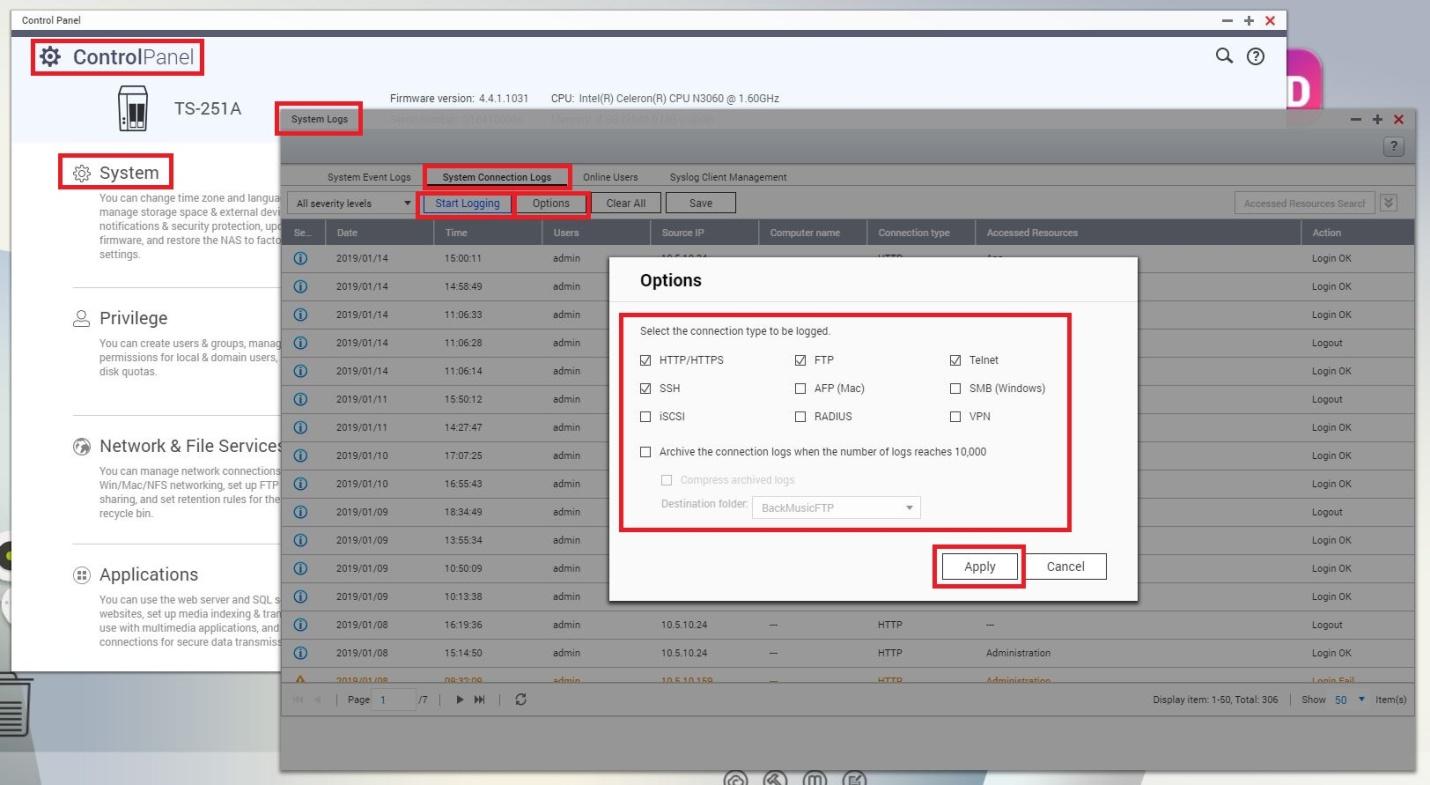
Please, to enable further tracking options, you may click on the "Options" button, so you will be able to select which type of logged connections you wish to track, for example, SMB (Windows), one of the most common used protocols to communicate with the NAS.
Per ulteriore assistenza, chiedi ad altri utenti e agli esperti QNAP nella community. Vai alla community QNAP


