


How to Prevent Users to Open Some Apps?
Applied models:
-
All NAS Series
Applied Firmware:
-
4.4.1 or above
“I have installed several apps on the NAS, but I want some users to only use a few of them. How can I do it?”
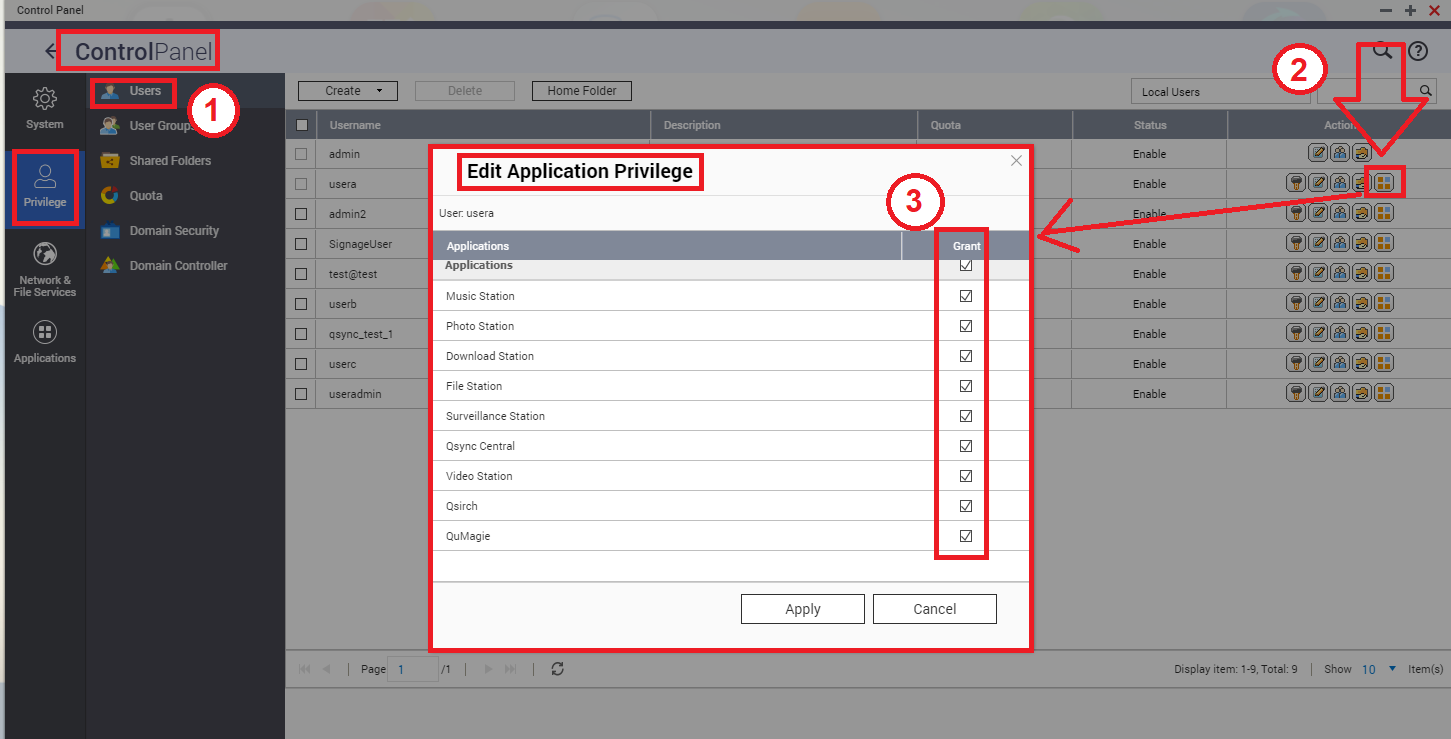
QNAP applications permissions can be configured in the Control Panel: open Control Panel > Privilege > Users, select a user and click on the icon "Edit Application Privilege" to setup the permissions on different apps.
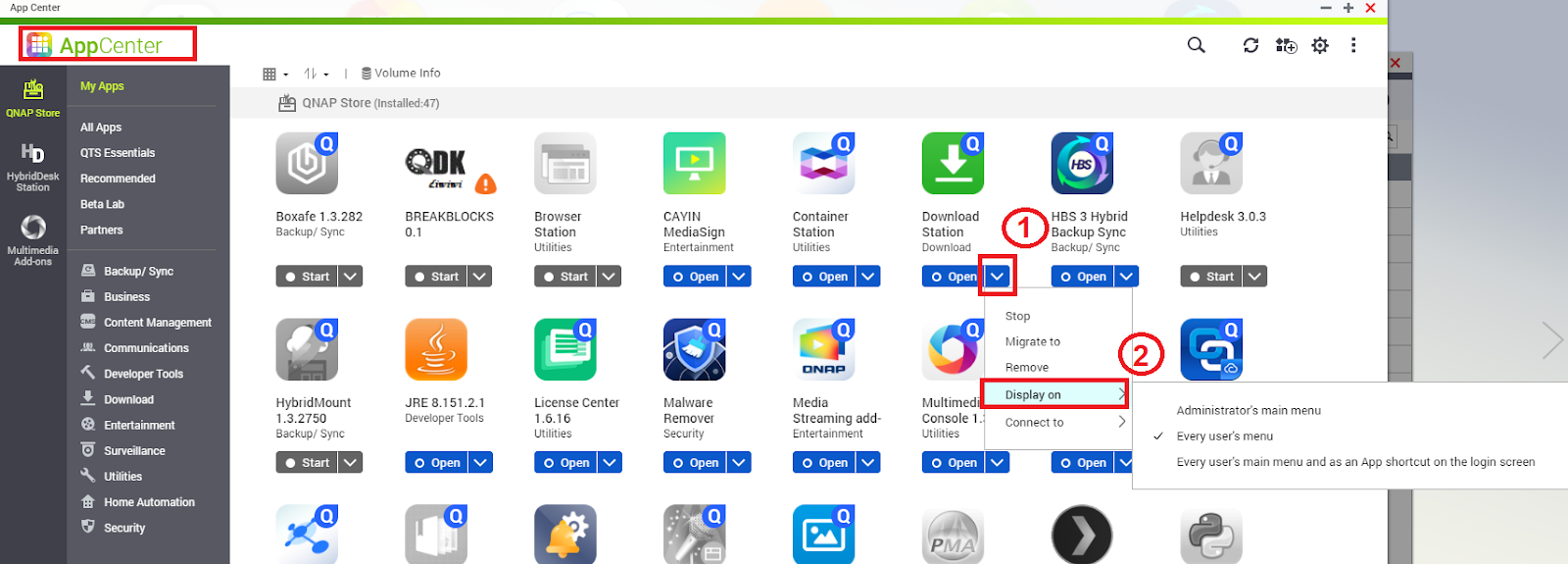
Additionally, we can also restrict the applications to display on either all users menu, or only on the NAS administrators menu.
This can be done from the App Center, by opening the application drop down options list:
Per ulteriore assistenza, chiedi ad altri utenti e agli esperti QNAP nella community. Vai alla community QNAP


