


Will expanding a volume delete my data?
Expanding volumes won’t affect existing data on the disks so you can run them at any time.
-
Log in to your NAS from the web interface
-
Open Control Panel > System > Storage Manager > Storage Space
-
Here, select a volume and click “Manage” and then “Expand” in the new window
In case you see this button grayed out like on the picture below you might need to do a file system check first.
Click on the “Check File System” on the left and wait for it to finish.

The file system is now being checked. This process may take longer depending on the storage capacity of your installed drives.
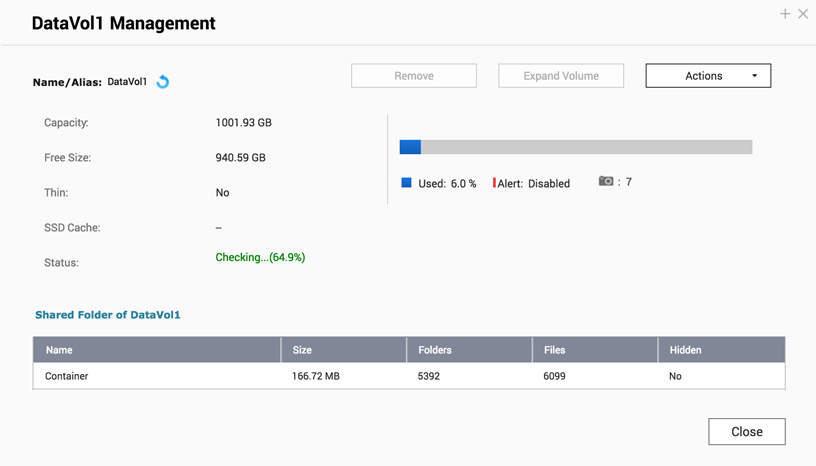
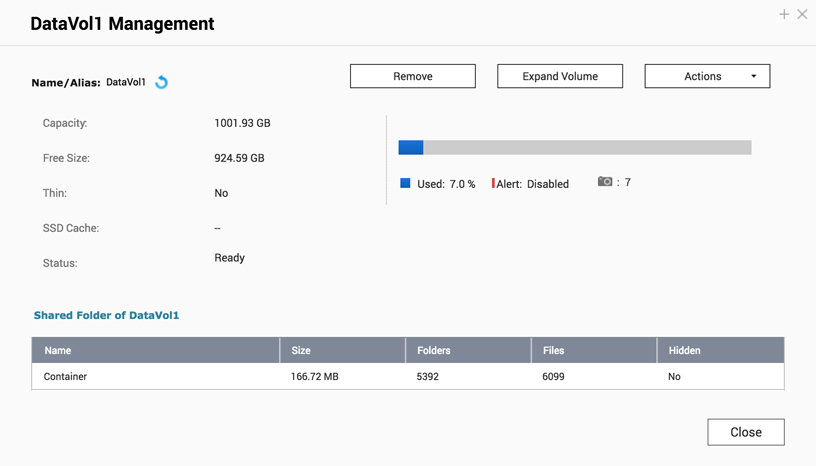
Once it’s done and the Status has changed to “Ready”, you will be able to press the “Expand Volume” button.
További segítségért kérdezze meg a többi felhasználót és a QNAP szakértőit a közösségben. Irány a QNAP közösség


