


How to Reset My QHora-301W to Factory Default Settings?
Applied models:
-
QHora-301W
Applied Firmware:
-
All Firmware Versions
There are multiple ways to reset the QHora.
-
Reset from Reset button.
To reset the QHora-301W to factory default, press and hold the reset button at the back of the unit for 3 seconds. This would reset the router and restore all settings to default, and would unbound from QNAP ID.
This would also restore the admin password to default, which is the MAC address of the router omitting any colons (:) and capitalizing all letters. (for example, if the MAC address is 00:0a:0b:0c:00:01, then the default password would be 000A0B0C0001.)
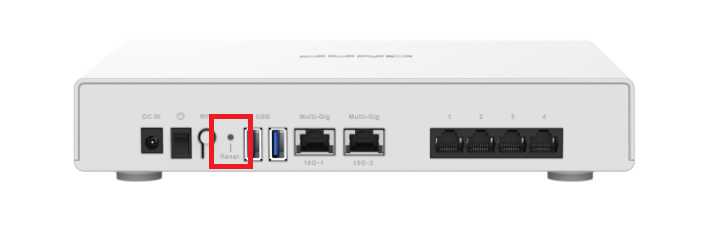
-
Software Reset
This can be done from QuRouter > Systems > System Settings > Restart / Reset. Click “Reset” and a confirmation message would appear. Click “I agree” then “OK”.This would reset the router and restore all settings to default, and would unbound from QNAP ID. The default admin password would be the same as mentioned above in part 1.
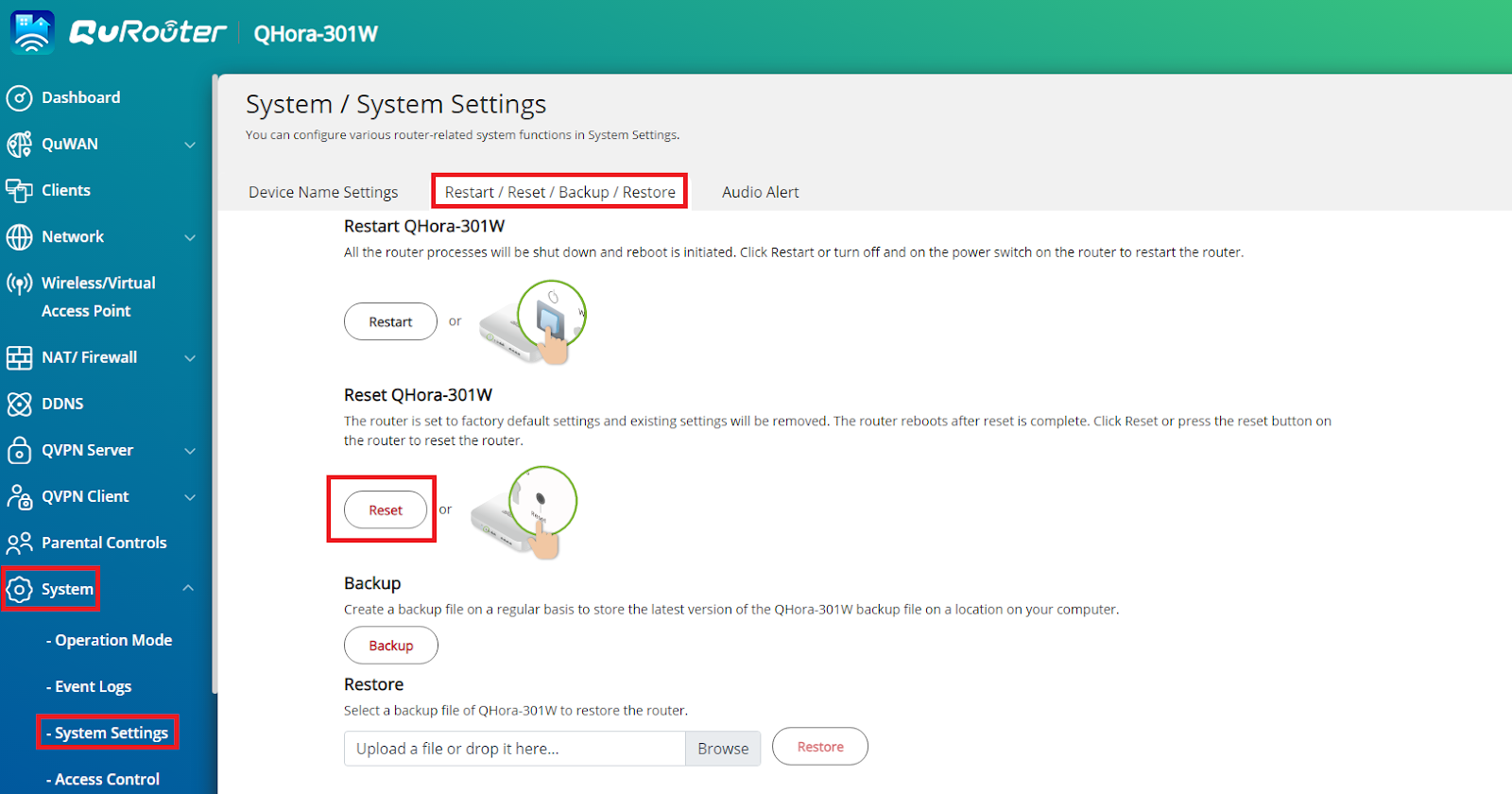
More information on the device can be found on the User Guide, downloadable from the Download Center.
További segítségért kérdezze meg a többi felhasználót és a QNAP szakértőit a közösségben. Irány a QNAP közösség


