


How can I wake multiple devices at the same time using QuWakeUp?
Applicable Products:
- QuWakeUp
QuWakeUp allows you to group multiple devices that can then be easily selected and configured to wake. These devices can either be selected individually, or made up of groups of multiple devices. This guide will explain the process of creating groups of devices and waking them using QuWakeUp.
Creating a group
-
Log in to the device.
-
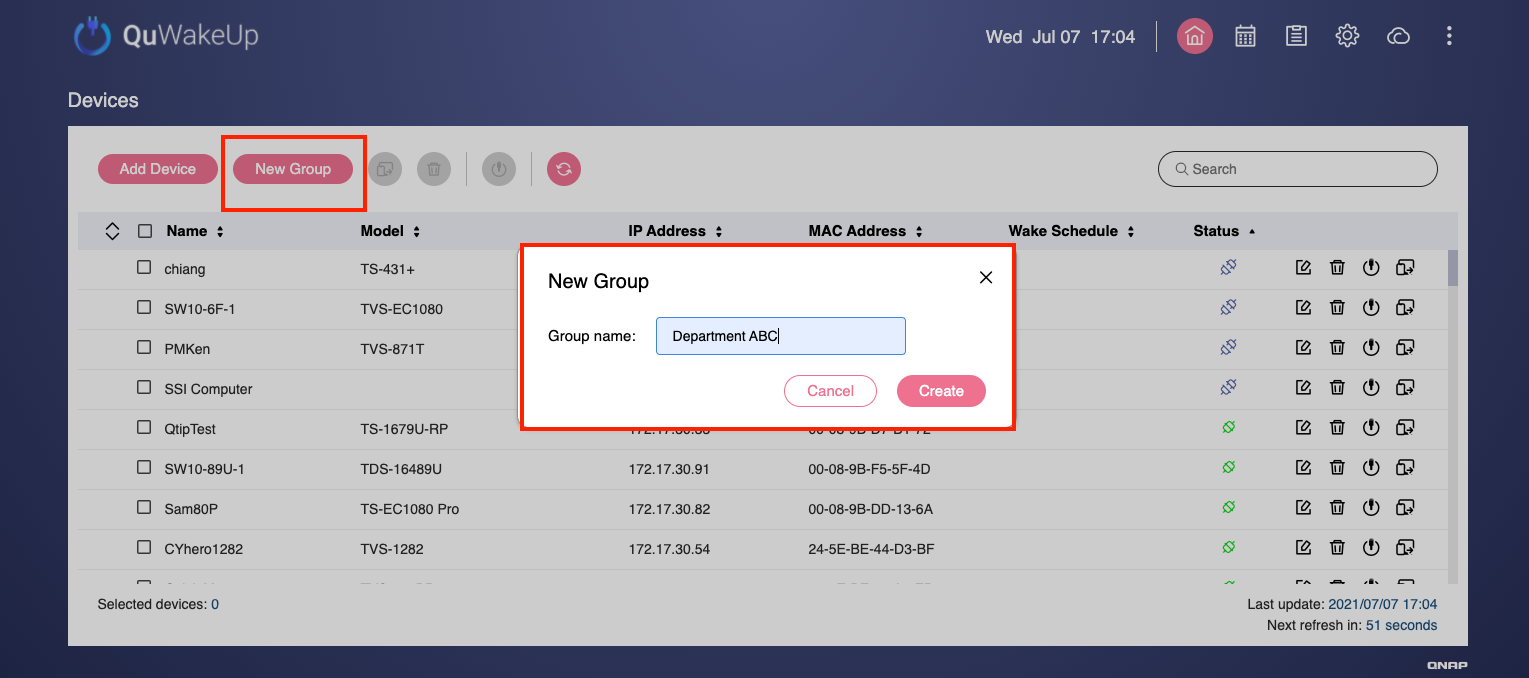
Click New Group.
The New Group window opens.
-
Enter a group name.
-
Click Create.
QuWakeUp creates the group.
Added devices to a group
-
Log in to the device.
-
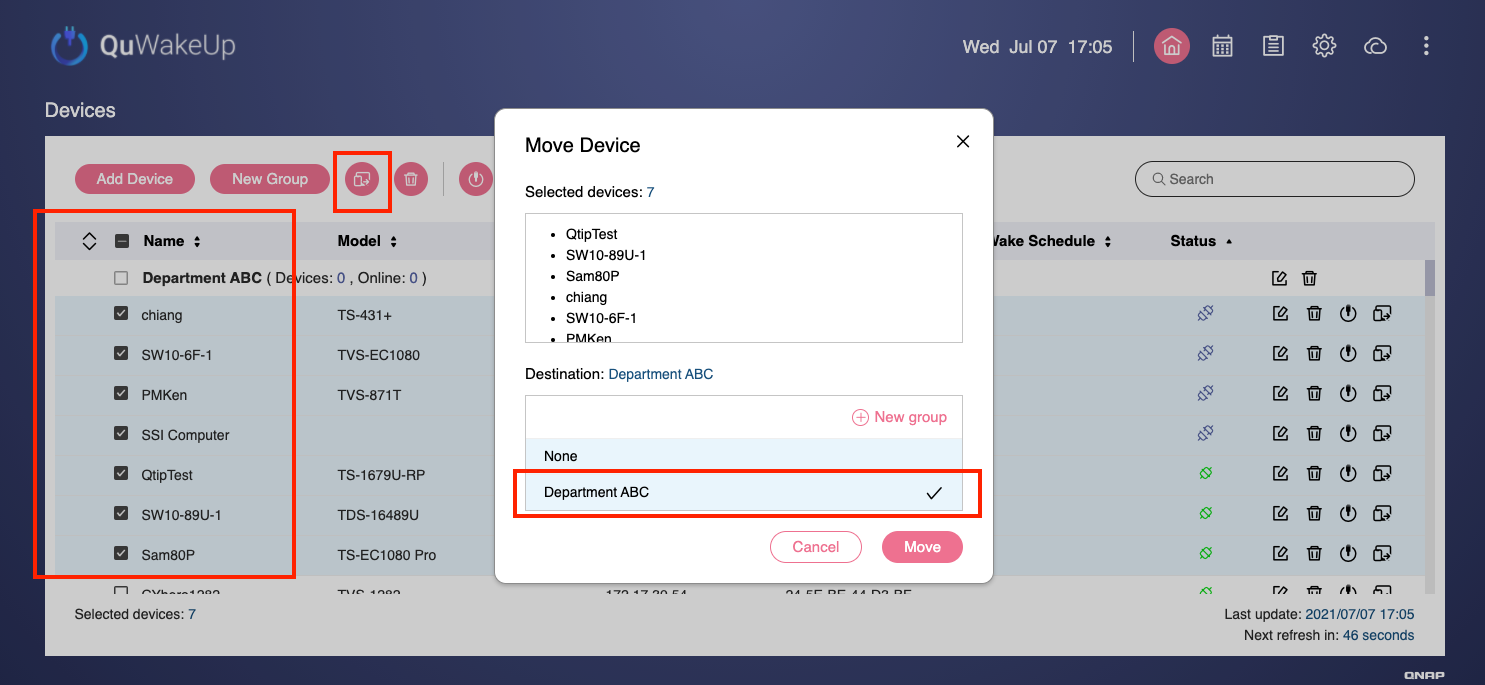
Select devices to add to a group.
-
Click the Move device icon.
The Move Device window opens.
-
Select an existing group.
-
Click Move.
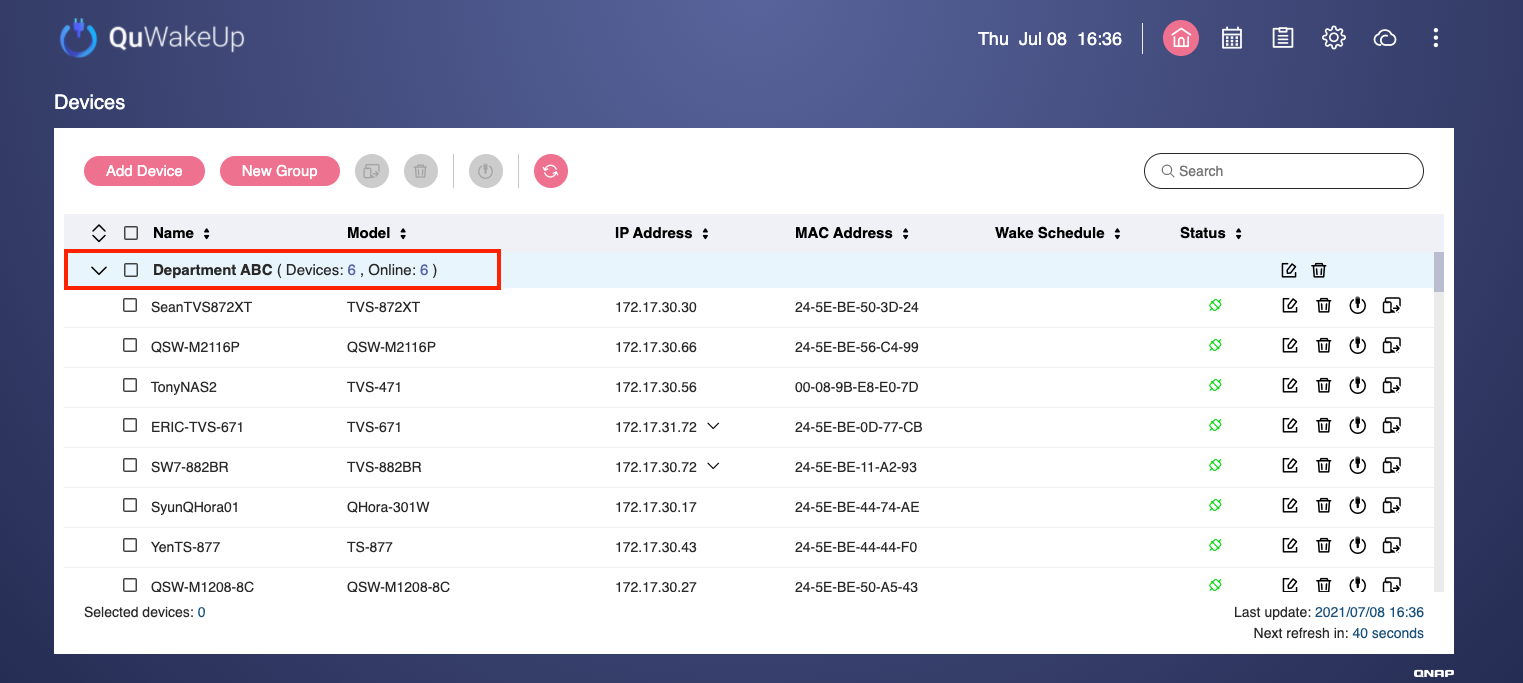
QuWakeUp moves the devices to the group. The number of devices is displayed next to the group name.
Waking multiple devices
-
Log in to the device.
-
Select individual devices or a group.
-
Click Wake Devices
The Wake Device window opens.
-
Configure the devices to wake immediately or set a wake up schedule.
-
Click Apply.
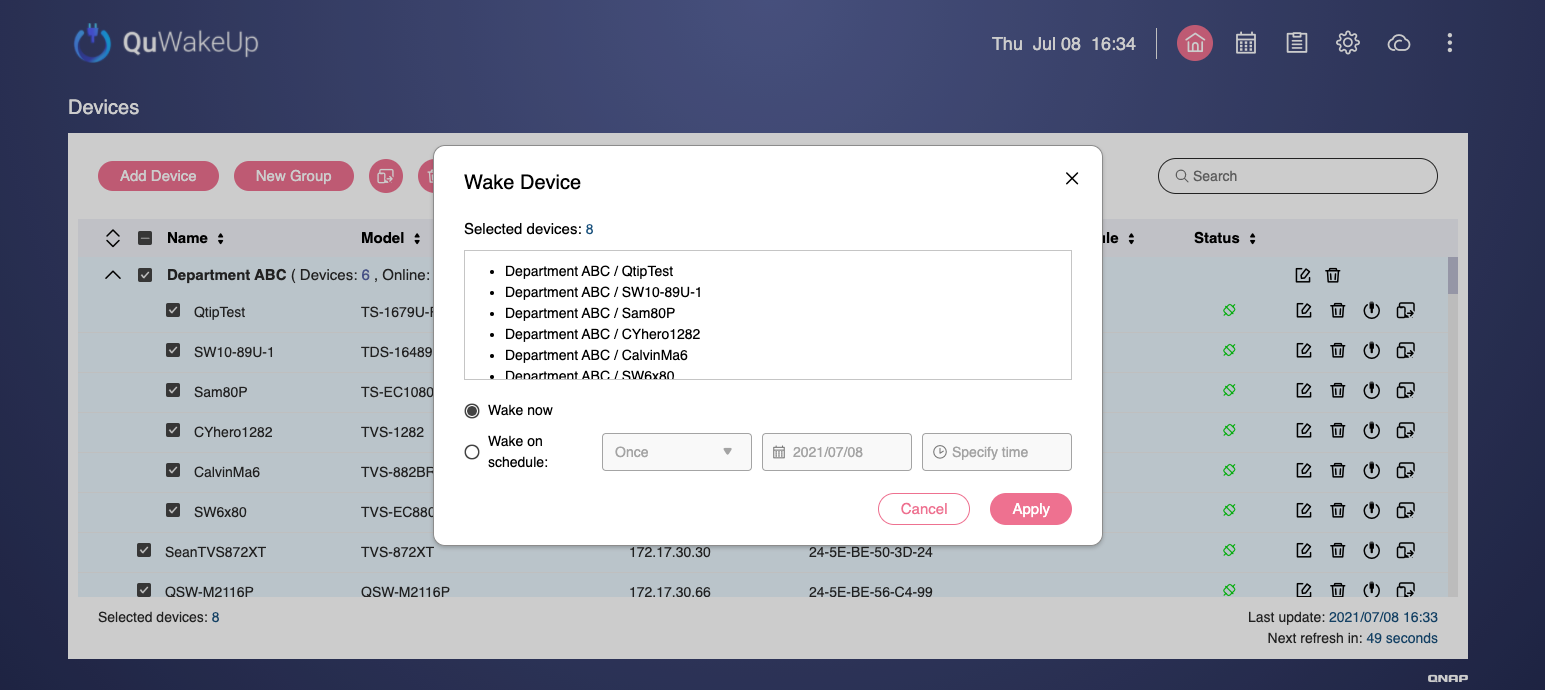 QuWakeUp wakes the devices according to the configured settings.
For further assistance, ask other users and QNAP experts in the community. Go to QNAP Community


