


How do I access my NAS if the security code is incorrect or I cannot access 2-step verification?
Last modified date:
2023-05-31
Applicable Products
QTS 4.4.3 or later
Details
You can disable 2-step verification by pressing the reset button of your NAS for 3-5 seconds.
Note
- This does not delete any data from your NAS.
- The admin account's login credentials will be restored to their default values.
- You may need to use Qfinder Pro to access the NAS after the reset.
- Locate the reset button on the back of your device.
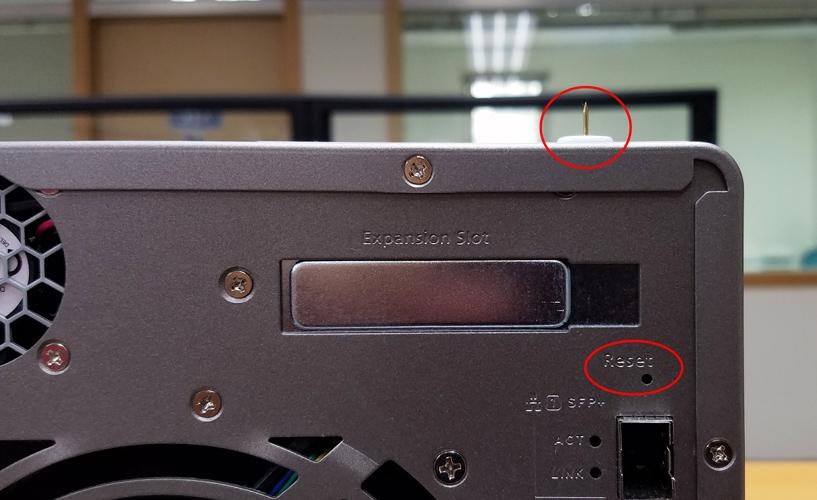
- Use a pin, paperclip, or other thin piece of metal to press the button for 3-5 seconds.
- The NAS will beep to confirm the reset.
Note
If there is no change after pressing the reset button for 3 seconds, the reset button may be disabled. Please contact QNAP support for assistance.
Further Reading
The different ways of resetting your NAS - explained!
What is the default username and password of the QTS administrator account?
For further assistance, ask other users and QNAP experts in the community. Go to QNAP Community


