


How to revert a snapshot in QES NAS?
To revert the shared folder snapshot, you can follow the below steps:
-
After the shared folder snapshot is taken, you can go to Storage Manager > Storage Space page and click
 icon of the shared folder to launch Snapshot Manager.
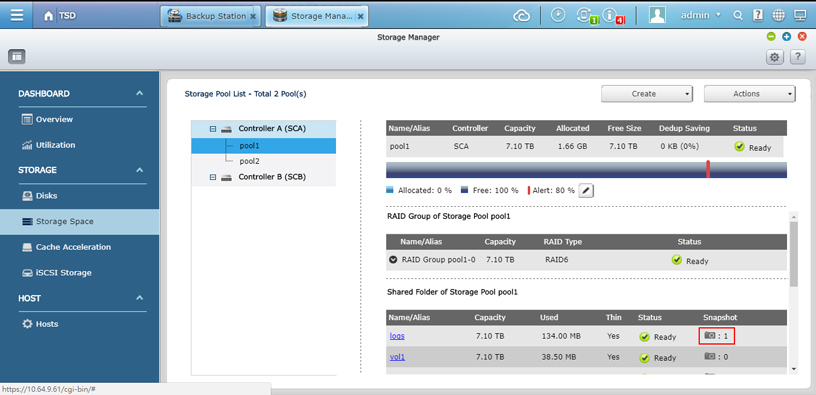
-
In Snapshot Manager, please select the snapshot you would like to revert and click Revert button to revert whole snapshot.
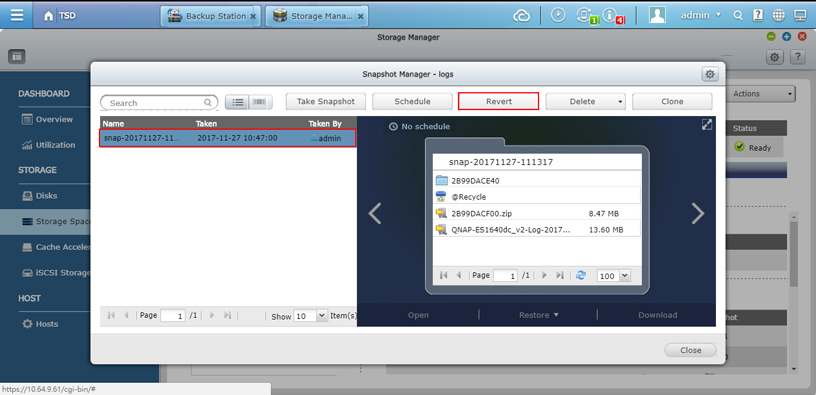
-
If you only would like to restore partial files, you can select parts of them to restore.
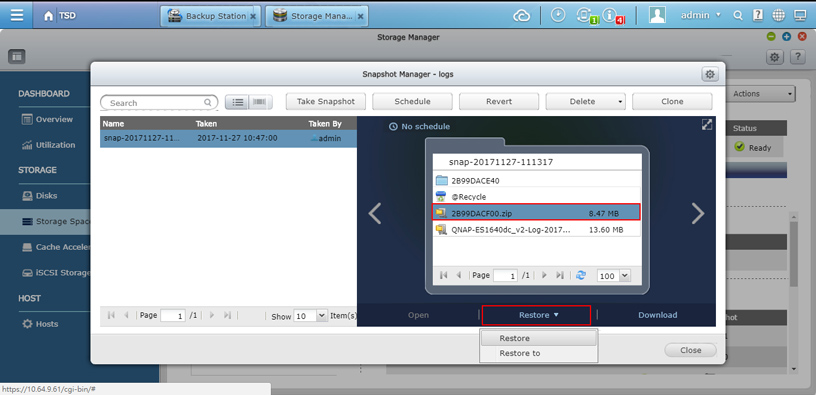
To revert the iSCSI LUN snapshot, you can follow below steps:
-
After the iSCSI LUN snapshot is taken, you can go to Storage Manager > Storage Space page and click
icon of the iSCSI LUN to launch Snapshot Manager.
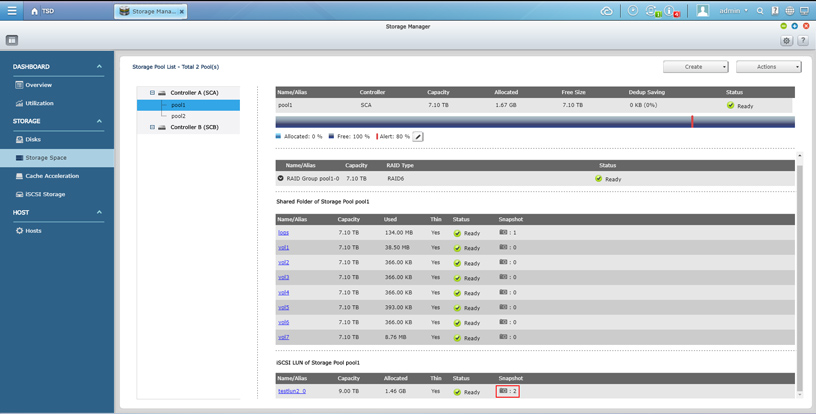
-
In Snapshot Manager, please select the snapshot you would like to revert and click Revert button to revert the snapshot.
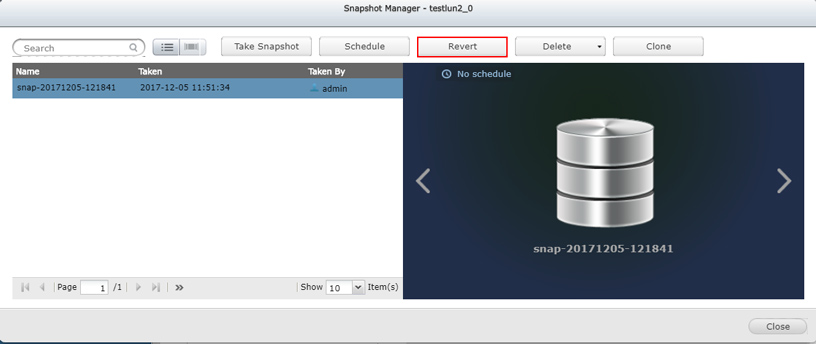
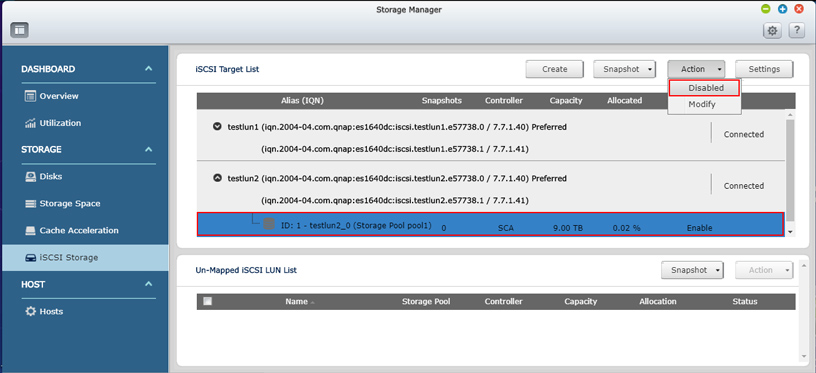
(Note: If you saw the Revert button is greyed-out, it means your LUN is still mapped and active. You need to disable and unmap the LUN first in Storage Manager >> iSCSI Storage page and then you are able to revert the iSCSI LUN snapshot. Before doing this, make sure there is no service running on the LUN and no one is accessing it.)
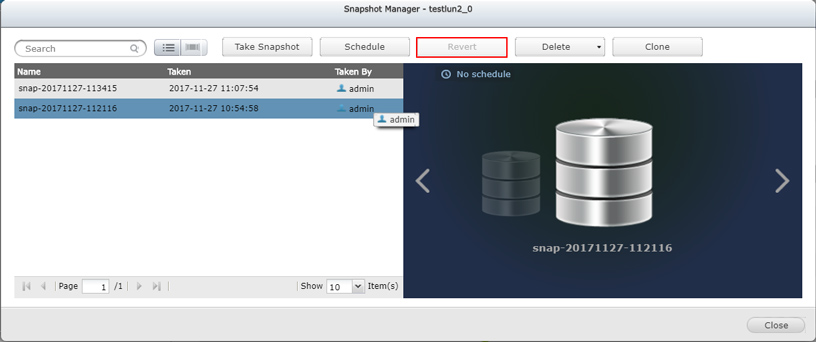
-
Refer to below screenshot to deactivate iSCSI LUN
-
Refer to below screenshot to unmap iSCSI LUN
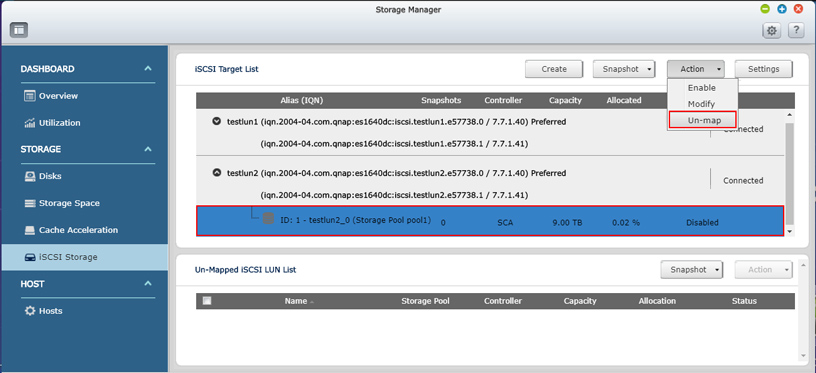
If you have difficulties to disable and unmap the LUN because there are still some services running on the LUN, you can clone the LUN and map it to the target to access it.
Pro další pomoc se zeptejte ostatních uživatelů a odborníků QNAP v komunitě. Přejít do komunity QNAP


