


How to set up a UniFi Controller in Container Station?
Last modified date:
2019-03-27
- Open Container Station, go to the "Create" page and search for “UniFi”.
- Find the “jacobalberty/unifi” image and click “Create”.
- Select the image version and click "Next" to open the "Create Container" configuration wizard.


- Give the container a recognizable name (this example uses "UniFi_Controller") and configure the CPU and memory limits for the container.
- Go to "Advanced Settings" > "Network" and set the container to Bridge Mode.
- Click "Create".


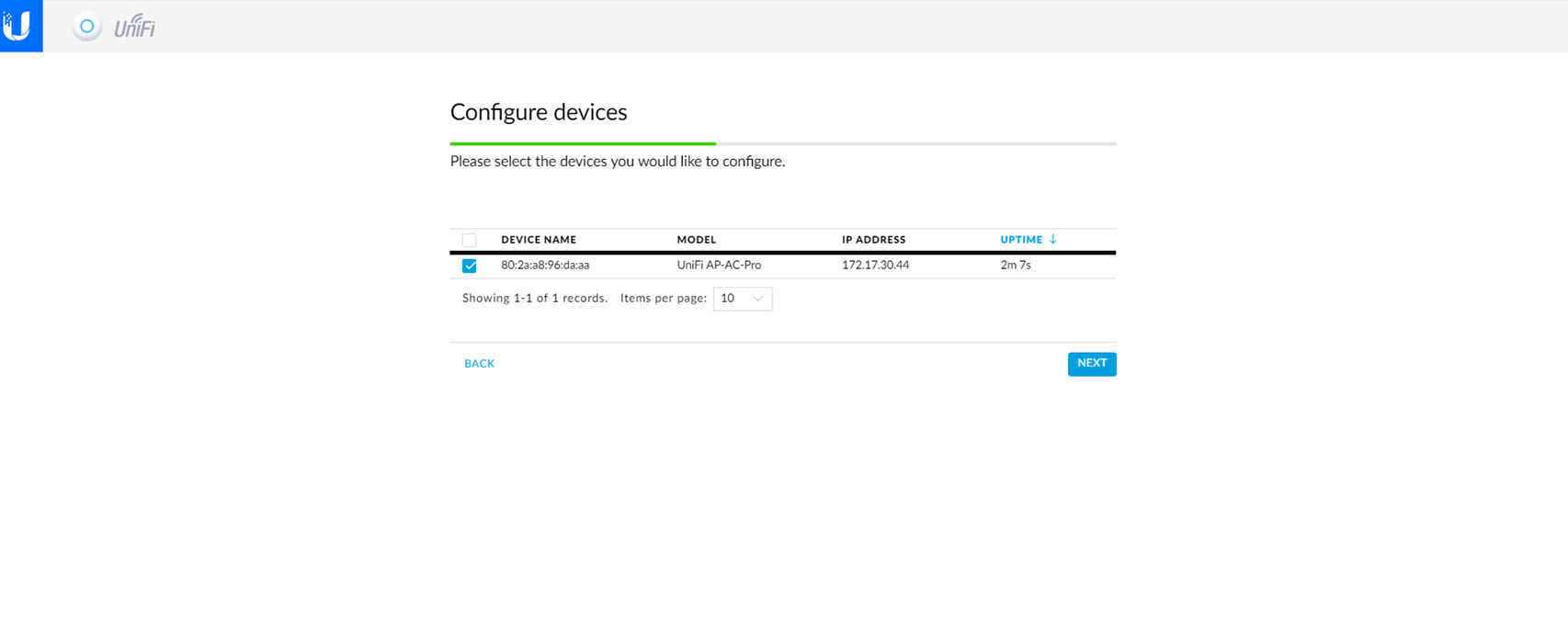
- Go to the "Overview" page and open the UniFi_Controller container. This will start the UniFi Setup Wizard.


- Select the devices to configure and use with your UniFi Controller container.

Bạn vẫn cần hỗ trợ?
Hãy đăng câu hỏi của bạn trong Cộng đồng QNAP. Nhân viên QNAP và những người dùng giàu kinh nghiệm sẽ trả lời.


