


How do I back up QNAP router and switch settings?
Last modified date:
2023-09-07
Applicable Products
- QHora-301W
- QHora-321
- QHora-322
- QMiro-201W
- QMiroPlus-201W
- QSW managed switches
Procedure
Backing Up Router System Settings
- Log in to QuRouter.
- Go to System > System Settings > Restart / Reset / Backup / Restore.
- Click Backup.
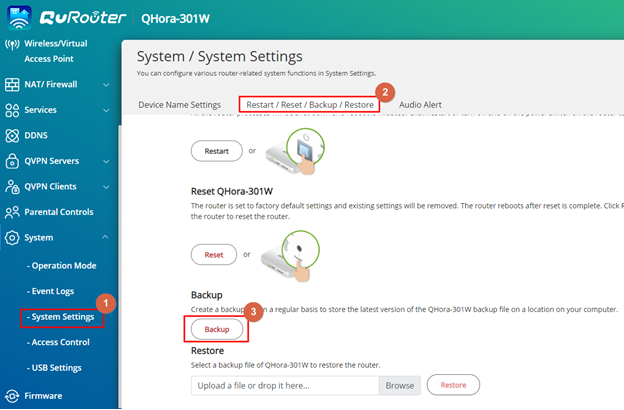
The device exports the system settings as a BIN file and downloads the file to your computer.
Backing Up Switch System Settings
- Log in to QSS.
- Go to System > System Settings > Backup & Restore.
- Click Backup.
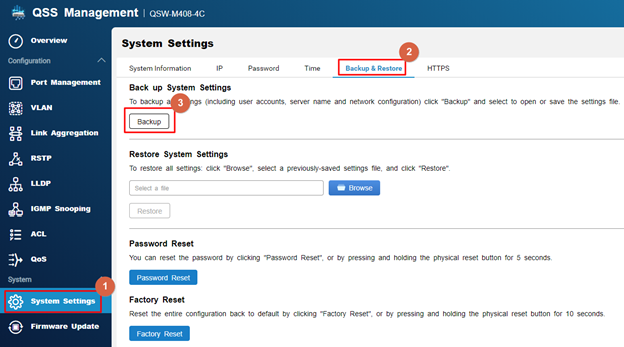
The device exports the system settings as a BIN file and downloads the file to your computer.
Để được hỗ trợ thêm, hãy hỏi những người dùng khác và chuyên gia QNAP trong cộng đồng. Đến Cộng đồng QNAP


