


How to solve the problems of Microsoft Office lock editing?
Laatst gewijzigd op:
2022-06-24
Applicable Products:
- File Sharing
When Editing Microsoft Office by SMB, (including word, excel and powerpoint...etc),if you see the warning message , document is locked and can not edit the original document.

That is maybe because:
- Another user or client device is opening/editing the document:If you want to know who is editing the file, you can check the Qulog center >Access log, you can find who is reading/editing the file at the same time.

- Disable Preview pane and Details Pane in window explorer, because windows will try to read the file detail when the function is enabled.

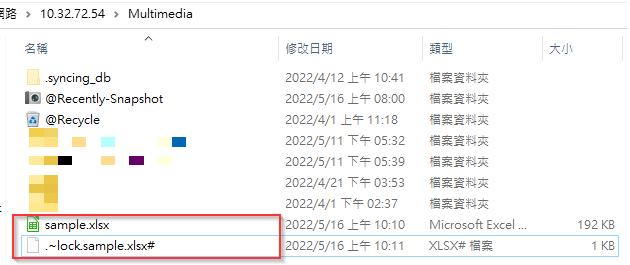
- If all office applications have been closed, and no other user is using the file , but the owner file(the file begins with ~) still exists in the same folder, it is maybe because the previous version quit improperly or another office instance is running in the background. Please try to end the office instance in the background, for example, press CTRL+ALT+DELETE , select the task manager, find Winword.exe and end the process , and delete the owner file in the same folder.
- You can also try to open Microsoft Office applications first ,then open the file from the application.
Voor verdere hulp kunt u andere gebruikers en QNAP-experts in de community vragen. Ga naar de QNAP Community


