


Where do I find blocked IP addresses in QuFirewall?
Last modified date:
2022-12-17
Applicable Products
QuFirewall
Procedure
- Log in to QTS as an administrator.
- Open QuFirewall
- Go to Firewall Profiles
- Click > to expand your active firewall profile.
- Find IP access protection and click [...].
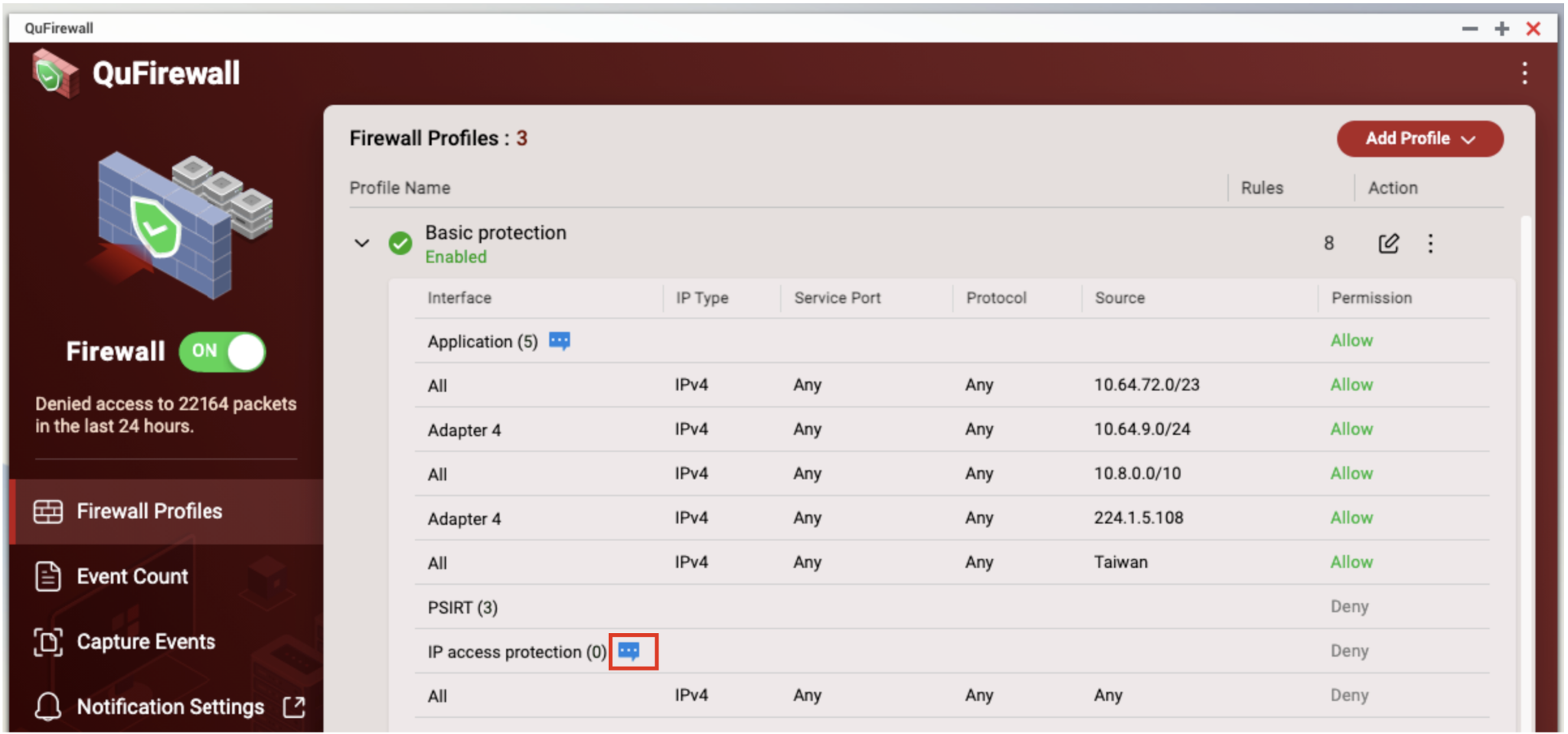
- The IP Access Protection window opens. Blocked IP addresses are displayed under Denied Source IP Address.

For further assistance, ask other users and QNAP experts in the community. Go to QNAP Community


