


Where do I find blocked IP addresses in QuFirewall?
Last modified date:
2022-12-17
Applicable Products
QuFirewall
Procedure
- Log in to QTS as an administrator.
- Open QuFirewall
- Go to Firewall Profiles
- Click > to expand your active firewall profile.
- Find IP access protection and click [...].
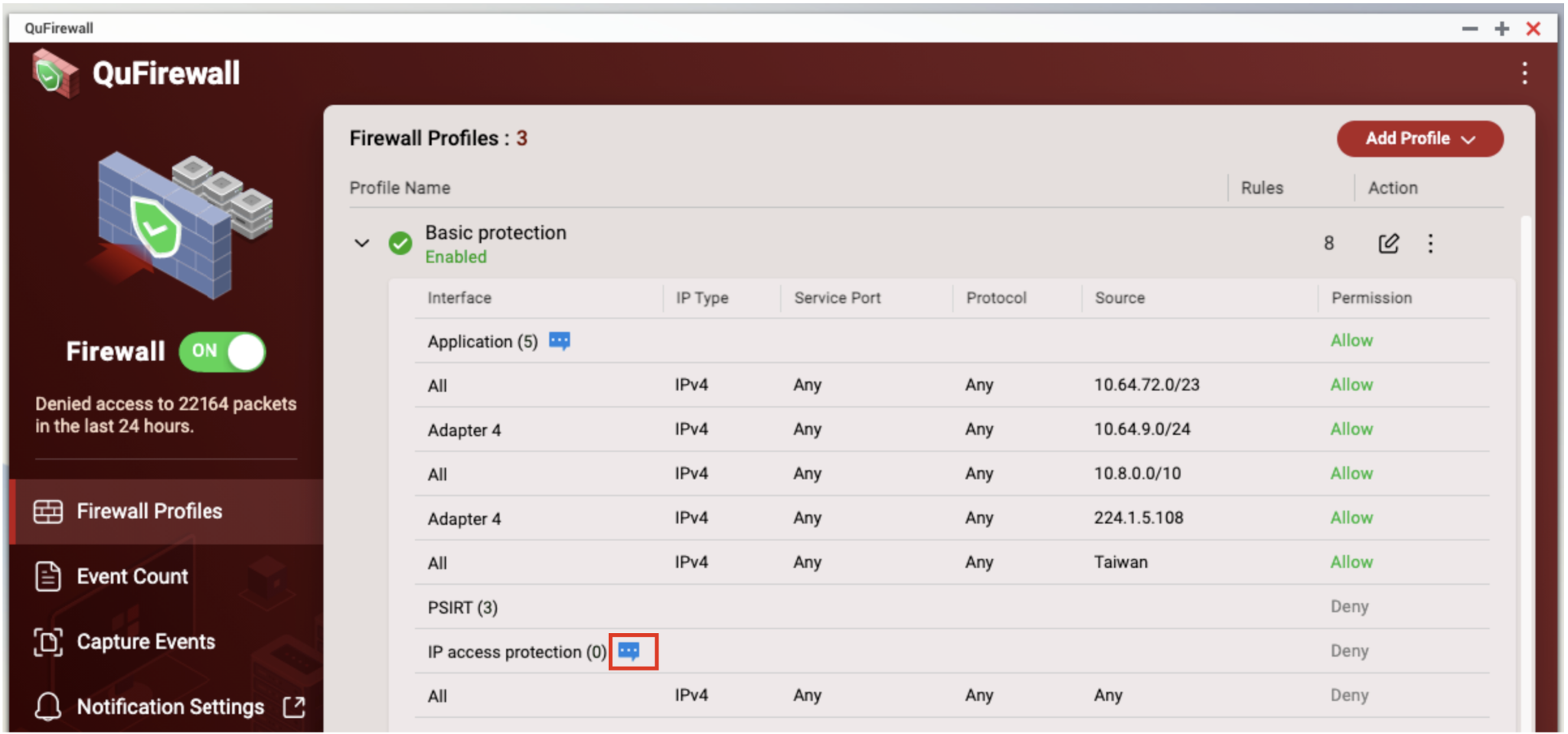
- The IP Access Protection window opens. Blocked IP addresses are displayed under Denied Source IP Address.

Daha fazla yardım için toplulukta diğer kullanıcılara ve QNAP uzmanlarına sorun. QNAP Topluluğuna Git


