


Why am I unable to connect to TeamViewer on the NAS?
Last modified date:
2023-01-11
Applicable Products:
- QTS 5.0 or later
- QuTS hero h5.0 or later
- Teamviewer
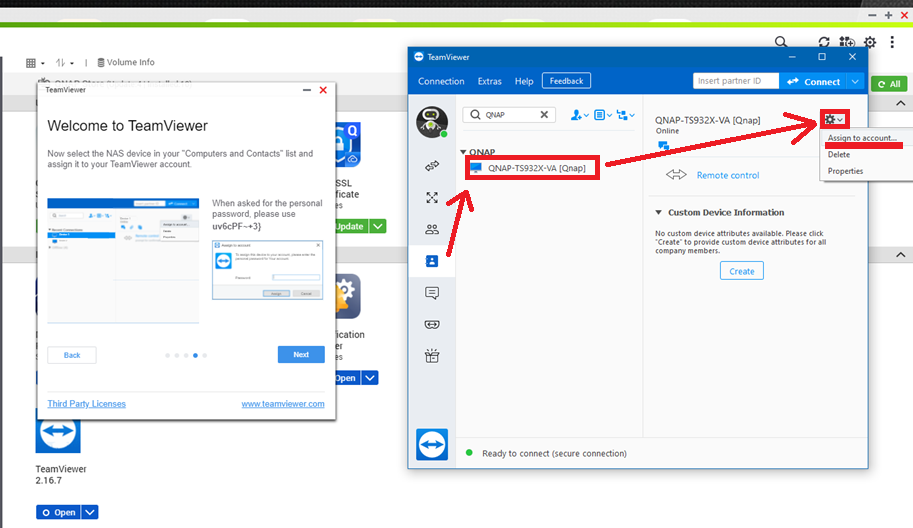
If you have installed TeamViewer on the NAS, but you cannot connect to it from the computer, and it gives the error “connection not established”, it could be that the QTS TeamViewer is not assigned to your account. Please make sure that the QTS TeamViewer is assigned to the TeamViewer account first, and not just only added to the TeamViewer connection list: Select the NAS from the computer list > click on the settings icon > Select “Assign to account...”
Related documents:
For further assistance, ask other users and QNAP experts in the community. Go to QNAP Community


