


Where do I find the blocked IP addresses in QuFirewall?
Last modified date:
2022-12-17
Applicable Products:
-
QuFirewall
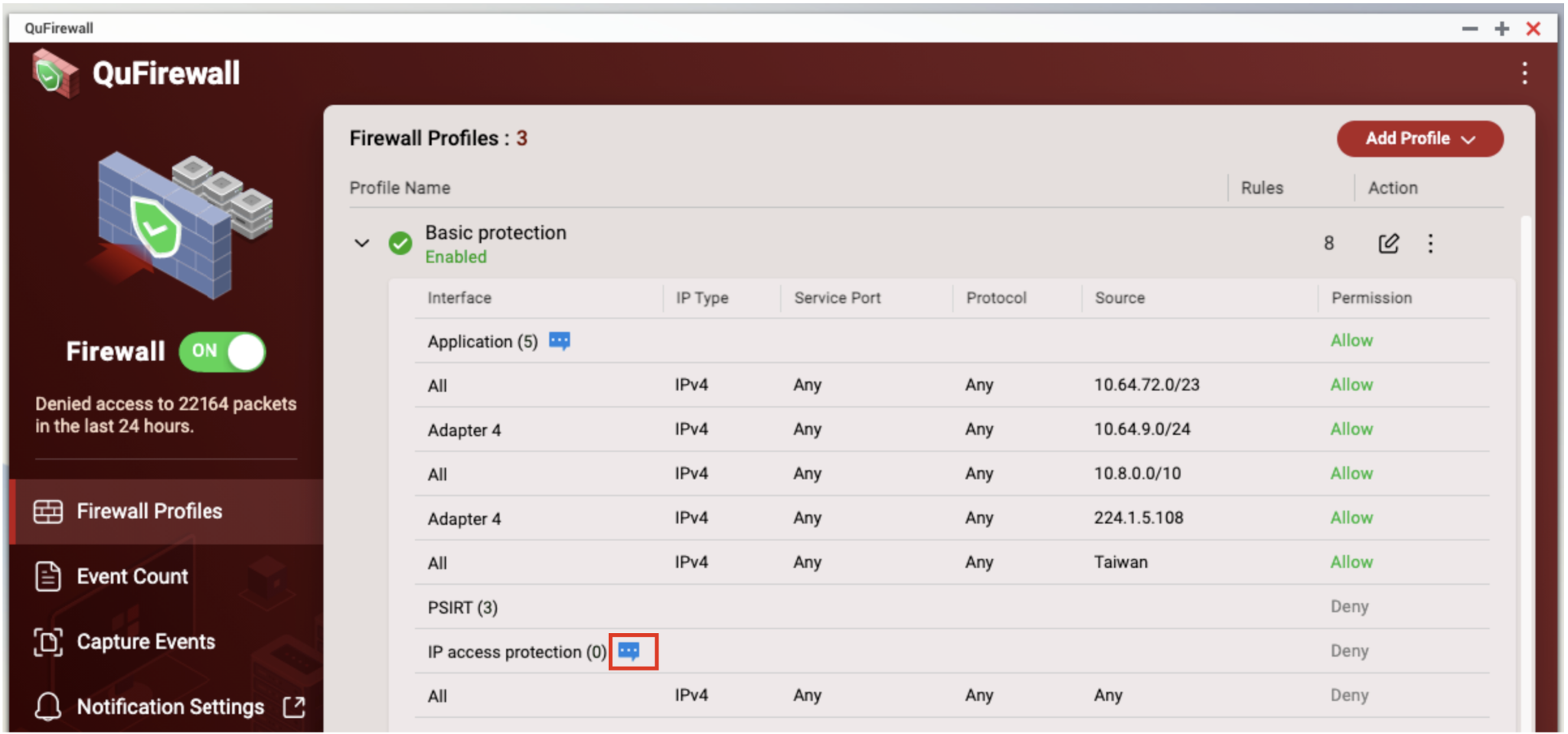
Follow the procedures below to find the blocked IP address.
- Login QTS as administrators
- Open QuFirewall
- Find Firewall Profiles
- Expand your active firewall profile by clicking ">"
- Find IP access Protection and click on [...]

For further assistance, ask other users and QNAP experts in the community. Go to QNAP Community


