


Recover the Client side encrypted file with a Sync Job to the cloud
Applied models:
Applied Firmware:
-
All firmware versions
If you run Sync Job to a cloud or to another QNAP NAS with client side encryption enabled and for some reason you need to recover the files. You will need to use a QNAP NAS and Hybrid Backup sync.
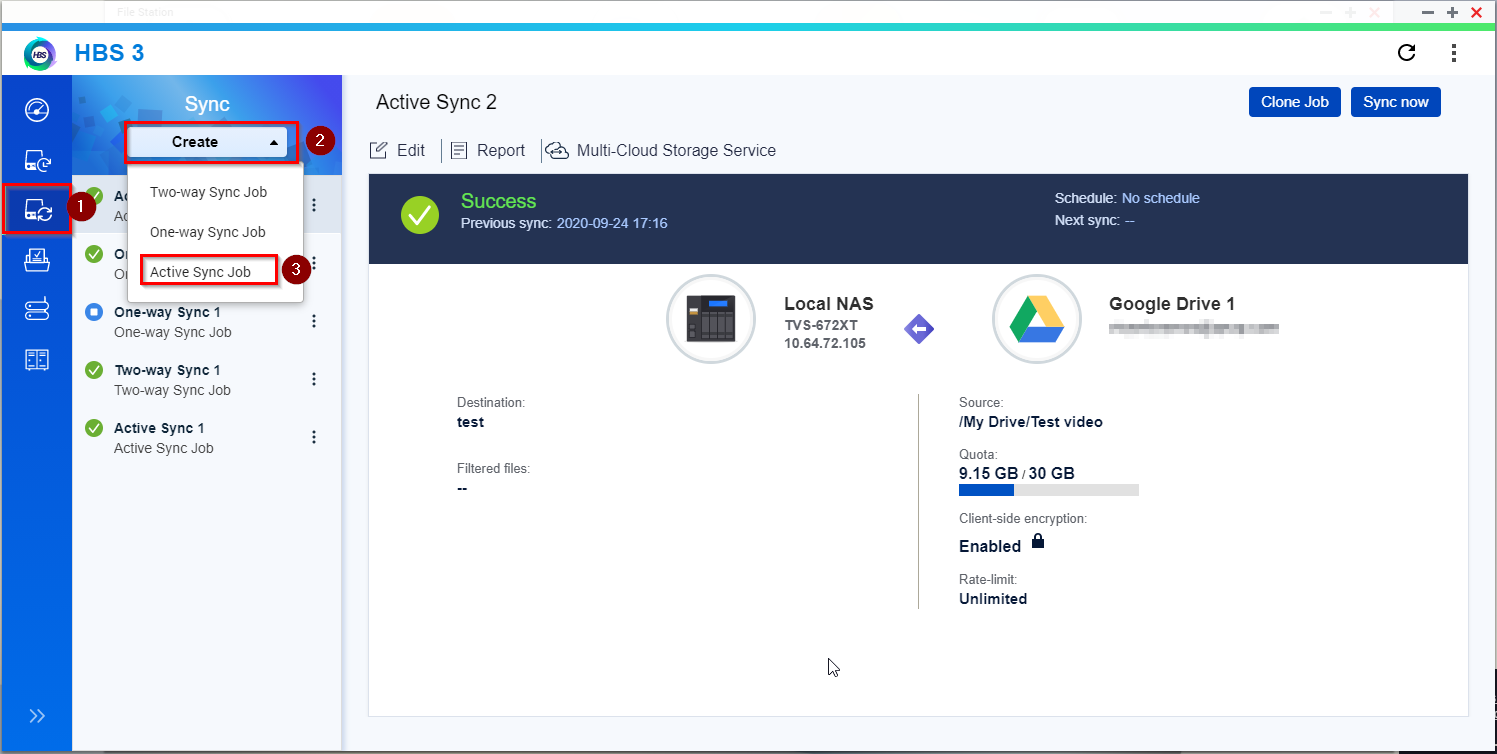
The way to recover them is creating an “Active Sync Job” to sync from the Cloud to the NAS and enabling the encryption again.
1. Create the Job
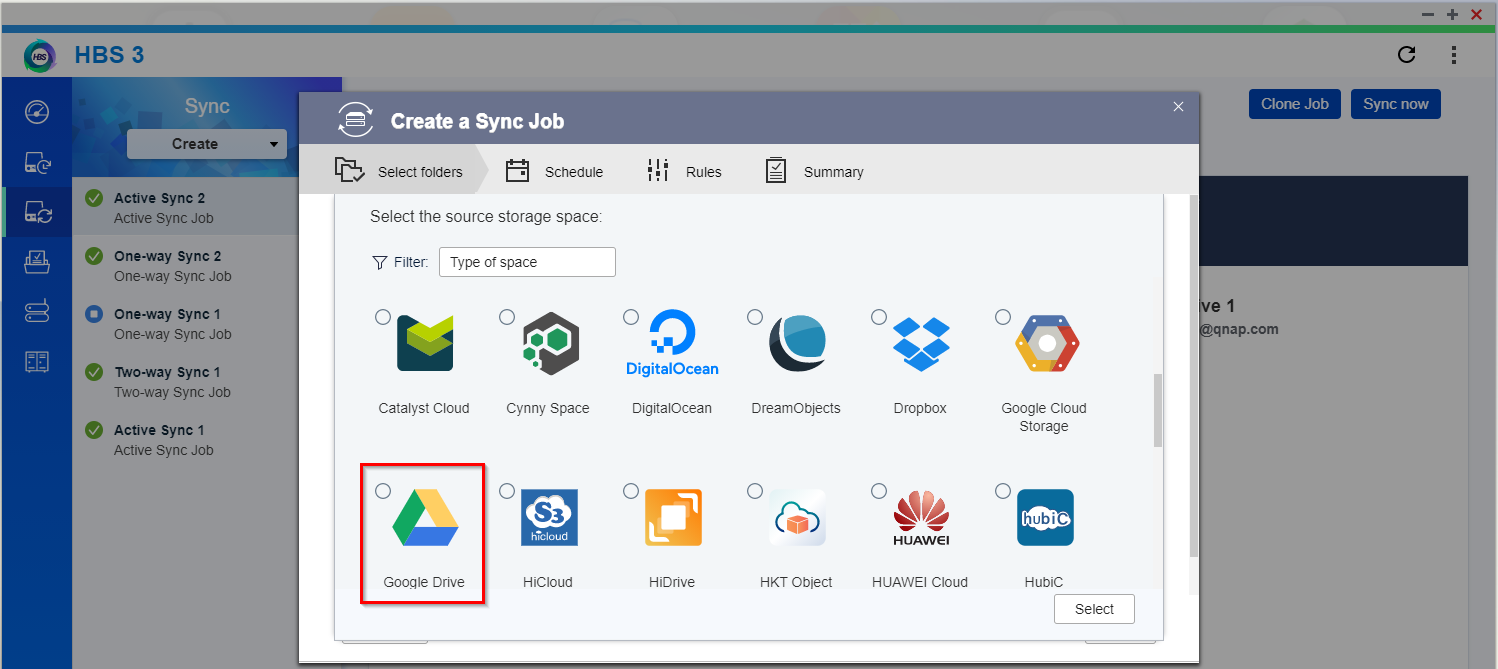
2. Select the cloud provider
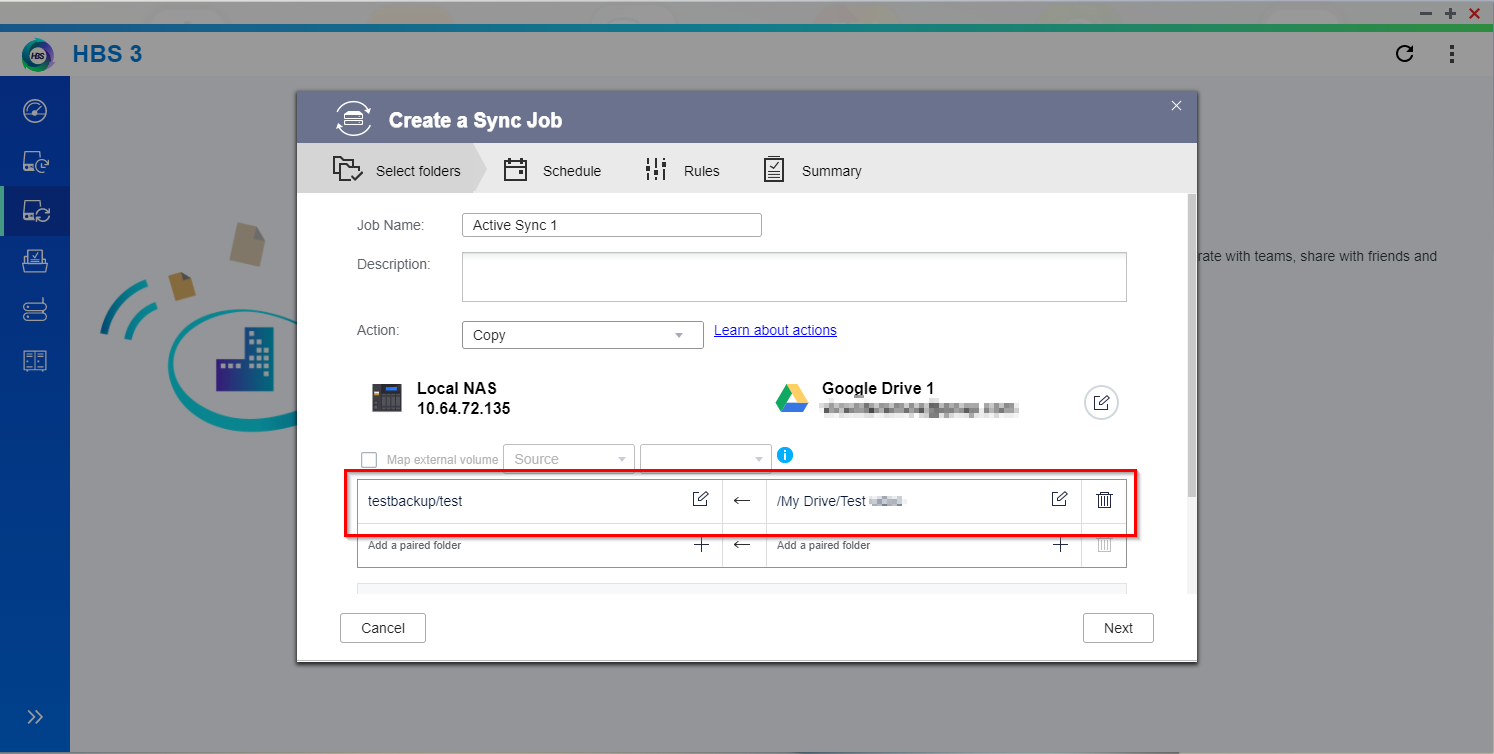
3. Select the source and destination of the sync
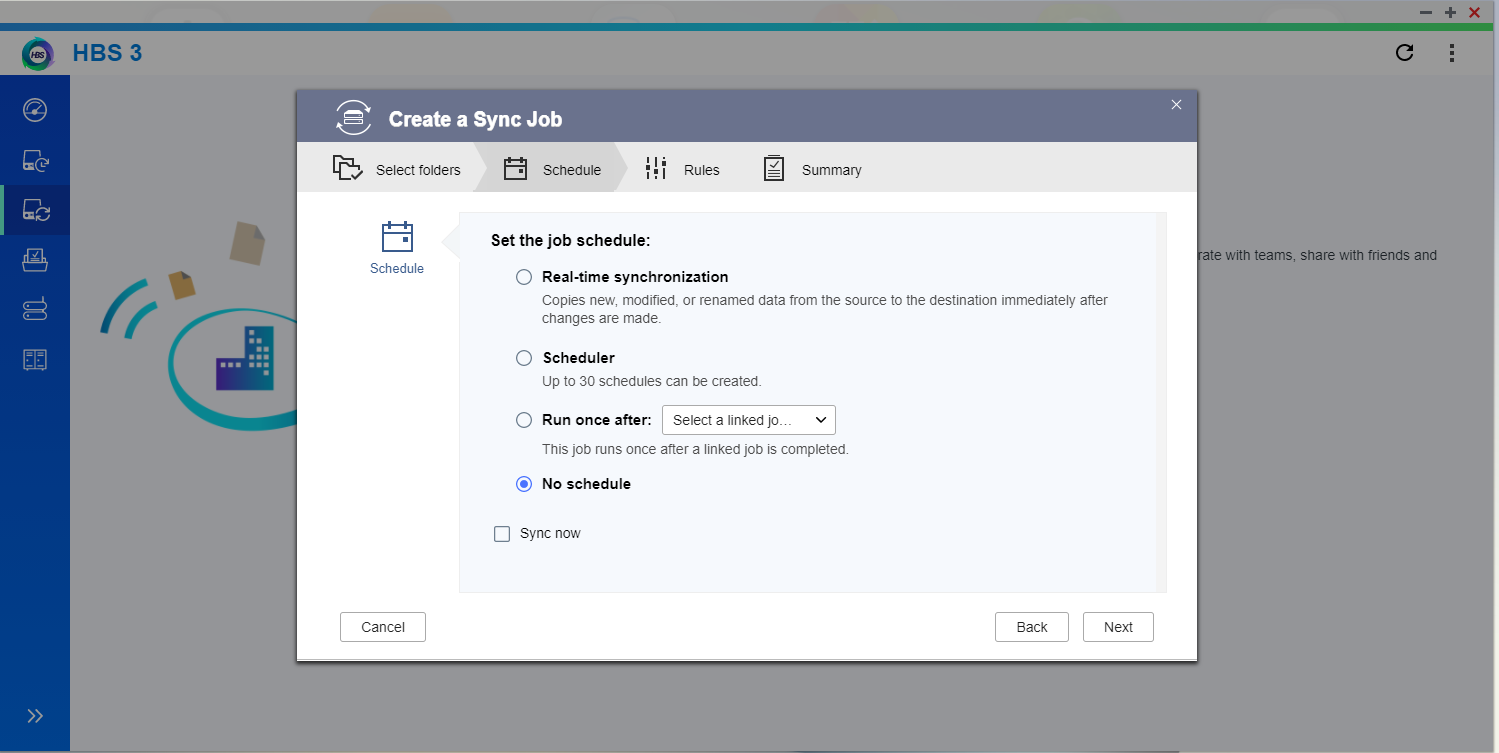
4. We do not need schedule because we try to recover the encrypted files
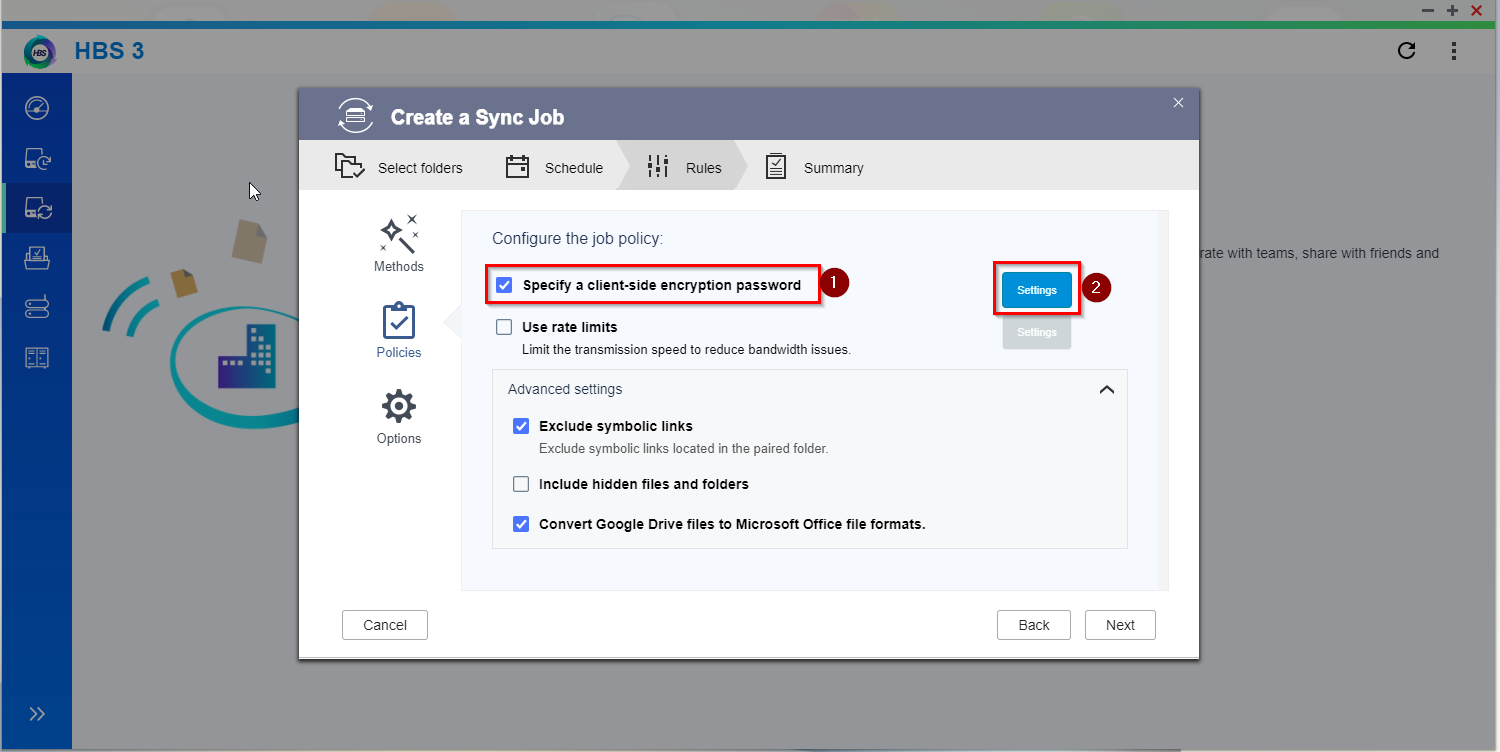
5. In “policies” we need to mark “Specify a client-side encryption password” and click in setting
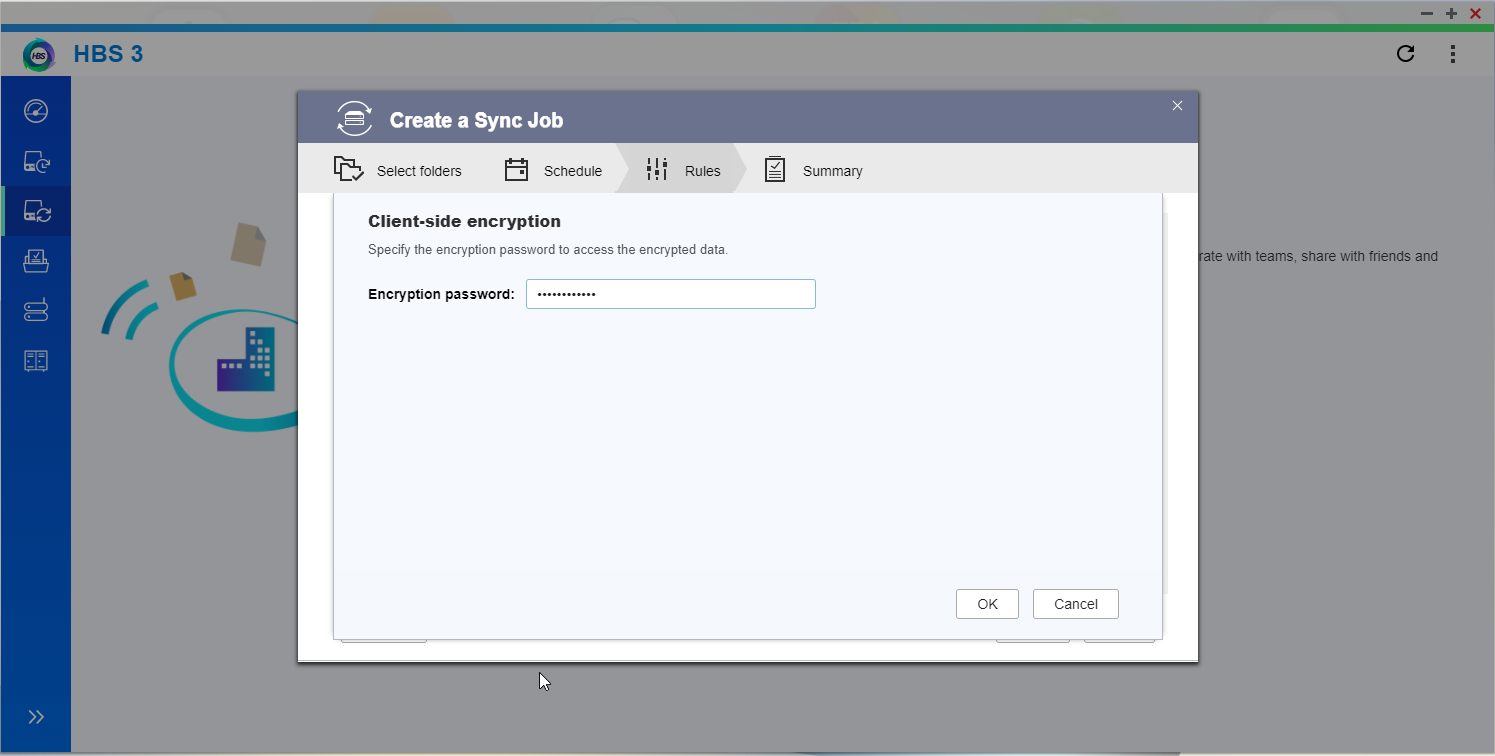
6. Type the password used to encrypt the files
7. Click on “Create”

Finally run the Sync job and the files will be decrypted in the Destination folder.
For further assistance, ask other users and QNAP experts in the community. Go to QNAP Community


