


Which messages are shown when removing the Storage Pool or a System Volume?
Applied models:
Applied Firmware:
-
4.4.3 or above
Before thinking of removing the Storage Pool or the Volume, be aware that this process is not reversible and the data will be gone forever, so if you want to keep them, make sure to have a backup of your data in a safe place outside your NAS, as good security practice.
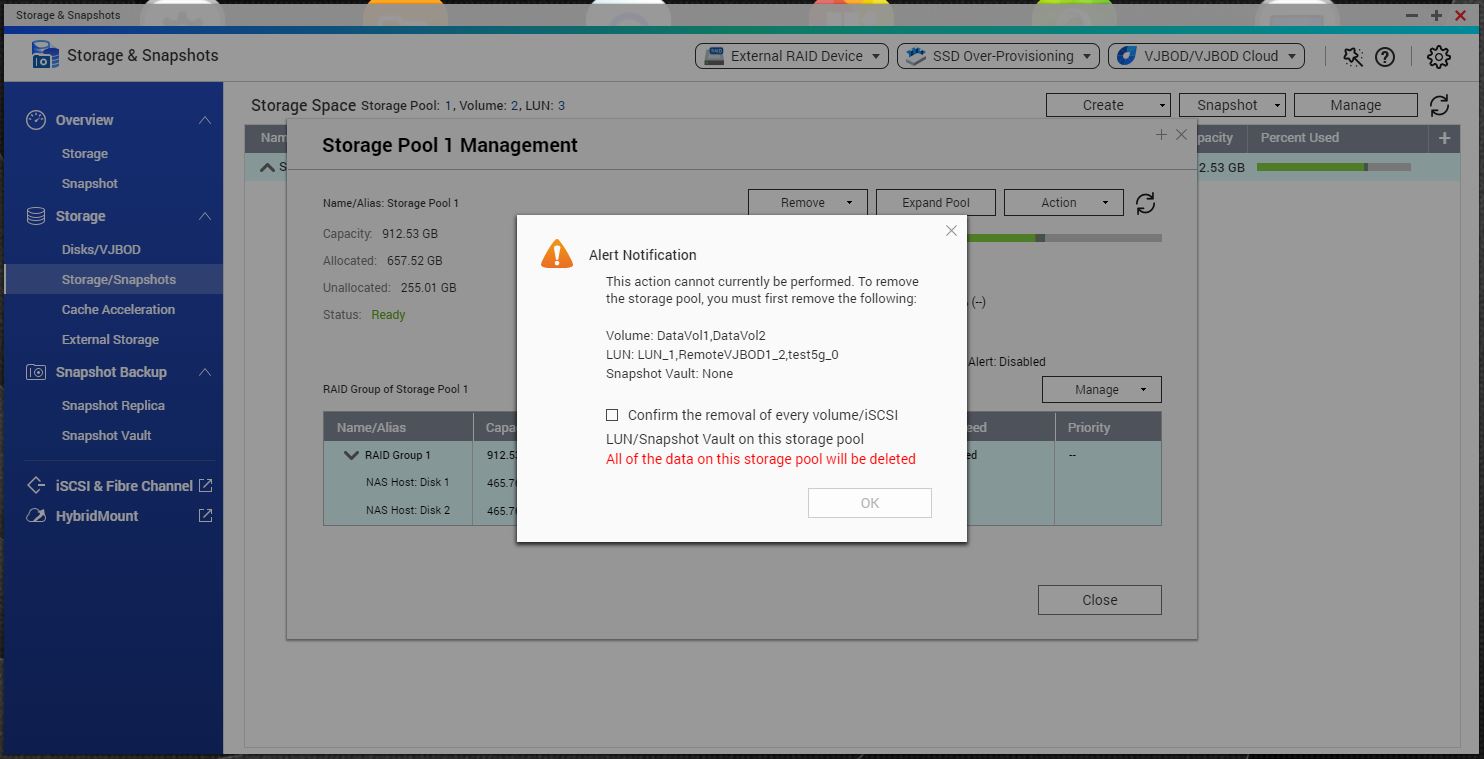
When you try to remove the Storage Pool, you may select the one you want to remove, then click on “Manage” button, so you will see later the available button “Remove”, so you can click there to follow up. Reference on the image below. Note that a message in red will be displayed, reminding you, “All of the data on this storage pool will be deleted”, so think it twice before proceeding and mark the box, so you can click on “OK” button.
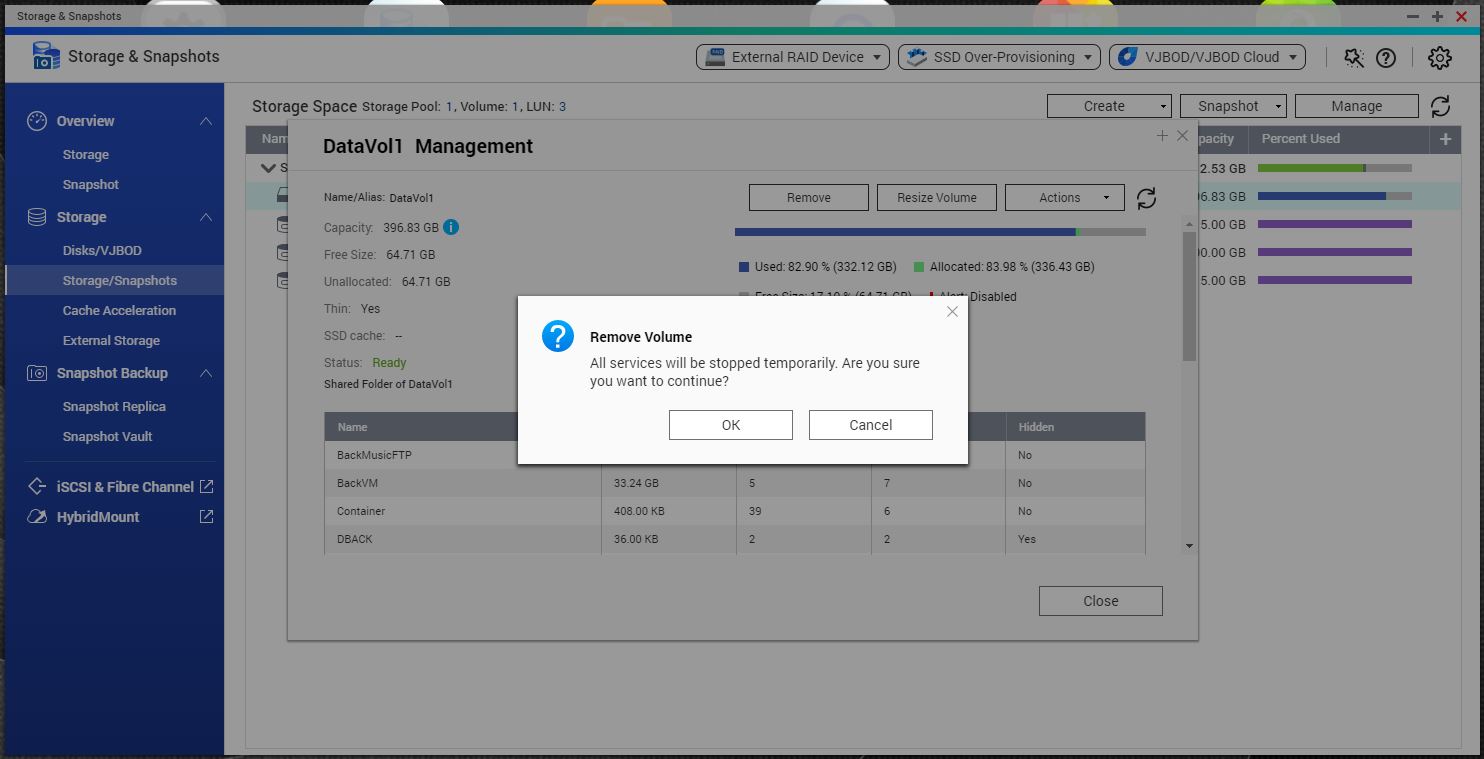
Now, thinking of removing the System Volume, you can select it, then click on “Manage” button, so you will see later the available button “Remove”, so you can click there to follow up.
It will display the message “All services will be stopped temporarily. Are you sure you want to continue?”, that means the data will stopped to be accessible from this point, but the process to finally remove the volume, it will not start yet, refer to the image below.
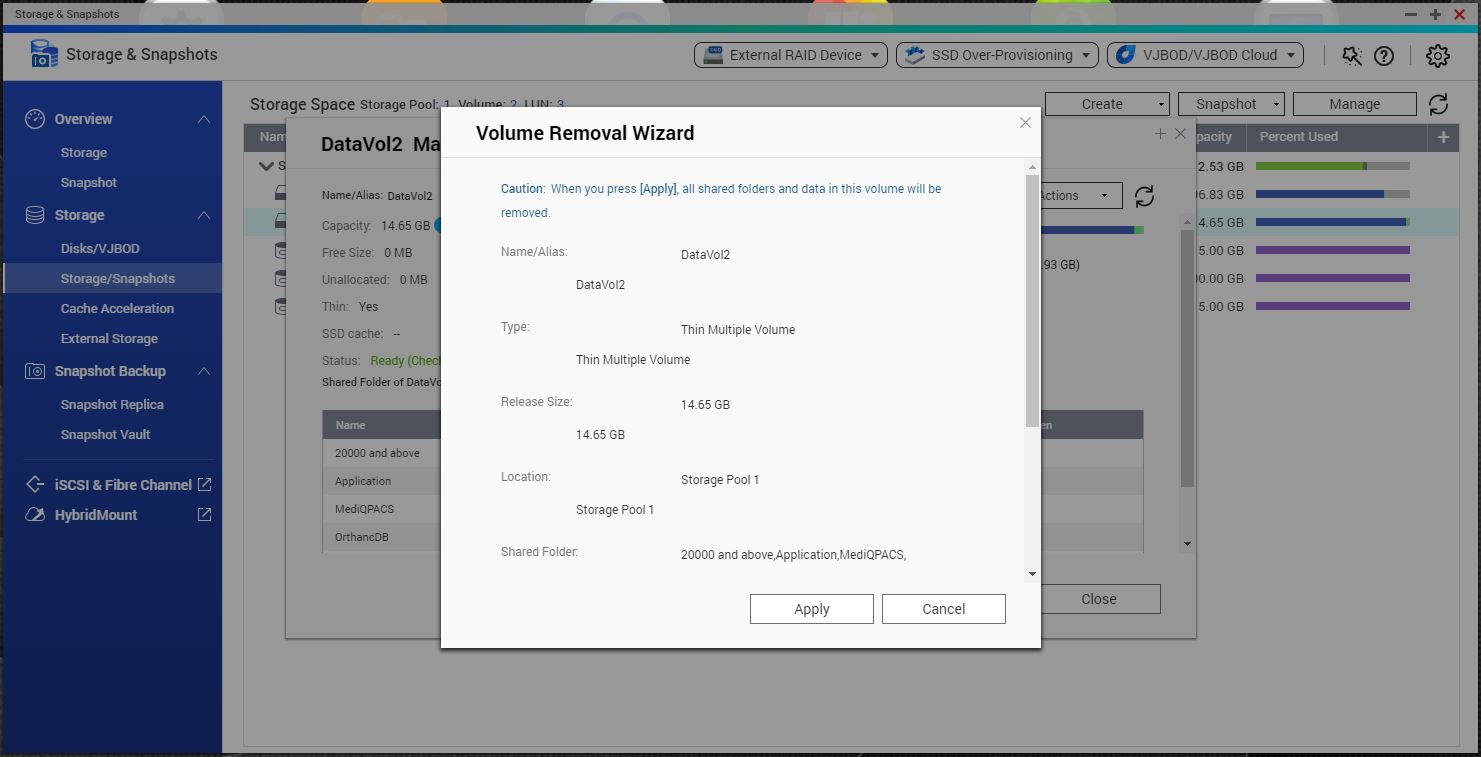
Once you click on the “OK” button, it will go to a second screen, then it will display in blue the following message “Caution: When you press [Apply], all shared folders and data in this volume will be removed”, at this point, it is when the process of removal, so be sure of what you are doing before proceeding. Refer to the image below for more information.
And now you are aware of all messages that are shown beforehand, when choosing to remove either the Storage Pool or the System Volume.
還有疑問?
在 QNAP 官方社群提問,獲得 QNAP 官方與熱心用戶的第一手建議。


