


Using HD Player on HybridDesk Station
HybridDesk Station is a platform that allows you to connect your NAS to an HDMI™ -compatible TV or monitor and enables you to directly access your multimedia content and use other applications.
Before you can use the HD Player, you must first enable HybridDesk Station on the NAS. For details, see Installing HybridDesk Station.
- Select your NAS account and then specify your password.
 Note:
To navigate through HybridDesk Station, connect a USB mouse and keyboard to the NAS or use the QNAP remote control, if available. You can also use Qremote on your mobile device.
- Start HD Player.
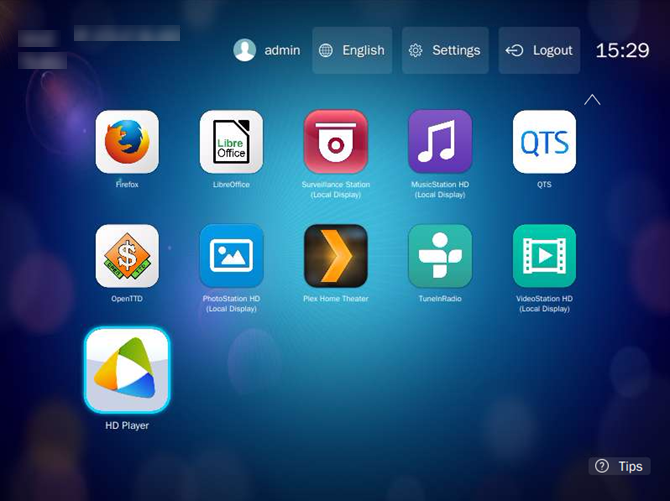
- Select your NAS account and then specify your password.
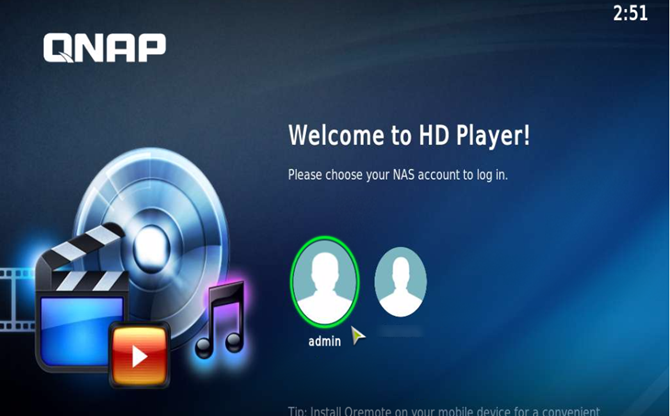
You can start using HD Player to access multimedia content from Photo Station, Music Station, or Video Station.
Ensure that HD Player, Photo Station, Music Station, and Video Station are installed on the NAS.

Bạn vẫn cần hỗ trợ?
Hãy đăng câu hỏi của bạn trong Cộng đồng QNAP. Nhân viên QNAP và những người dùng giàu kinh nghiệm sẽ trả lời.


