


How to Configure Google Cloud for Use with Cloud HAL Agent
About This Tutorial
The Google Cloud Platform (GCP) allows users to deploy VMs and applications using Google servers. The GCP Portal allows you to centrally manage users and securely control access to your cloud resources.
This tutorial explains the basics of creating and configuring a service account for use with Cloud HAL Agent. Before starting, ensure you have a GCP account and an active project. Depending on your setup, you may require administrator privileges to complete this tutorial.
If you are already familiar with the GCP infrastructure, it may be possible to use other methods to achieve the same results. If using an alternate method, ensure the necessary permissions are granted to ensure proper functionality.
For more detailed instructions, see the official Google Cloud Support Docs page.
Creating a Service Account
- Under Actions, click

- Select JSON.
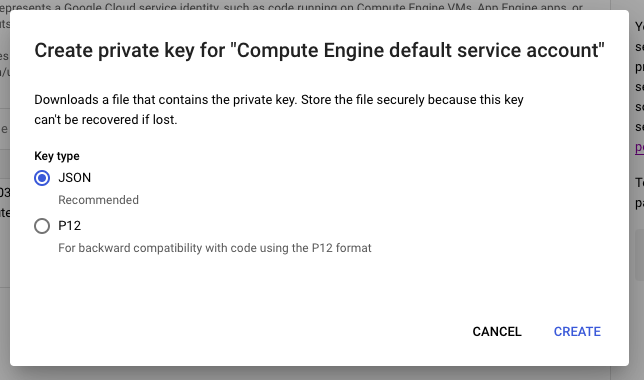
GCP generates a JSON private key. Save the key in a secure place; you cannot retrieve it again later.
Granting Permissions to a Service Account
- Log in to the IAM Admin page.

GCP adds the permissions to the service account.
Để được hỗ trợ thêm, hãy hỏi những người dùng khác và chuyên gia QNAP trong cộng đồng. Đến Cộng đồng QNAP


