


How can I exclude specific files and folders in an HBS job?
Last modified date:
2024-04-09
Applicable Products
Hybrid Backup Sync (HBS 3 version 24.0 or later)
Solution
In Hybrid Backup Sync (HBS 3), you can exclude specific files and folders in a backup or sync job by configuring an advanced filter.
- Open HBS 3.
- Go to Backup & Restore or Sync.
- Identify and select a job.
- Click Edit.
The Edit window opens. - Go to Rules > Methods.
- Click Advanced Filters.
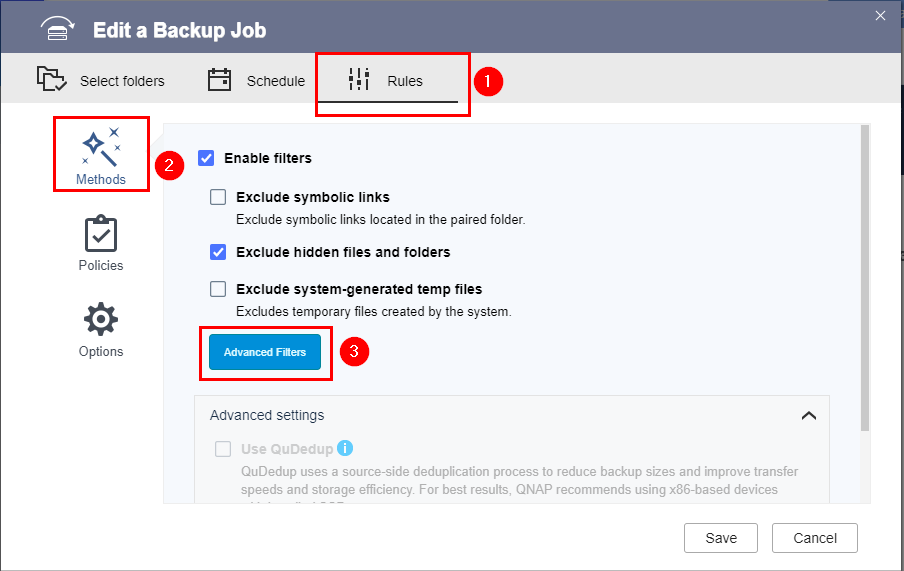
- Select Exclude specific files and folders.
- Specify one or more files or folders to exclude.Note
- Separate entries with a comma (,) without spaces before or after the comma.
- Use the asterisk (*) as a wildcard to represent zero or more instances of any character.
Example Description test Specifies all files and folders with the name "test" test* Specifies all files and folders with the following names: "test", "testX", "testXXX", etc. *test Specifies all files and folders with the following names: "test", "Xtest", "XXXtest", etc. *test* Specifies all files and folders with the following names: "test", "XtestX", "XXXtestXXX", "XtestXXXX", etc. test.txt Specifies the file with the name "test.txt" *.txt Specifies all ".txt" files For example, let's suppose you enter "*.txt,HBS*.pdf,*HBS":
This example specifies the following files and folders to exclude: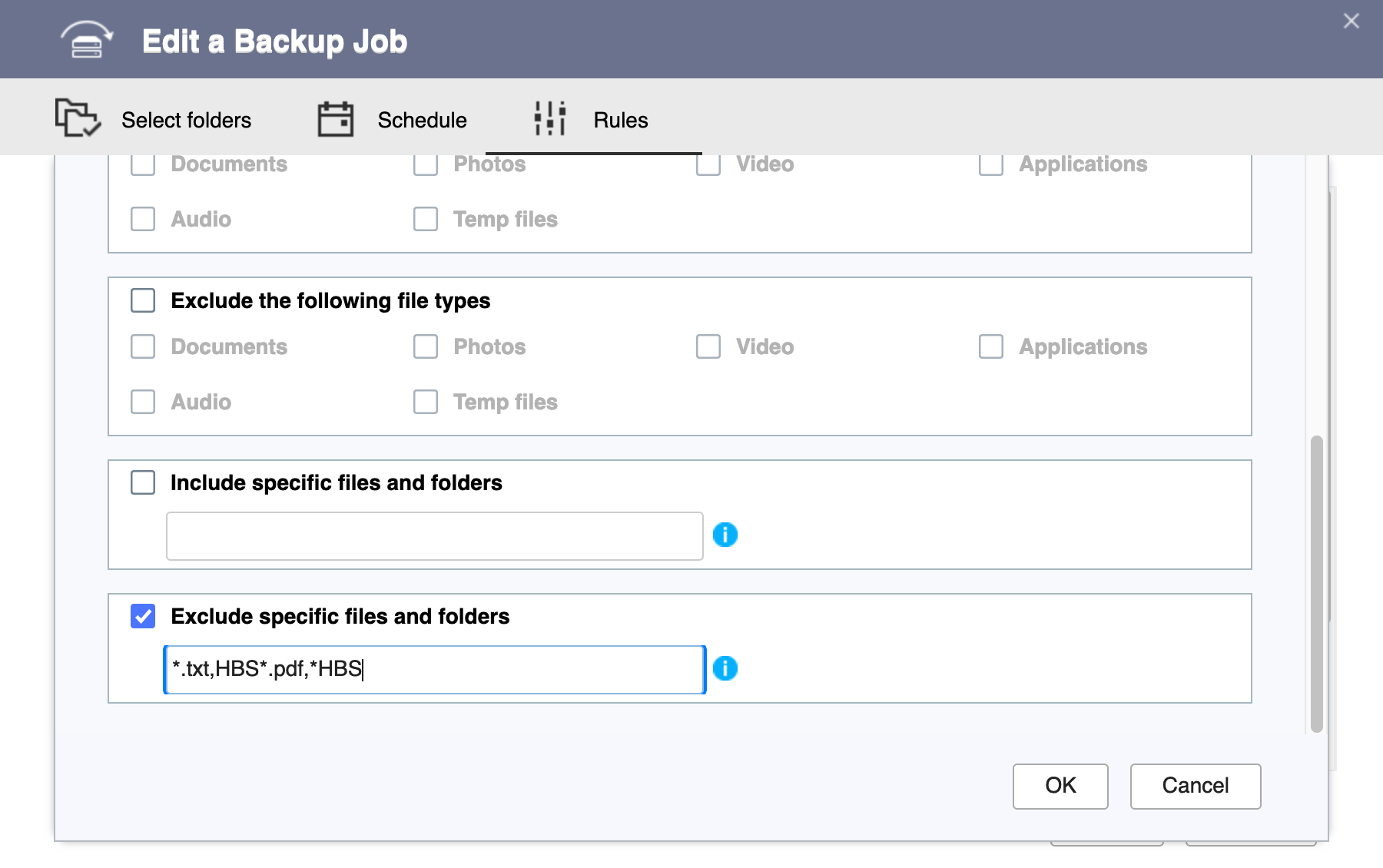
- All ".txt" files
- All ".pdf" files starting with "HBS" followed by zero to any number of any characters (e.g., "HBS.pdf", "HBSdoc.pdf", "HBS_functions.pdf")
- All files and folders starting with zero to any number of any characters and ending with "HBS" (e.g., "HBS", "myHBS", "source-HBS")
- Click OK.
- Click Save.
HBS 3 saves the changes to the job.
You can now run the job. The specified source files and folders will not appear in the destination.
Further Reading
Bạn vẫn cần hỗ trợ?
Hãy đăng câu hỏi của bạn trong Cộng đồng QNAP. Nhân viên QNAP và những người dùng giàu kinh nghiệm sẽ trả lời.


