


What should I do if receiving the warning “Some installed applications do not have valid digital signatures” in Security Counselor?
Laatst gewijzigd op:
2022-06-24
Applicable Products:
-
Security Counselor
When you see the warning “Some installed applications do not have valid digital signatures” in Security Counsellor, follow the procedures below to fix it.
-
Login QTS as an administrator
-
Open App Center
-
Click on the app without valid digital signatures to see the details
- If you see "No Description Available", remove the app or keep the app if you know what it is.
-
If you see the App description
-
Find Download next to Resource and click to save the file.
-
Unzip the downloaded file, you will find a qpkg file with the app name.
-
Browse the qpkg file and press install to overwrite the current app.
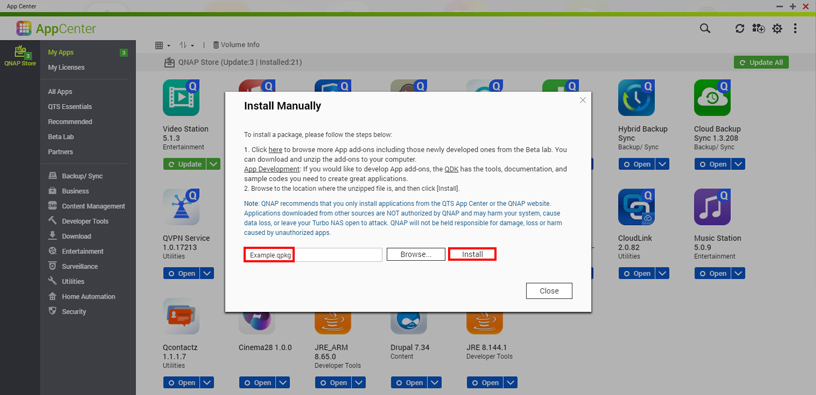
-
Voor verdere hulp kunt u andere gebruikers en QNAP-experts in de community vragen. Ga naar de QNAP Community


