


How do I configure a port breakout using a QSFP28 100GbE port on the QNAP switch?
Applicable Products
- QNAP M7308R-4X
- QSS
Overview
Port breakout enables you to split a high-speed QSFP port into multiple lower-speed interfaces, increasing flexibility and port utilization on your QNAP switch. The most common use case is breaking out a QSFP28 100GbE port into four independent 25GbE interfaces using a breakout cable and compatible SFP28 modules.
The QNAP M7308R-4X also supports breaking out a QSFP+ 40GbE port into four 10GbE interfaces with SFP+ modules and the appropriate breakout cable.
Note: A breakout cable is a special cable that allows a single high-speed port to function as several independent, lower-speed ports, often called "sub-interfaces."
Important: Configuring or changing breakout modes may interrupt data traffic. If your switch is in production use, consider performing these operations during scheduled downtime.
Procedure: Configuring 100GbE to 4x25GbE breakout
- Log in to the switch management interface.
- Go to System > Port Management > Port Breakout Configuration.
- Select the QSFP28 100GbE port you want to break out.
- Enable breakout mode and select 4x25GbE as the breakout option.
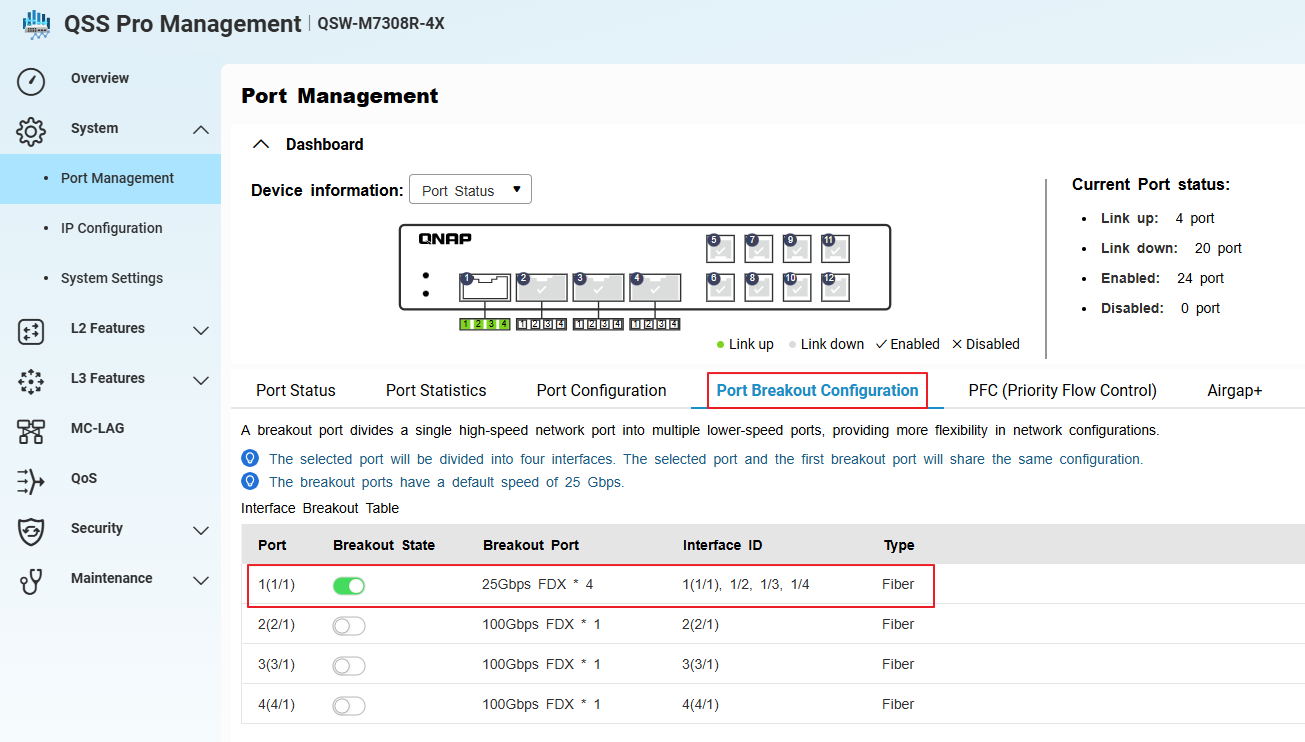
- Go to System > Port Management > Port Configuration.
- Confirm that the system has created four sub-interfaces (virtual ports) for the selected port, each operating at 25GbE.
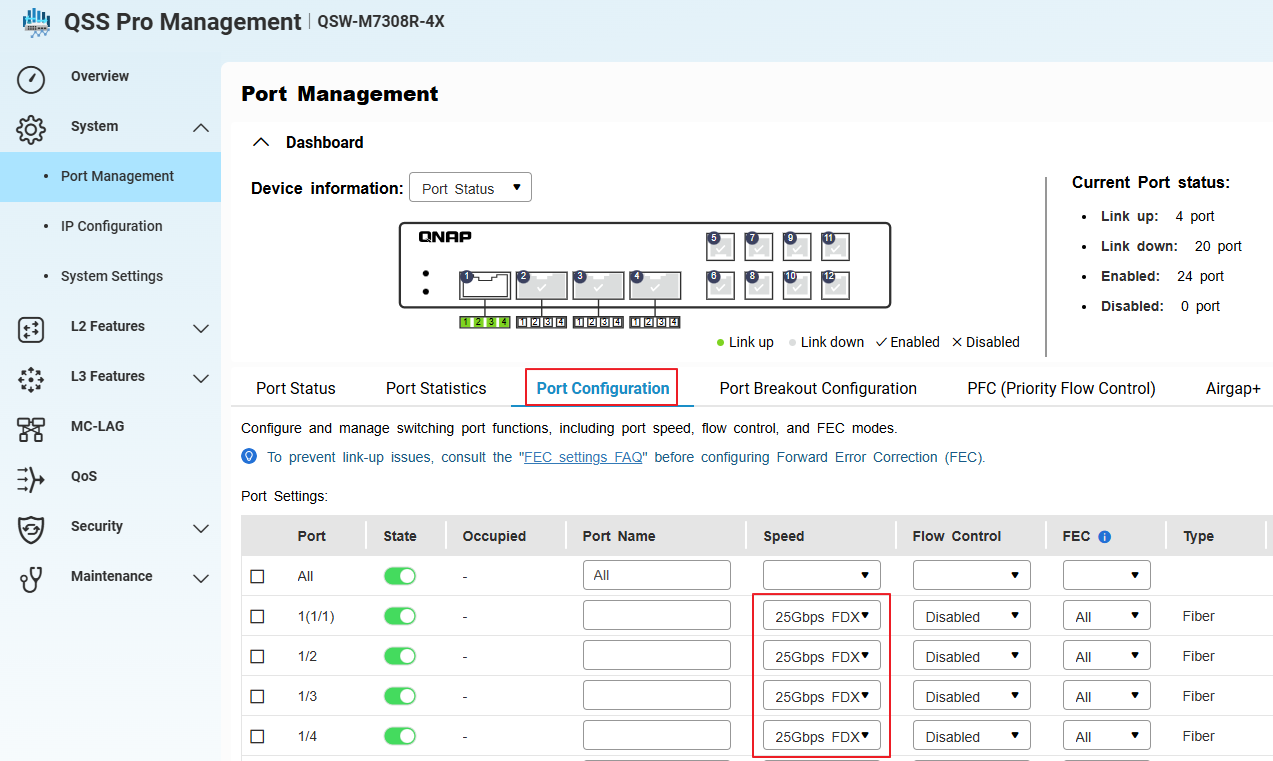
- Install compatible SFP28 modules and connect the 100GbE-to-4x25GbE breakout cable to the QSFP28 port.
- Apply and save the configuration.
Each breakout port will now function as an independent 25GbE interface. Make sure all connected devices, cables, and modules support 25GbE operation.
Procedure: Configuring 40GbE to 4x10GbE breakout or switching from 100GbE to 40GbE breakout
- Physically disconnect any existing 100GbE breakout cable and SFP28 modules from the QSFP28 port. (if any)
- Install a compatible QSFP+ 40GbE breakout cable and SFP+ modules for each intended 10GbE sub-interface.
- In the switch management interface, go to System > Port Management > Port Breakout Configuration.
- Select the same QSFP port (now using a 40GbE cable and modules).
- Enable breakout mode.
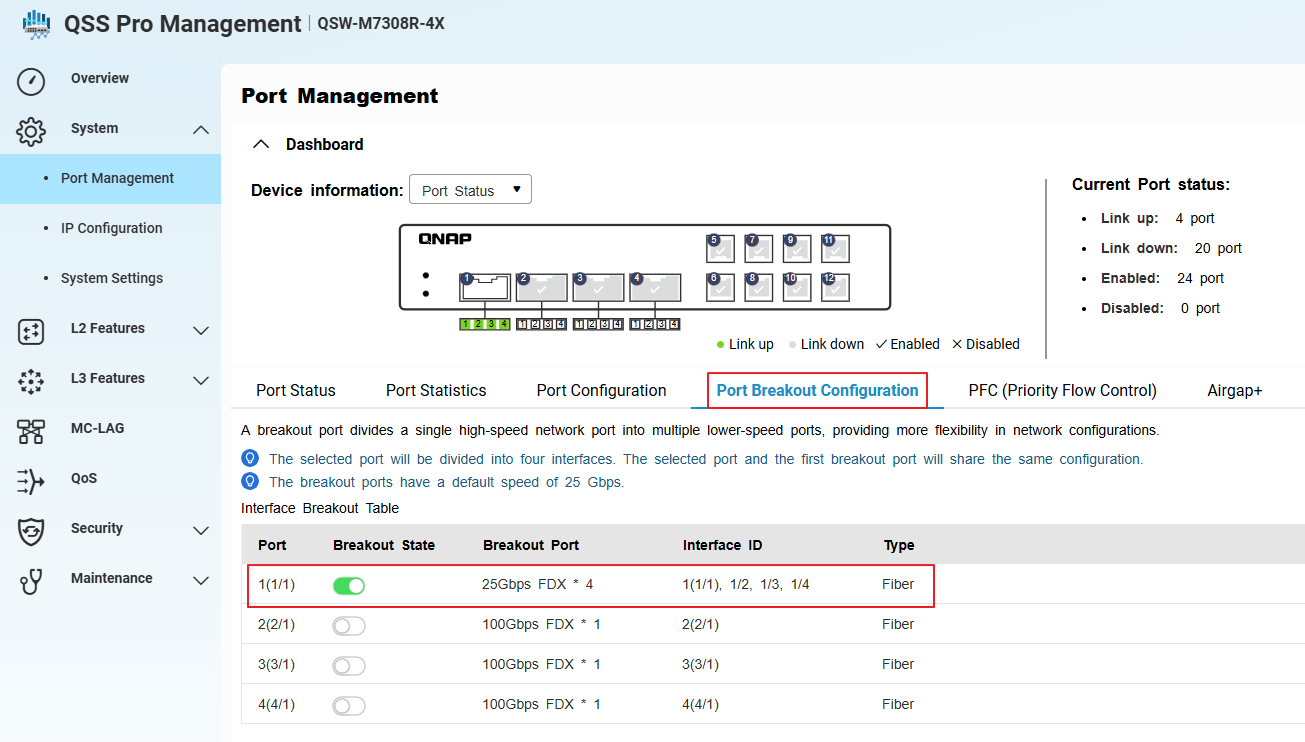
- Go to System > Port Management > Port Configuration.
- Confirm that the system has created four sub-interfaces (virtual ports) for the selected port, each operating at 10GbE.
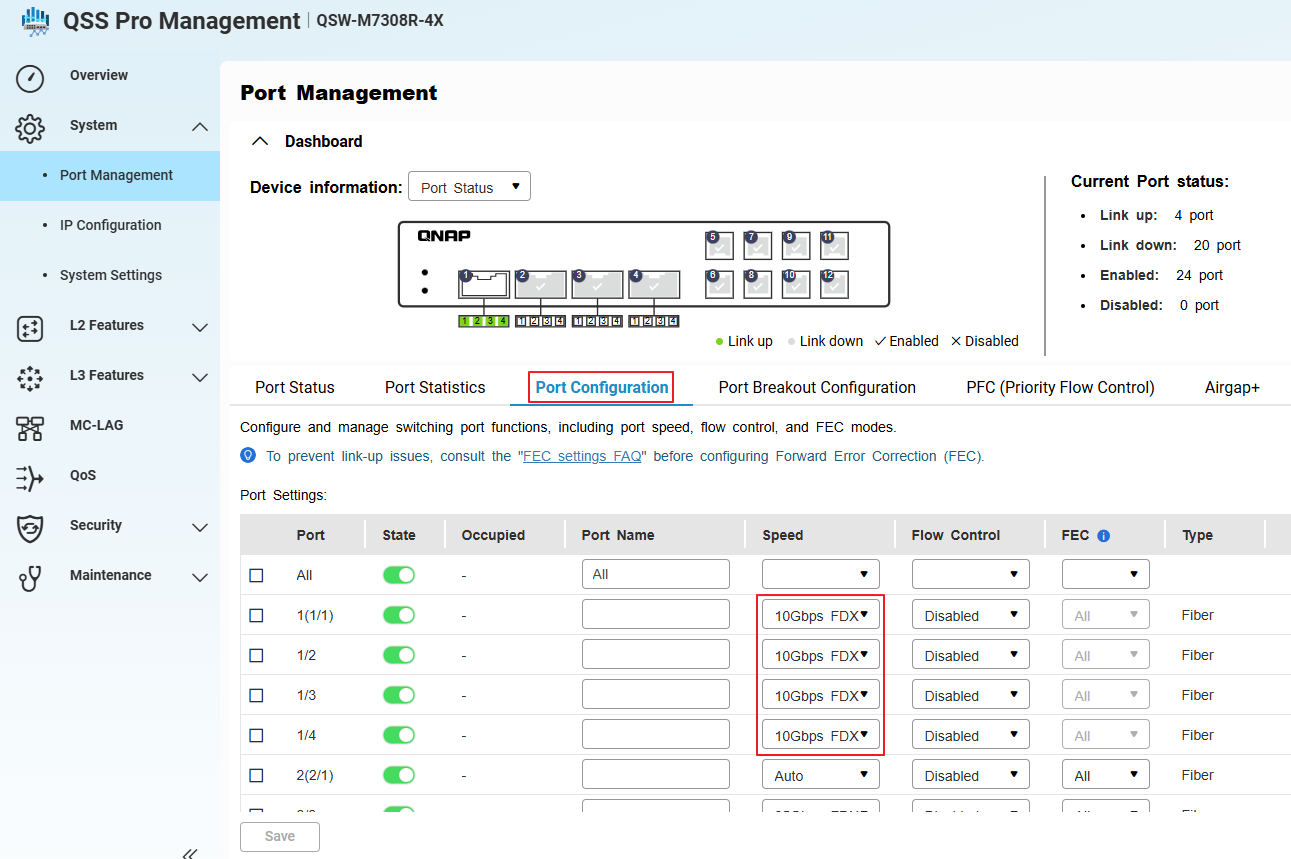
- Apply and save the configuration.
When switching from a 100GbE to 40GbE breakout, always physically replace the cables and modules before reconfiguring in the management interface.
Tip: Verify that all connected devices support 10GbE speeds.


