


I renamed a media file in File Station but the name didn’t get updated in the QNAP apps (Photo, Video, Music and HD Station)
In order for renamed multimedia files to show up with their new name in QNAP applications such as Photo, Video, Music and HD Station you have two options:
-
Rename the files from within the QNAP applications instead of File Station:
-
To do this, please hover over the file in your desired app and click on the information icon.
-
You may now choose a different title for the file, but please note that doing this will not change the original filename.
-
If you’d like the filename changed as well, we suggest using File Station:
-
Rename the file(s) you wish
-
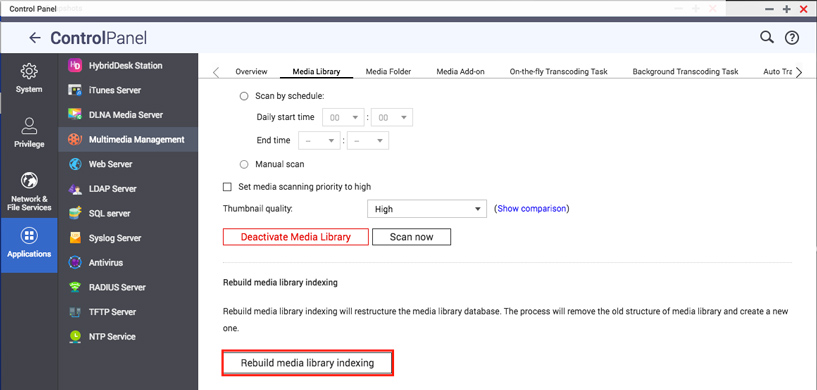
Go to Control Panel > Applications > Multimedia Management > Media Library
-
Click on the “Rebuild media library indexing” button
-
After this process has been done all QNAP apps will show the actual (new) filenames correctly.
需要進一步協助,歡迎前往官方社群發文,與其他用戶及 QNAP 專家交流。 前往 QNAP 官方社群


