


How to Prevent Users to Open Some Apps?
最後修訂日期:
2022-06-24
Applied models:
-
All NAS Series
Applied Firmware:
-
4.4.1 or above
“I have installed several apps on the NAS, but I want some users to only use a few of them. How can I do it?”
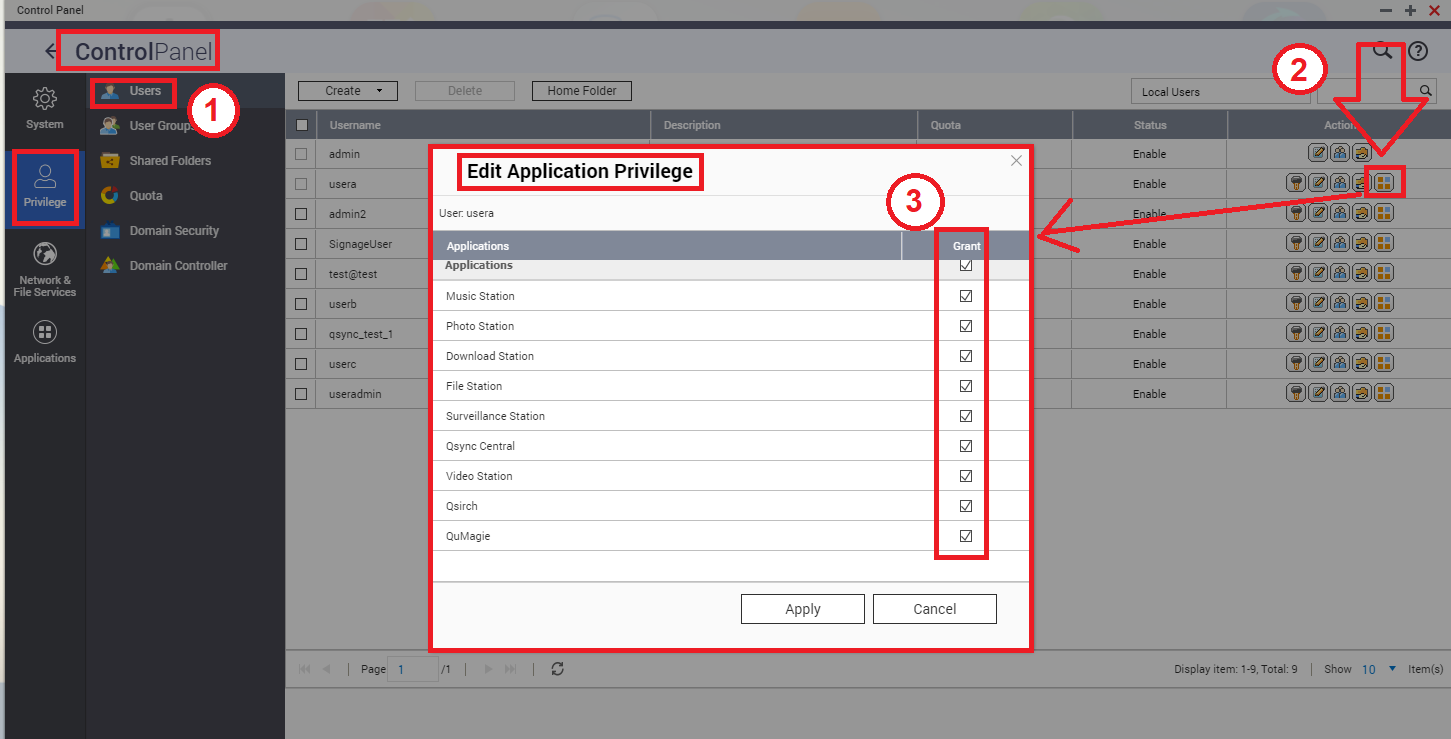
QNAP applications permissions can be configured in the Control Panel: open Control Panel > Privilege > Users, select a user and click on the icon "Edit Application Privilege" to setup the permissions on different apps.
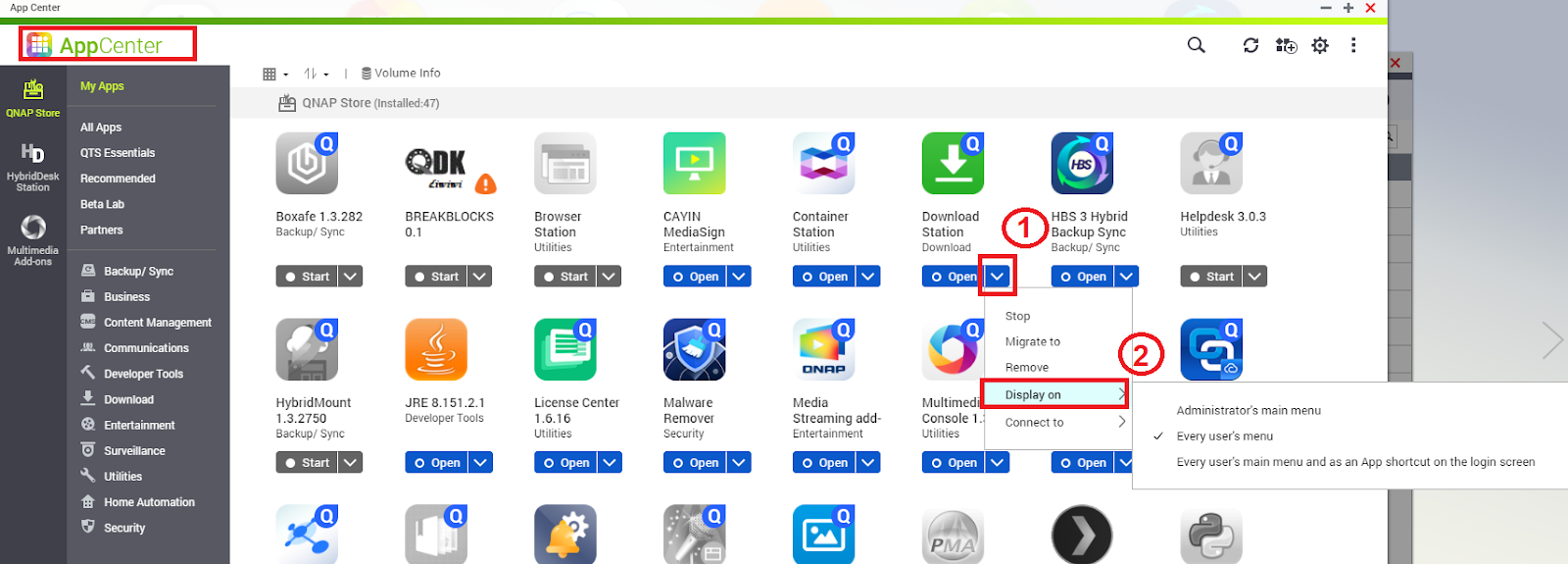
Additionally, we can also restrict the applications to display on either all users menu, or only on the NAS administrators menu.
This can be done from the App Center, by opening the application drop down options list:
需要進一步協助,歡迎前往官方社群發文,與其他用戶及 QNAP 專家交流。 前往 QNAP 官方社群


