


Why I can't disable"Remove additional files in destination folder" on HBS3 for real-time jobs?
Applied models:
-
All NAS Series
Applied Firmware:
-
4.4.1 or above
You may have created backup/sync jobs to local or remote NAS, with HBS 3.
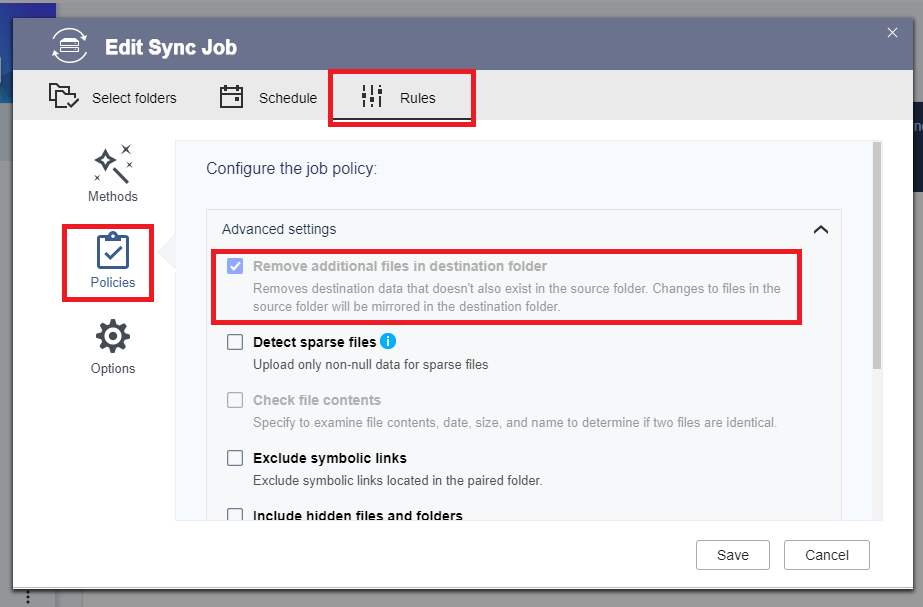
If you wish to remove files from the source, but keep it on the destination, you may check if the job policy “Remove additional files in destination folder” (job configuration > Rules > Policies) is disabled or not.
That option is disabled by default for most jobs.
However, for real-time jobs, the option is enabled and greyed out, i.e. it is not possible to remove files in the source, without deleting the files on the destination.
To use this feature, one would need to select a different schedule option.
För ytterligare hjälp kan du fråga andra användare och QNAP-experter i vår community. Gå till QNAP Community


