


QuTS hero h6.1 시리즈 | 출시 정보
여기에서 모든 QNAP 운영체제 출시 정보를 확인할 수 있습니다
QuTS hero h6.1 시리즈
2026-10-13
QuTS hero h6.1.0 brings a refreshed interface and powerful new AI capabilities to your QNAP NAS. The system initialization experience has been modernized with intuitive, step-by-step guidance, and the redesigned Dashboard lets you customize your view with a flexible side panel. Built-in AI features take center stage in this release: AI Service Center provides a centralized hub for managing and deploying AI models across NAS applications, Qsirch now offers AI-powered semantic search to help you find files using natural language, and QuAgent, a conversational AI assistant, lets you manage NAS tasks in everyday language. You can also let AI guide you through storage configuration during initialization, and QAI series models can enable a dedicated AI Mode right from the start. This release also adds support for the Intel Arc B70 graphics card, giving you centralized visibility into GPU health and performance.
We also include fixes for reported issues and provide information about known issues. For details, see Fixed and Known Issues. You should also see Important Notes before updating QuTS hero.
- AI Service Center: Your Personal AI Hub
- Qsirch Semantic Search: Next-Gen File Retrieval
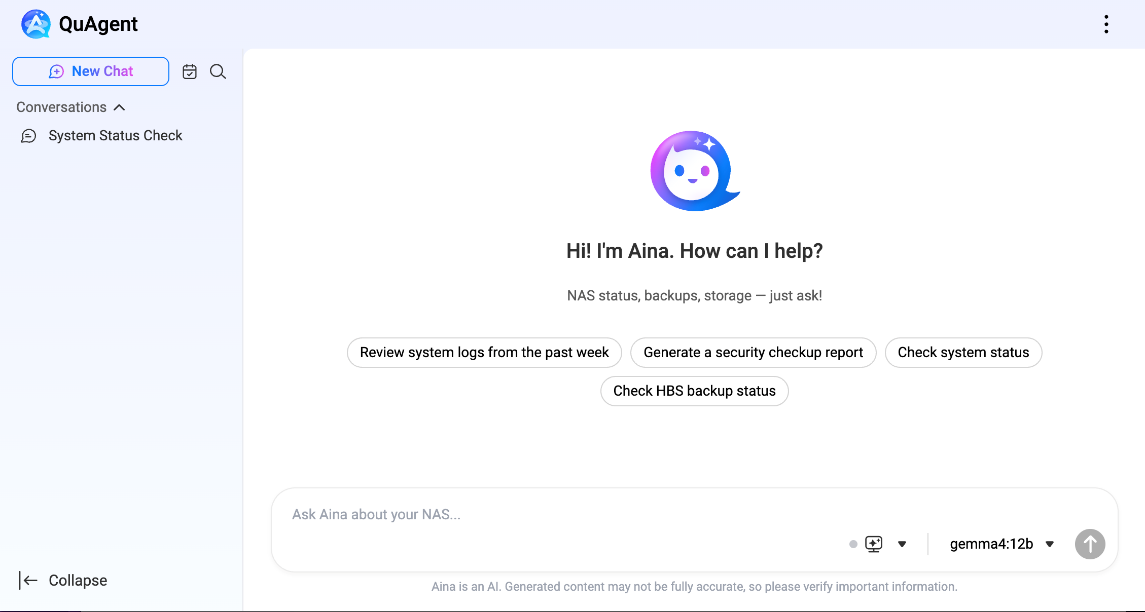
- QuAgent: AI Assistant for Your QNAP NAS
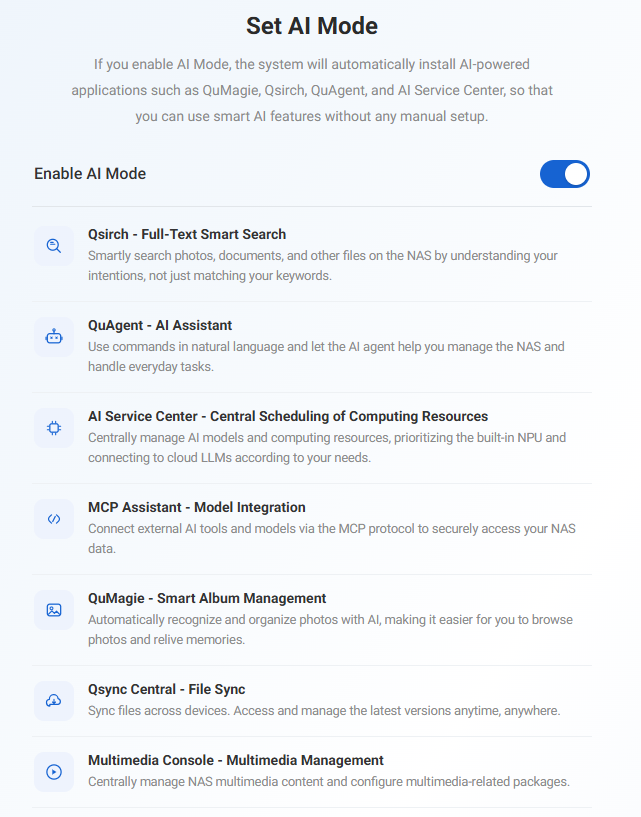
- AI Mode for QAI Series Initialization
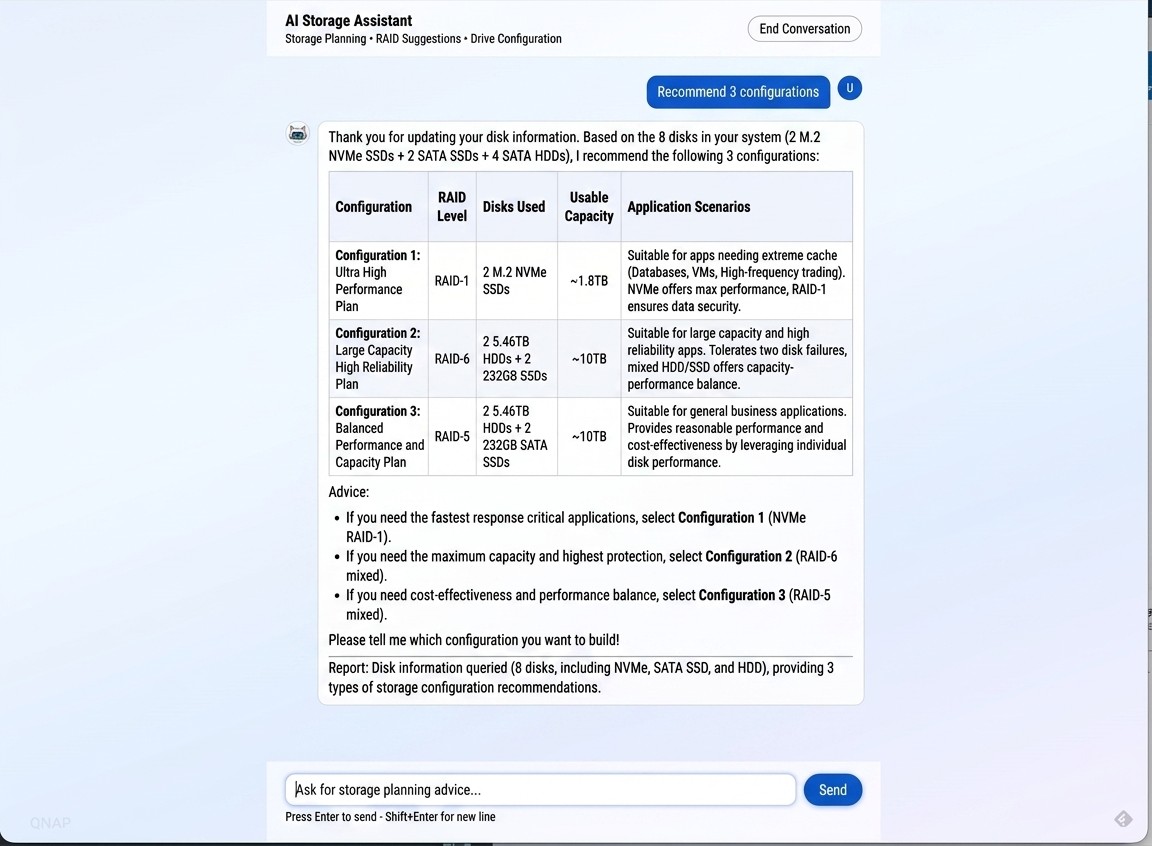
- AI-Guided Storage Configuration
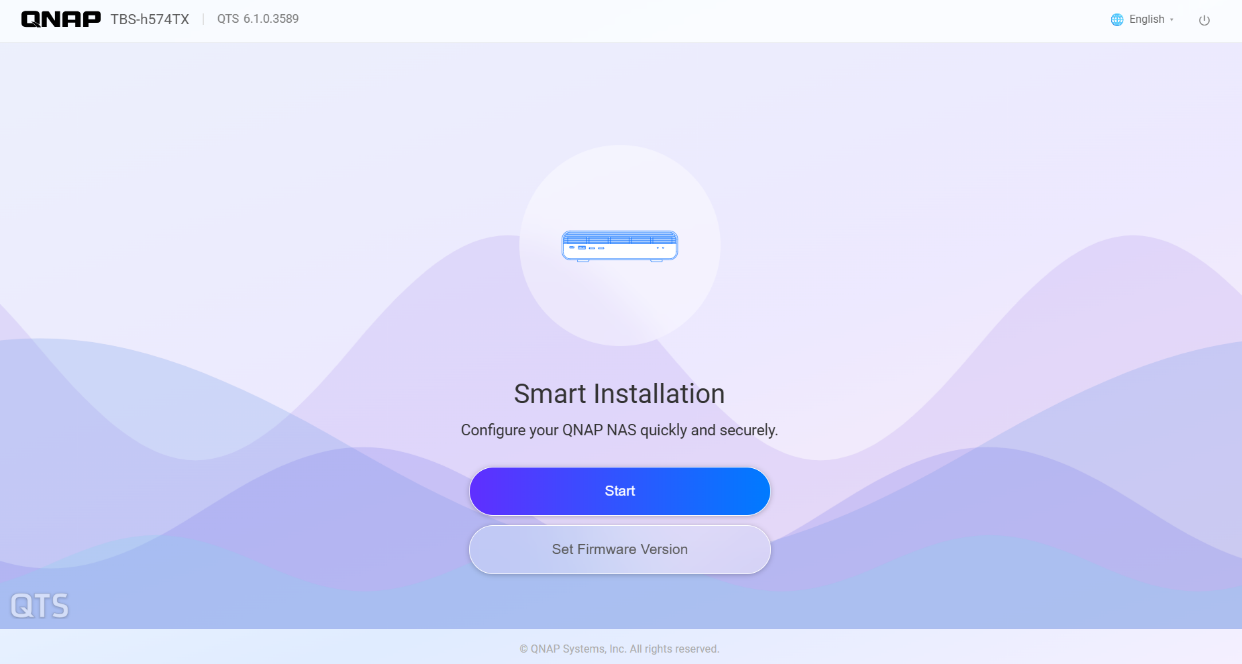
The entire system initialization experience has been modernized with intuitive, step-by-step guidance and a unified visual design carried consistently throughout the process. You are guided clearly from one stage to the next, with a consistent look and feel that makes the whole process cohesive. This brings a streamlined setup experience: hassle-free from the moment you begin initialization to the moment your NAS is ready to use.
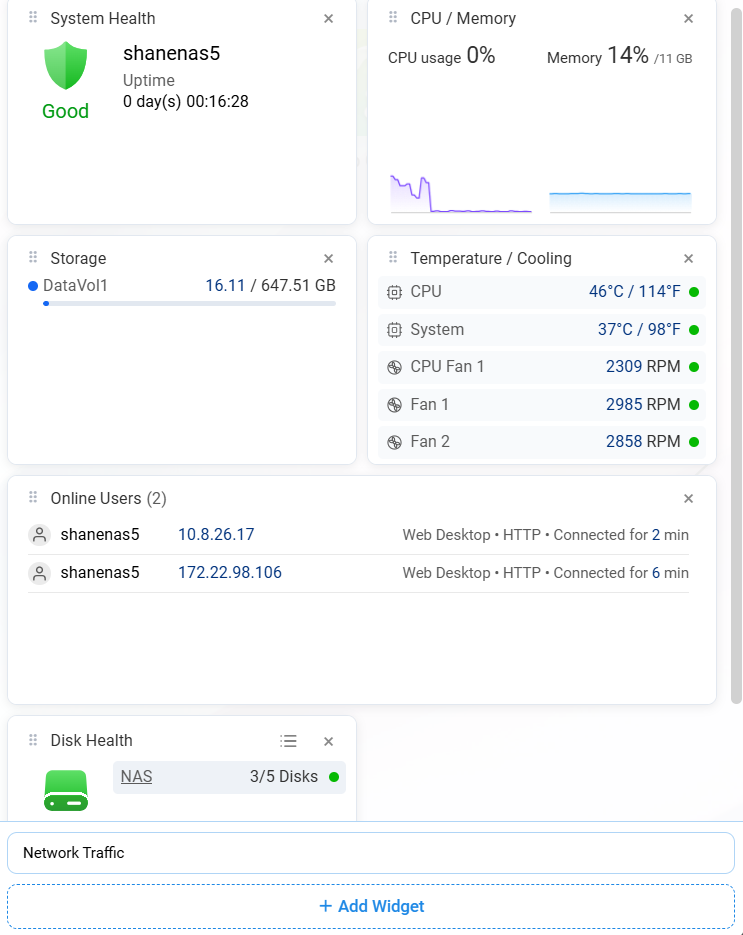
The Dashboard has been redesigned and streamlined to give you a clearer and more organized view of the metrics that matter most: system health, CPU and memory usage, storage capacity, and temperature. Rather than a fixed layout, the new Dashboard lets you customize which information you see by adding, removing, or resizing individual cards to match your priorities. Whatever layout you build, those settings are not limited to a single device. Your dashboard settings sync automatically across devices through your QNAP Account. The dashboard you have set up on one device is exactly what you will see when you log in to another.
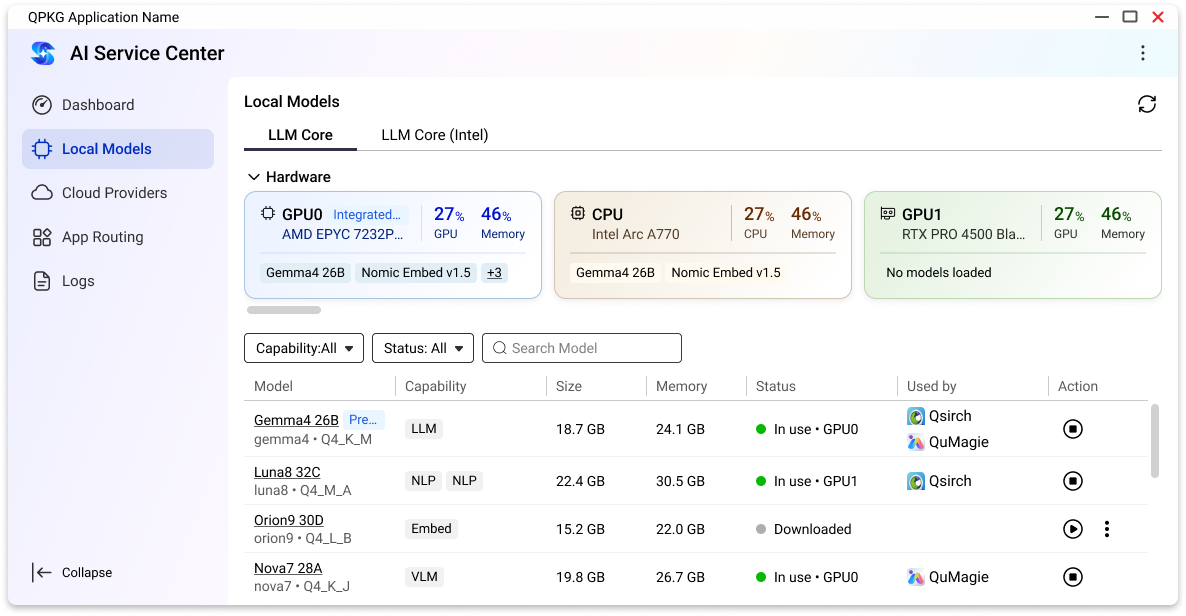
QuTS hero now introduces AI Service Center (AISC) as a centralized hub for managing and deploying AI models across NAS applications. Rather than configuring AI resources separately for each app, AI Service Center gives you one place to allocate and monitor everything, enabling flexible resource allocation, supporting local hardware acceleration (CPU, iGPU, NPU, and discrete GPUs) as well as seamless integration with cloud AI services (OpenAI, Gemini, and Azure). You can mix local computing with cloud-based models depending on your performance, cost, and privacy needs. This unified approach makes it easier to scale AI capabilities across your NAS as your workloads grow.
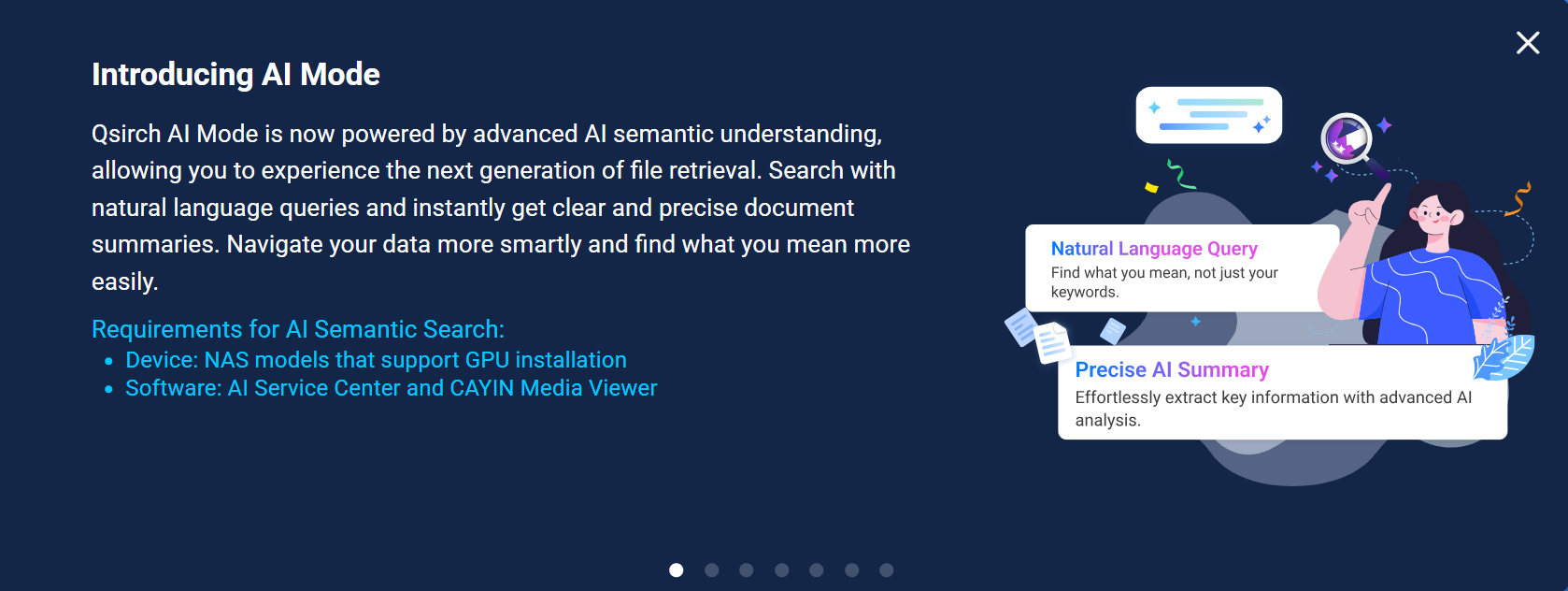
Qsirch introduces an AI-powered semantic search mode, enabling you to describe and find files using conversational natural language instead of exact keywords or file names. Instead of trying to remember precise filenames or search terms, you can simply describe what you are looking for, such as its content, context, or objects. Qsirch will identify the most relevant matches. This makes locating files faster and more intuitive, especially in large or loosely organized file collections. (Note: This feature requires a QNAP NAS with a GPU featuring at least 16 GB VRAM and LLM Core 1.1.0 or later.)
QuTS hero introduces QuAgent, an intelligent conversational AI assistant designed to assist with NAS management tasks through natural language dialogue. Instead of navigating through multiple menus and settings pages, you can simply chat with QuAgent to get tasks done. You can conveniently query system status, perform file operations, check backup tasks, and set up automated schedules simply by chatting with the agent. This makes everyday NAS management faster and more approachable, even for users who are less familiar with technical settings.
NAS models in the QAI series can now enable AI Mode directly during the initialization process. Once you enable AI Mode, the system automatically installs the AI-related packages your device needs, simplifies general home-use settings so you do not have to configure them manually, and applies a dedicated AI NAS interface style built around AI workflows. Your device will be ready for AI applications right out of the box, with no separate installation steps or manual setup required after initialization finishes.
Note: this option is only for QAI series models. If you are setting up a different model, you will not see AI Mode appear as an option during initialization.
Setting up storage has traditionally required the knowledge of RAID levels and technical tradeoffs, but this is no longer a prerequisite. During system initialization, you can simply describe your use case in plain language. Based on your description, AI analyzes your intended use and provides tailored storage setup recommendations. This means you can move through storage configuration easily and confidently, without having to research or learn RAID technical details on your own.
The Control Panel's Hardware Resource page now supports the Intel Arc B70 discrete graphics card, available on the TS-X74, TVS-AIh1688ATX, QAI-h1290FX, and TS-X77AX models. Once the card is installed, you can view its model, temperature, utilization, and memory usage directly from the Control Panel. This provides a centralized place to keep track of GPU health and performance alongside the rest of your system's hardware resources.
Note: If you are using the QAI-h1290FX, you will need to contact QNAP support to update the BIOS first. This update is required before the system can recognize and support this Intel graphics card.
수정된 사항들
-
QuTS hero h6.1.0.3640 build 20261007 Public Beta
2026-10-13


