


Is Chromecast supported? How to set it up/use it?
Answer
Yes, casting to Chromecast from multimedia apps on the QNAP NAS is supported.
How to set it up
1.Make sure the Media Streaming Add-on is installed. If you don’t have it installed yet, you may download it from the App Center.

2. After it is installed, you can start to stream your multimedia content to Chromecast devices.
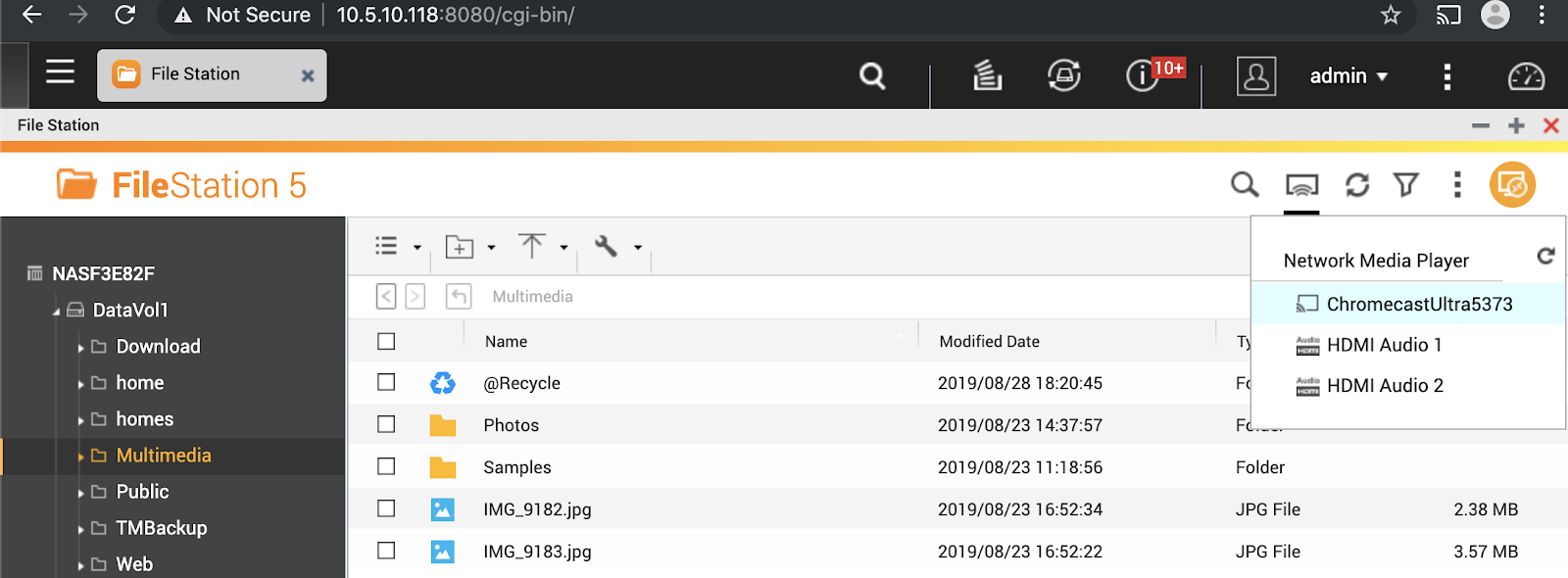
3. Simply open File, Photo, Music or the Video Station apps, select the file(s) you would like to stream and hit the cast button in the top right corner of the window as shown in the picture below.
Trouble Shooting
If you meet problems in seeing Chromecast in Network Media Player.
Please find a PC/Mac in the same network where NAS and Chromecast located and install the latest version of Chrome browser. Open Chrome browser, and click on Cast... see if Chromecast can be found by the browser.
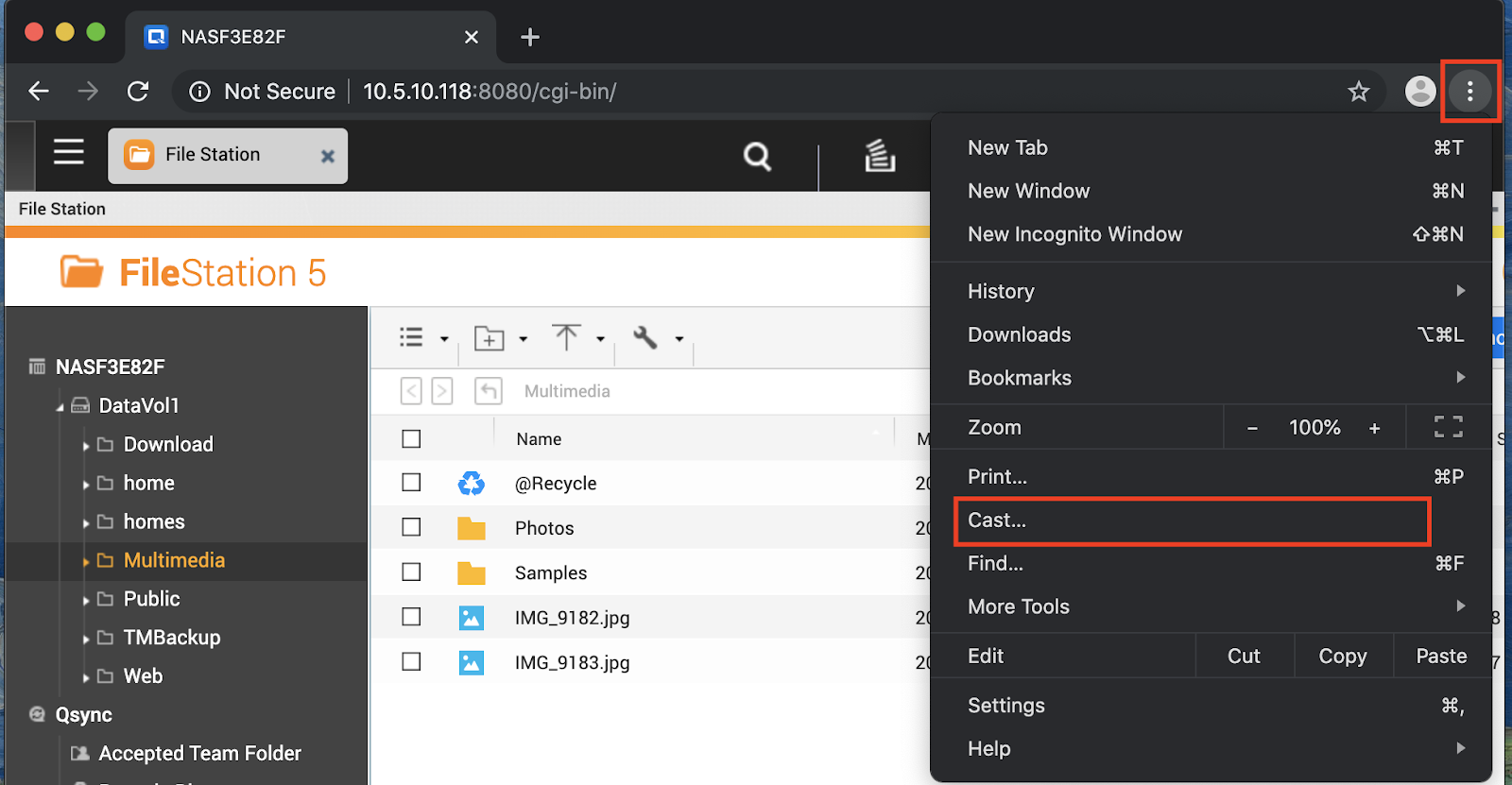
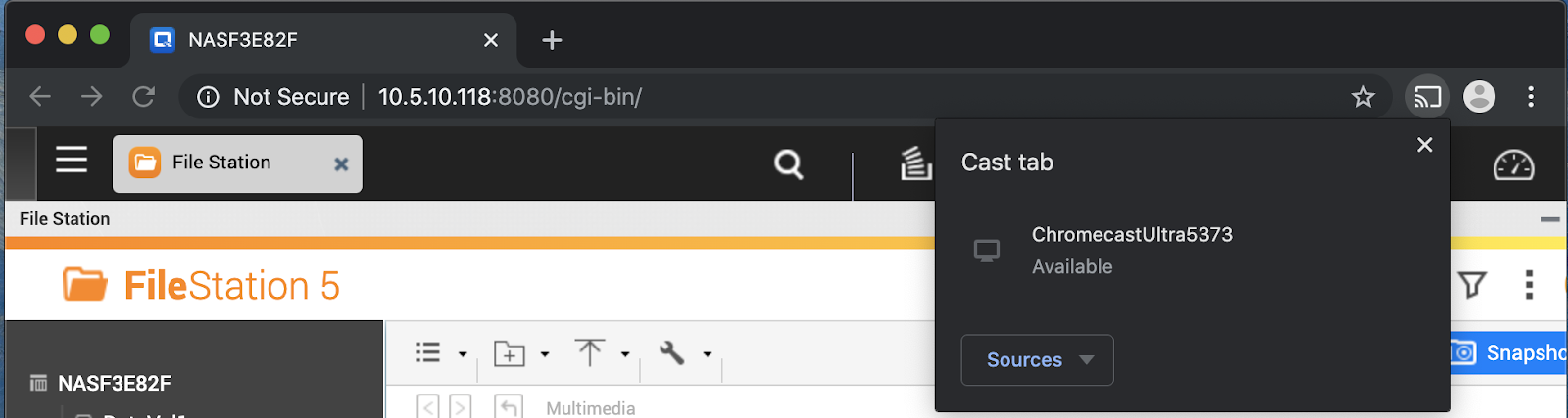
If Chromecast can be found by browser but still not able to be found by NAS..
Put chrome://inspect/#devices into the address bar to find the IP of Chromecast. For instance,My Chromecast Ultra is at 10.5.10.91.
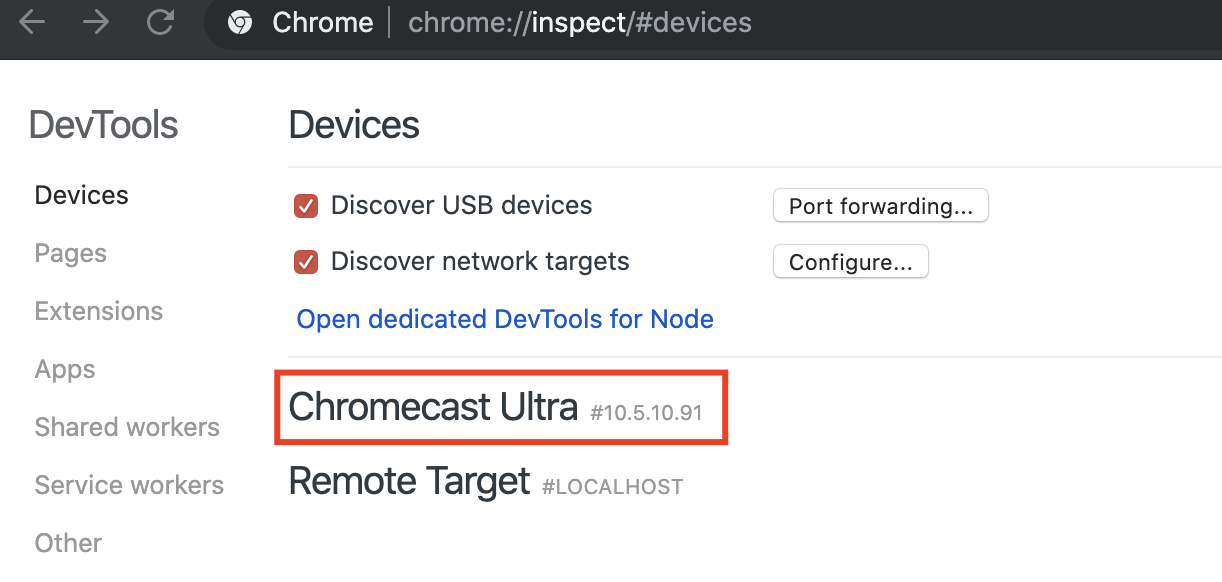
And check again to see if it’s in the same network of NAS.
In this case,
NAS IP is at 10.5.10.118
Chromecast is at 10.5.10.91
PC/Mac is at 10.5.10.12
If NAS IP and Chromcast are in the same network, still not working.
Please help to open a ticket by QNAP Service Portal
And share us the screenshots of what you see and IP address of each device for better assessing this issue,
thanks.
추가 도움이 필요하시면 커뮤니티에서 다른 사용자 및 QNAP 전문가에게 문의해 보세요. QNAP 커뮤니티로 이동


