


How to use the Microsoft Cognitive Toolkit with Container Station
Introduction
This tutorial explains how to use Container Station with Microsoft Cognitive Toolkit (CNTK).
You must first install a graphics card on the NAS and assign it to Container Station before installing CNTK.
About Microsoft Cognitive Toolkit
The Microsoft Cognitive Toolkit (CNTK) is an open-source toolkit for commercial-grade distributed deep learning. It uses a series of computational steps via a directed graph to describe neural networks.
You can use the Container Station web or command-line interface to create this framework.
Installing Container Station
- Log in to QTS.
- Open App Center.
- Search for Container Station.
- Click Install.
App Center installs Container Station.
Installing Microsoft Cognitive Toolkit
- Locate CNTK-GPU on the list and then click Install.

The Create Container window opens.
- Specify the container name.
 Note:
Note:The name must start with a letter or number and can only contain the following characters:
-
Letters: Upper case (A to Z) and lower case (a to z)
-
Numbers: 0 to 9
-
Special characters: hyphen (-), underscore (_), or period (.)
-
- Enable Use GPU resource to run container.

- Optional: Go to Shared Folders and then mount a NAS folder.

- Click Create.
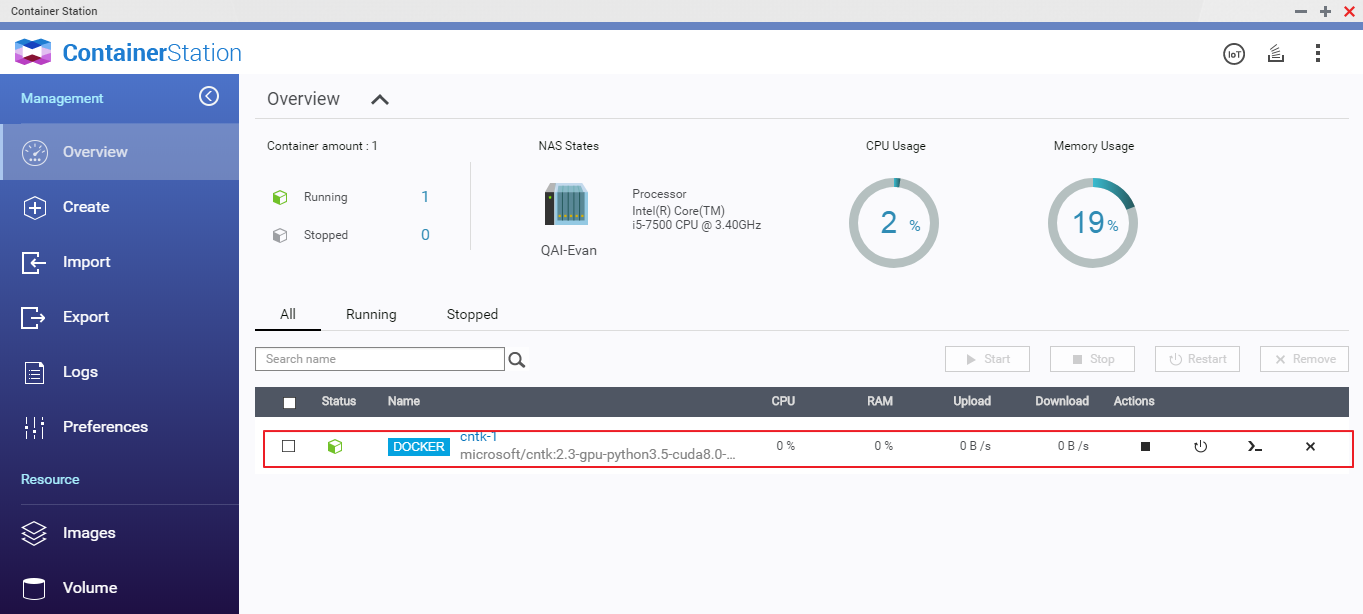
Container Station creates the container.
Suggested Reading
-
Microsoft Cognitive Toolkit documentation: https://docs.microsoft.com/en-us/cognitive-toolkit/
-
Tutorials: https://docs.microsoft.com/en-us/cognitive-toolkit/tutorials
-
CNTK Pre-trained Models: https://github.com/Microsoft/CNTK/tree/master/PretrainedModels
License
Microsoft Cognitive Toolkit (CNTK) is licensed under an MIT license.


