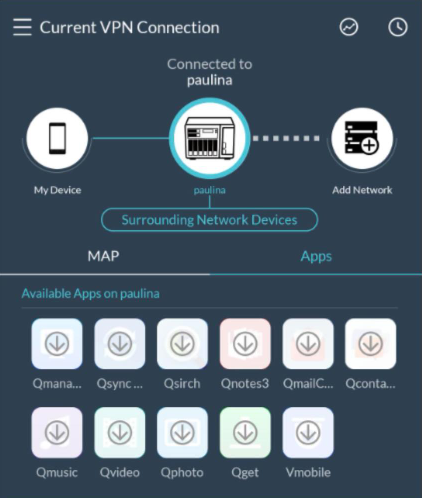
Why cannot I see available APPs on my NAS when remote connecting to my NAS via QVPN Mobile clients ?
Last modified date:
2024-03-27
Applicable products:
- QVPN for Android and iOS
Users will see the warning message shown like the picture below (however, it doesn't affect connecting to NAS over Qbelt), when
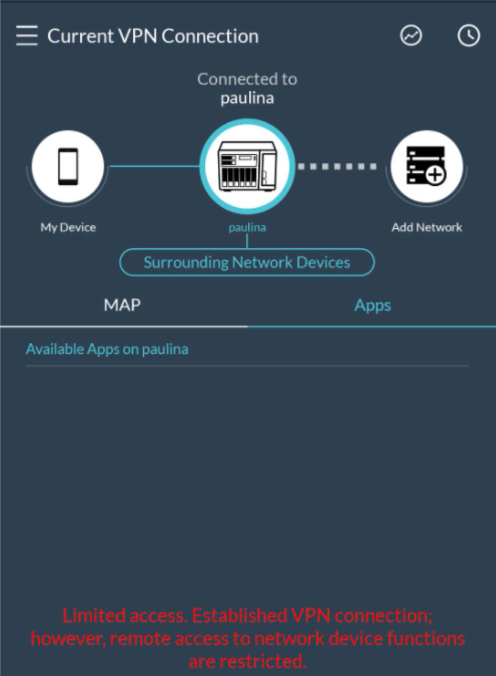
- Only Qbelt’s service port is forwarded to a public IP address, i.e. the NAS system ports are not forwarded to the public IP address.
- NAS system ports are forwarded to the public IP address but it’s not correctly saved into the connection profile.
Please note that it doesn’t affect connecting to NAS over Qbelt, you can still use Qbelt service to remote access to your NAS without forwarding the NAS system ports.
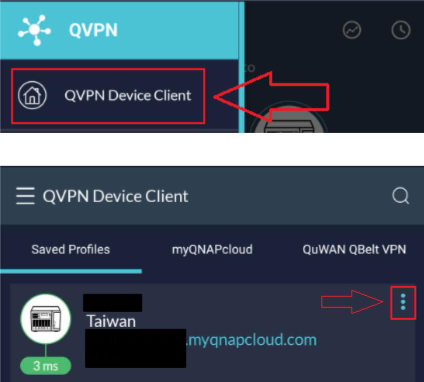
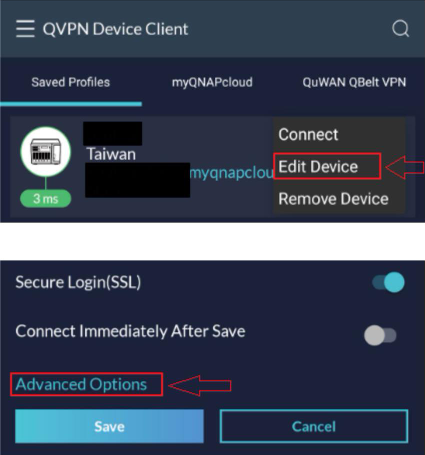
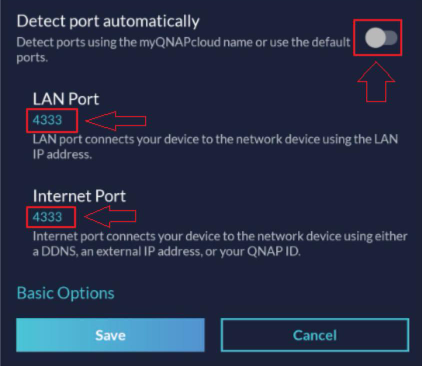
On the other hand, if you turn off Detect port automatically and fill out the correct port number manually, the warning message should be disappeared afterward and you will see available APPs on my NAS.