


What does it mean when an HBS job is completed with warning?
Last modified date:
2023-05-22
Applicable Products
Hybrid Backup Sync
Root Cause
If a job in Hybrid Backup Sync (HBS) is completed but comes with a warning, it may mean that the file system at the destination device or server does not support certain attributes. It could also mean that there are other conflicts or differences between the source and destination with regards to certain files, such as access permissions, ownership, modification time, or extended attributes.
When a job is completed with warning, some files may have been skipped or may not have been fully transferred to the destination.
Solution
To determine which files in a job run encountered problems and the reason for each problem, you can examine the job run's file history:
- In HBS 3, go to Jobs.
- Identify a job to inspect.
- Under Action, click the Report icon.
The Report window opens. - Go to Job History.
- Identify a job run to examine file history.
- Under Action, click the Export File History as CSV icon.
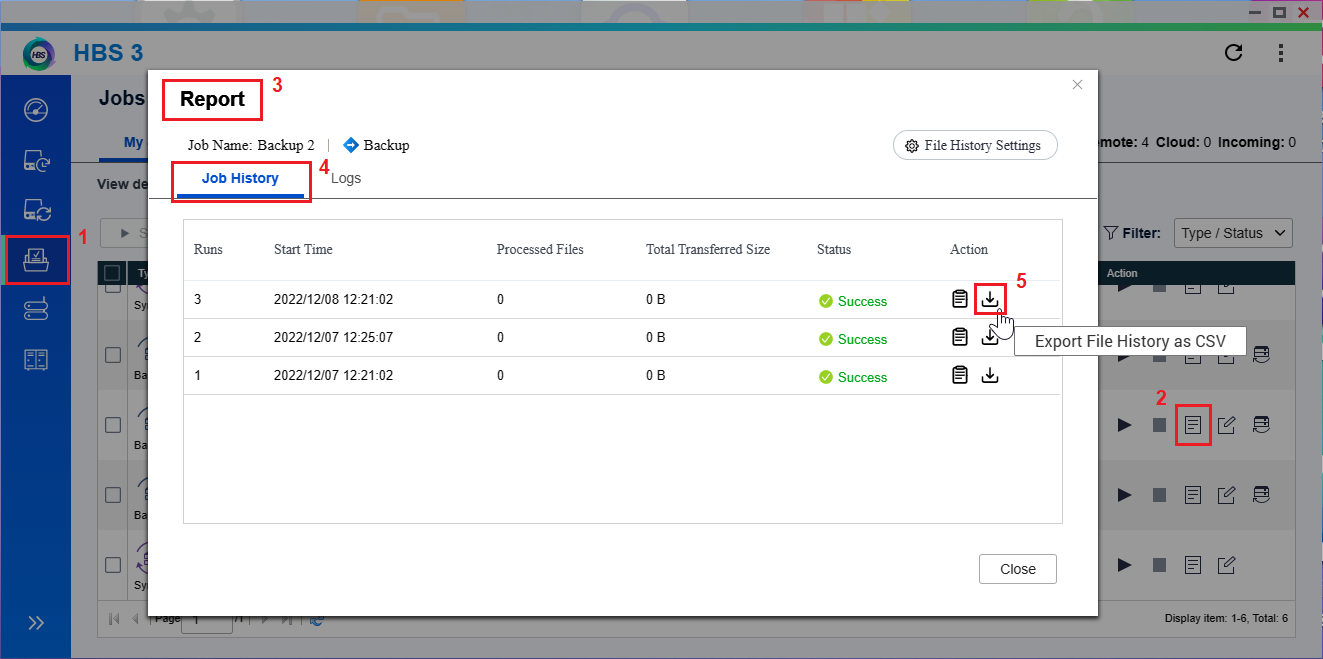 A zipped file is downloaded to your computer.
 - Unzip and open the CSV file to see detailed information on each file.
Details include file name, size, status, reason for the status, and the date and time. - Optional: Configure the file history settings to manage what records to keep for this job.
- Click File History Settings.
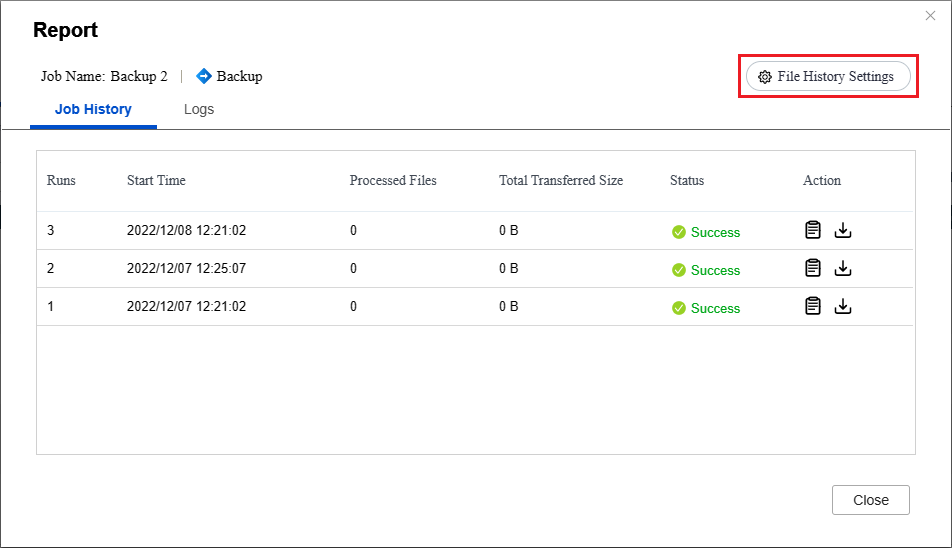 The Settings window opens.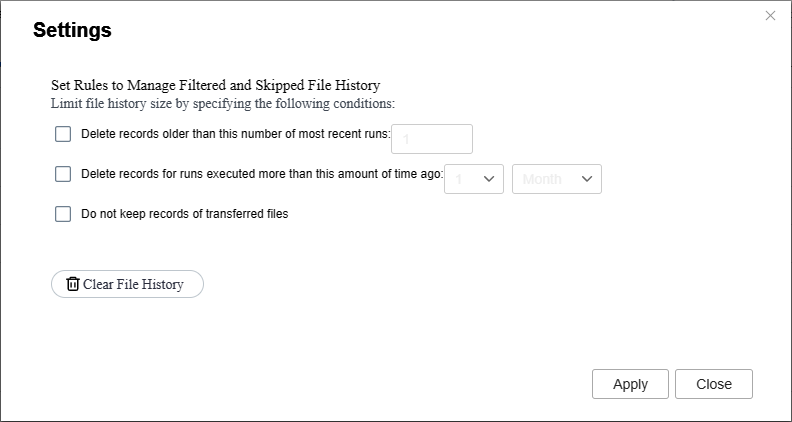
- Specify the maximum number of most recent runs to keep records for.
- Specify the maximum amount of time to keep records for.
- Select Do not keep records of transferred files.
Enabling this setting makes it easier to examine all the unsuccessful file transfers at once. - Click Clear File History to remove all existing records.
- Click File History Settings.


