How to replicate the permission on a HBS3 Sync Job
Last modified date:
2022-03-30
Applied models:
Applied Firmware:
-
All Firmware Versions
Unfortunately HBS is only able to Replicate the ACL but not shared folder permission. That means if you are synchronizing files inside of a shared folder in the destination folder (remote NAS), your files will inherit the shared folder permission from the root folder in the destination NAS.
If you did not enable advanced folder permission, you will need only to set up again the main folder permission the same as you have in the origin NAS.
If you are using advanced folder permission to control the access to the subfolder, you will need to set them manually in the destination NAS.
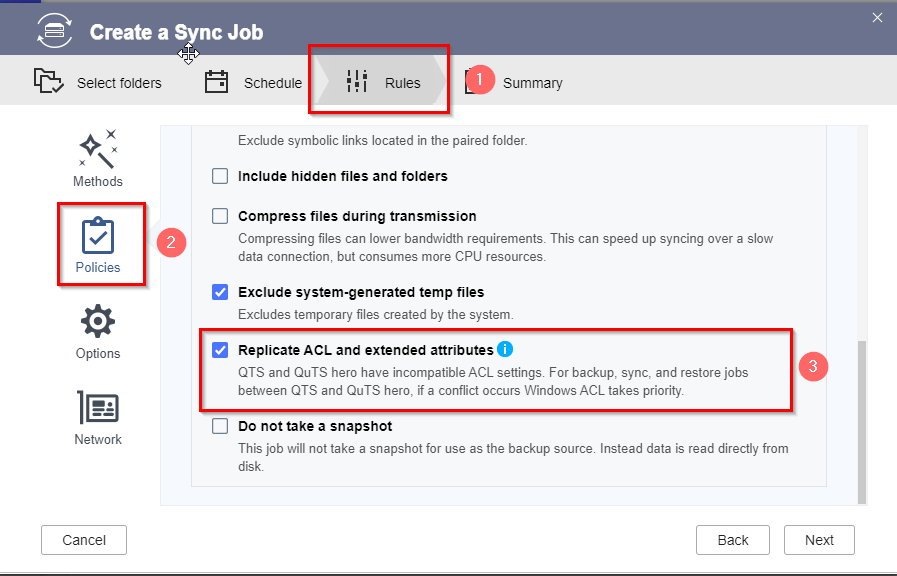
To replicate the ACL you just will need to keep enable the option in the sync job settings