


How do I fix an invalid domain or invalid email address when adding a Microsoft 365 domain?
Last modified date:
2025-11-28
Applicable Products
HDP for SaaS
Starting from version 2.4, the product previously known as Boxafe has been renamed to HDP for SaaS.
Solution
Contact QNAP support if these fixes do not solve your issue.
Fix an invalid domain
- Log in to Microsoft Azure as an administrator.
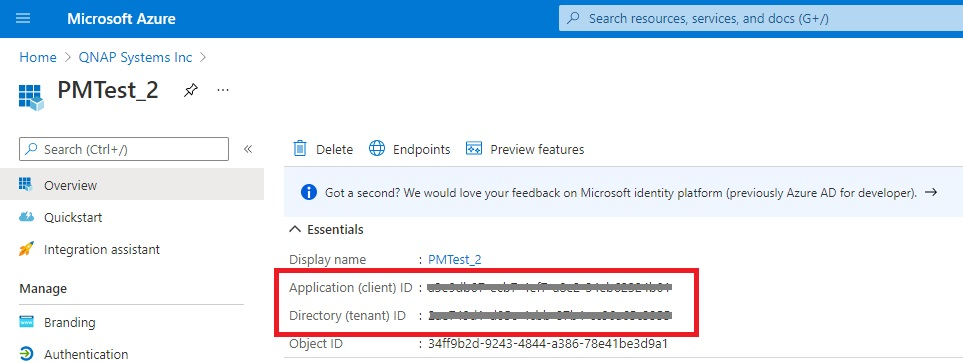
- Check the following information is correct:
- Application (client) ID
- Directory (tenant) ID
- Certificates and secretsNote
You must create a new Client secret key if you do not have access to your current/previous Client secret key.
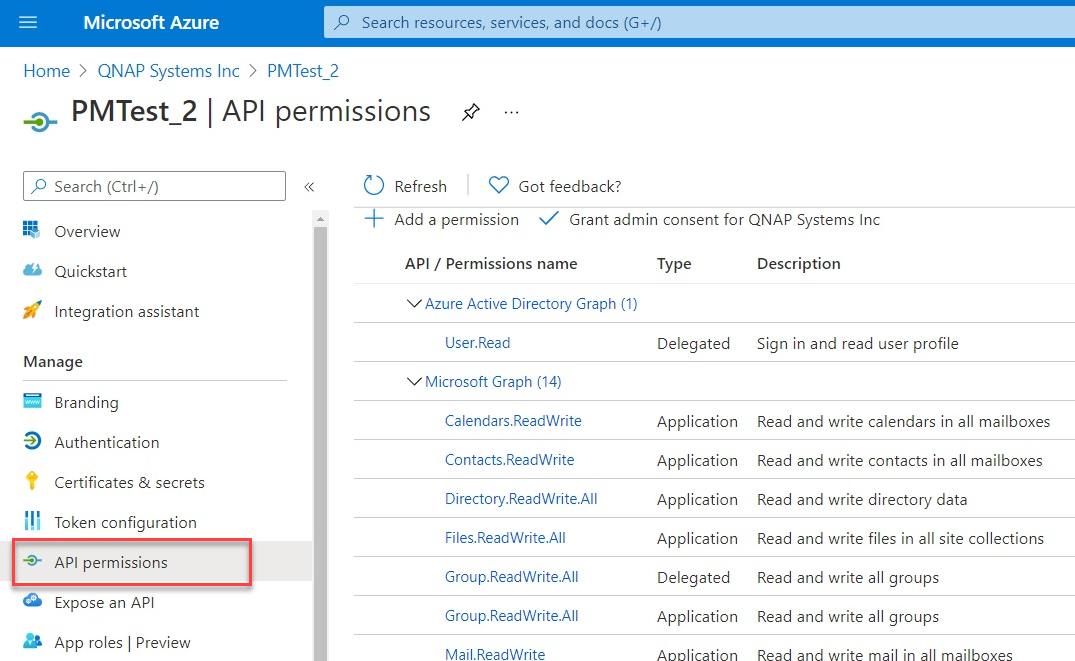
- Go to API permissions.
- Check that all the required permissions are enabled.
- Open HDP for SaaS.
- Go to Add Domain.
- Enter the Microsoft Azure email address and the Client ID information.
- Click Authenticate.
Fix an invalid email address
- Log in to Microsoft Azure as an administrator.
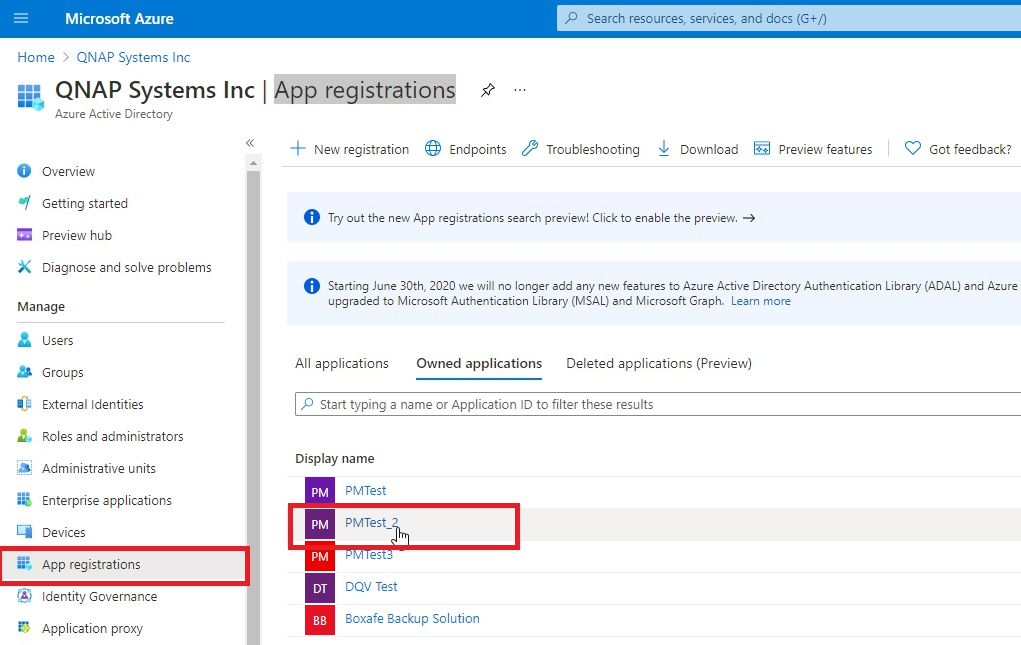
- Go to Azure Active Directory > App registrations.
- Open your app.
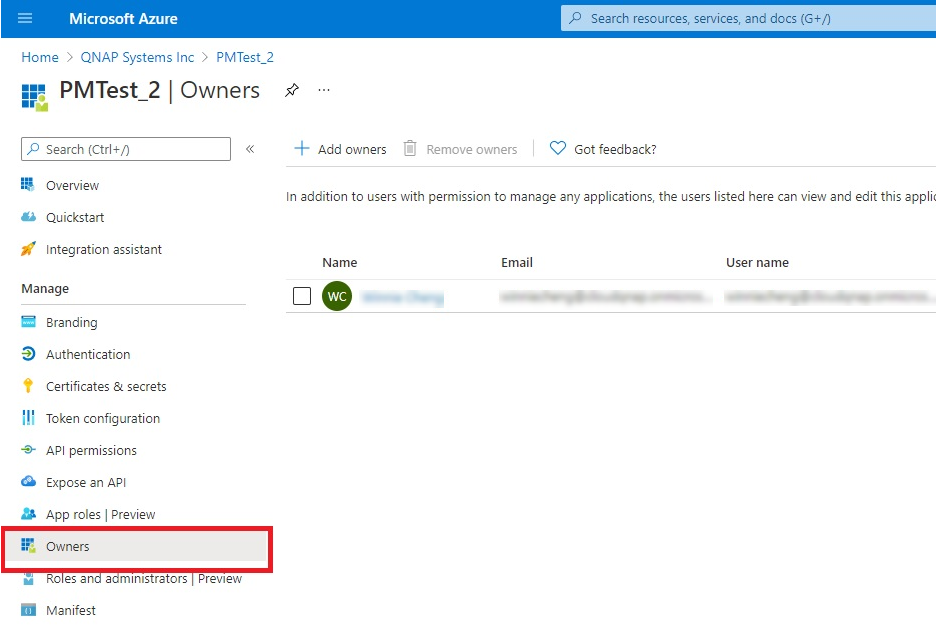
- Go to Owners.
- Check that the affected email address has been added to the app registration. If not, then add it by clicking Add owners.
- Open HDP for SaaS.
- Go to Add Domain.
- Enter the Microsoft Azure email address and the Client ID information.
- Click Authenticate.


