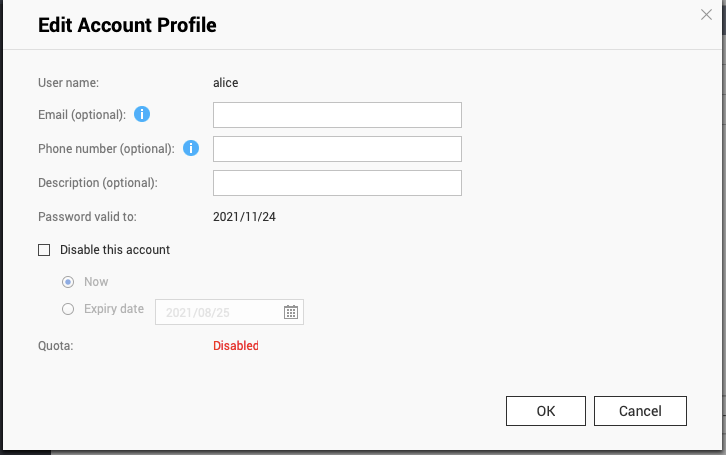
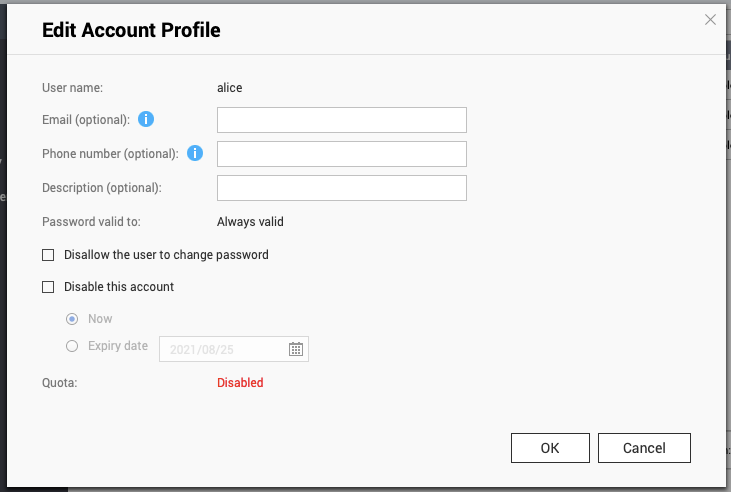
Why can't I find the option “Disallow the user change password” when edit account profile?
Last modified date:
2022-06-24
Applicable Products:
- QTS
- QuTS hero
If “Require users to change password periodically” is enabled in Security settings, the option “Disallow the user to change password” in Edit Account Profile will be hidden.
Note:
- Find “Require users to change password periodically” in Control Panel > System > Security > Password Policy > Change Password.
- Find “Disallow the user to change password” in Control Panel > Privilege > Users > Action > Edit Account Profile.
“Require users to change password periodically” is disabled, Edit Account Profile looks like
“Require users to change password periodically” is enabled, Edit Account Profile looks like