I can see private content of my NAS using Windows media player without login in the NAS
Applied models:
Applied Firmware:
-
All
If you noticed that all your private photos and videos became available to your entire network without any authentication. For example:
On the Windows Media Player the NAS appears on the libraries and you and all users in the networks can see all the photos and videos which are not supposed. Even worse, all your photos and videos are in a private folder with authentication.
Also happened that The NAS appears on Windows network folder recognized as a multimedia device.
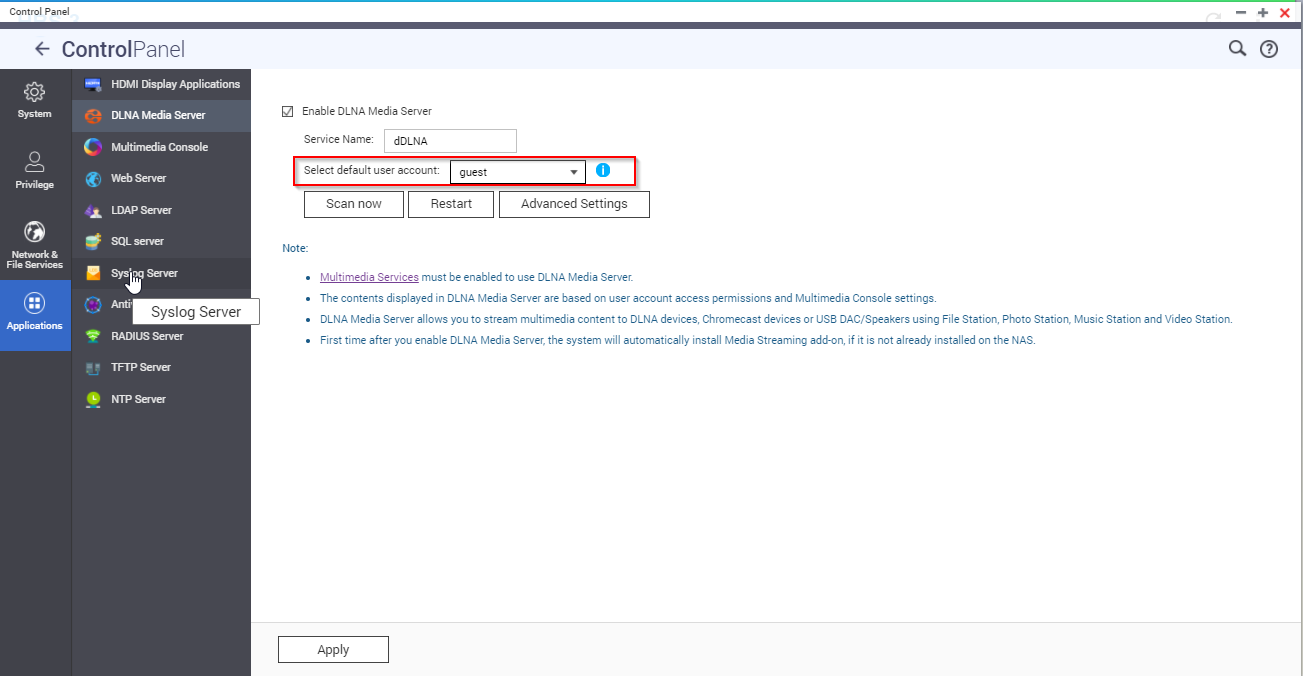
In this case it seems to be that you have enabled DLNA media server and you used as default user "admin" making all content visible.
As possible solution if you are not using DLNA server, you can disable it complete or if you are using it, you can change the default account to anyone with less privilege and control this account permission to only allow show the private content as public for every device in the Network