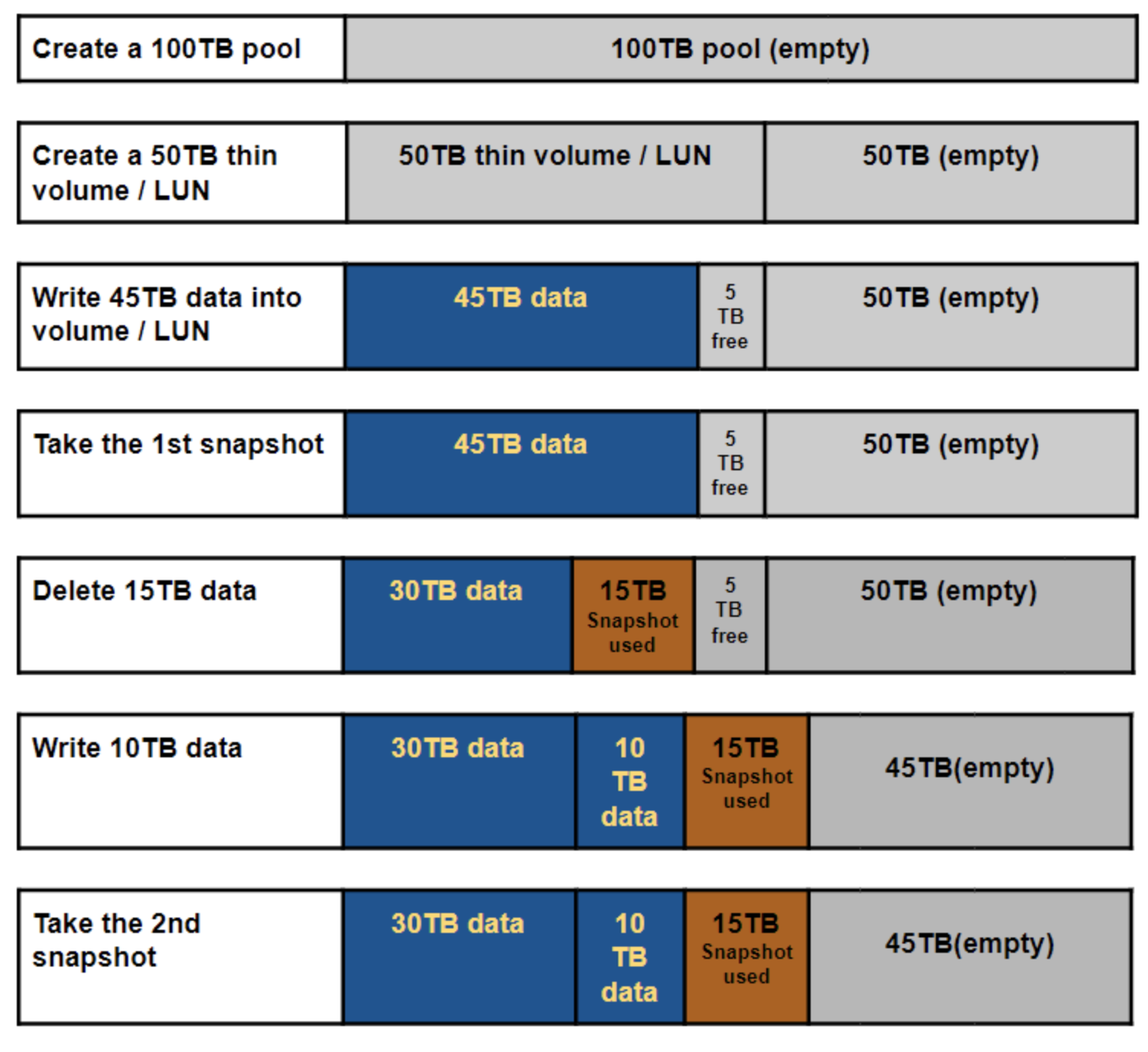
Why does the system fail to create the snapshot on the thick volume / LUN even if there's still space?
Applicable products:
- All QuTS Hero and QES NAS series
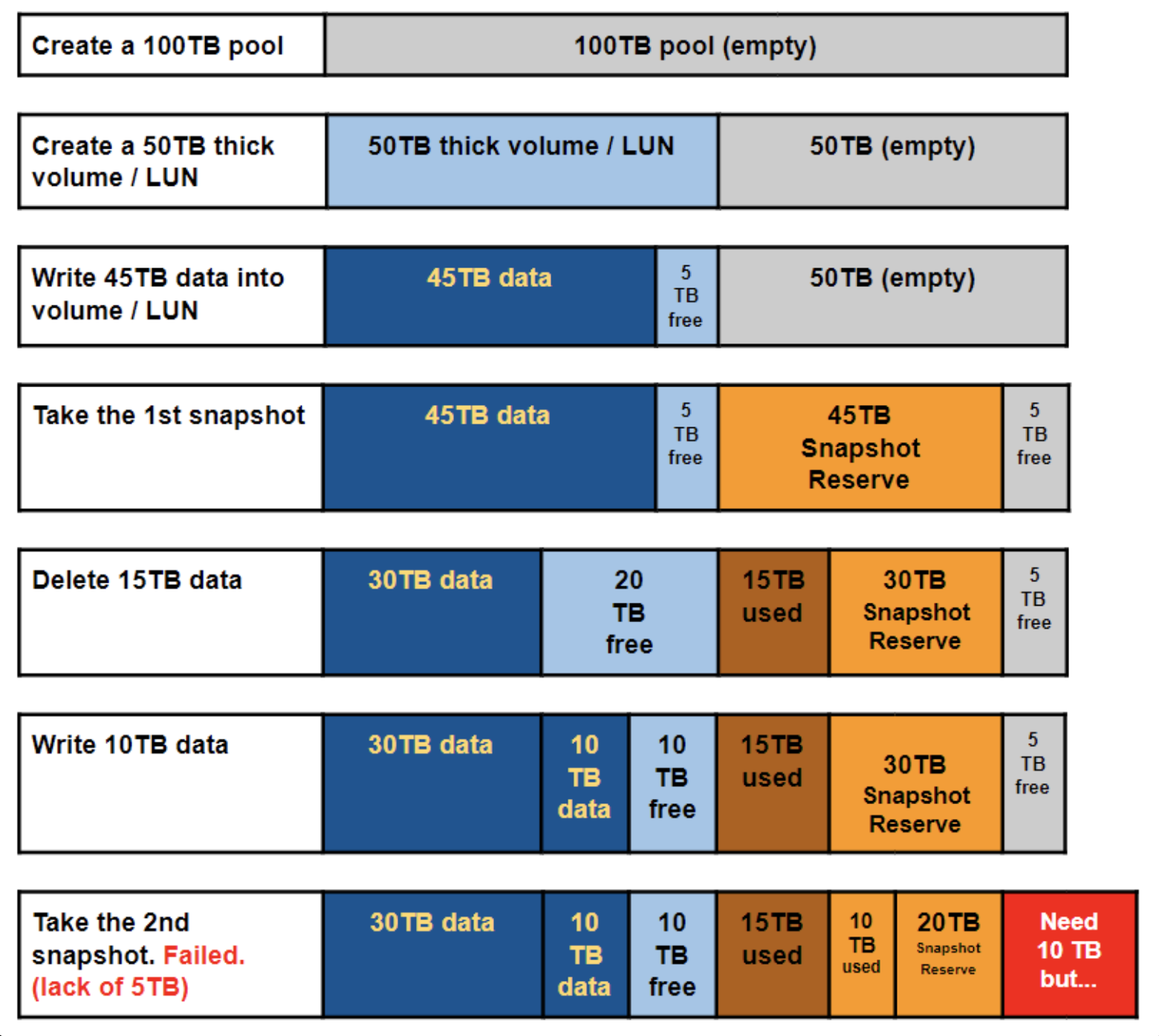
About the space allocation of thick volume / LUN, while taking the snapshot of a thick volume / LUN, it allocates a snapshot reserved space to guarantee the snapshot revert can be performed properly later when you need it.
If it fails to take the snapshot, you can login to the NAS web management page and choose Storage Manager → Storage Space. Then right-click on the storage pool which contains the volume / LUN that you failed to take the snapshot and then select Manage. 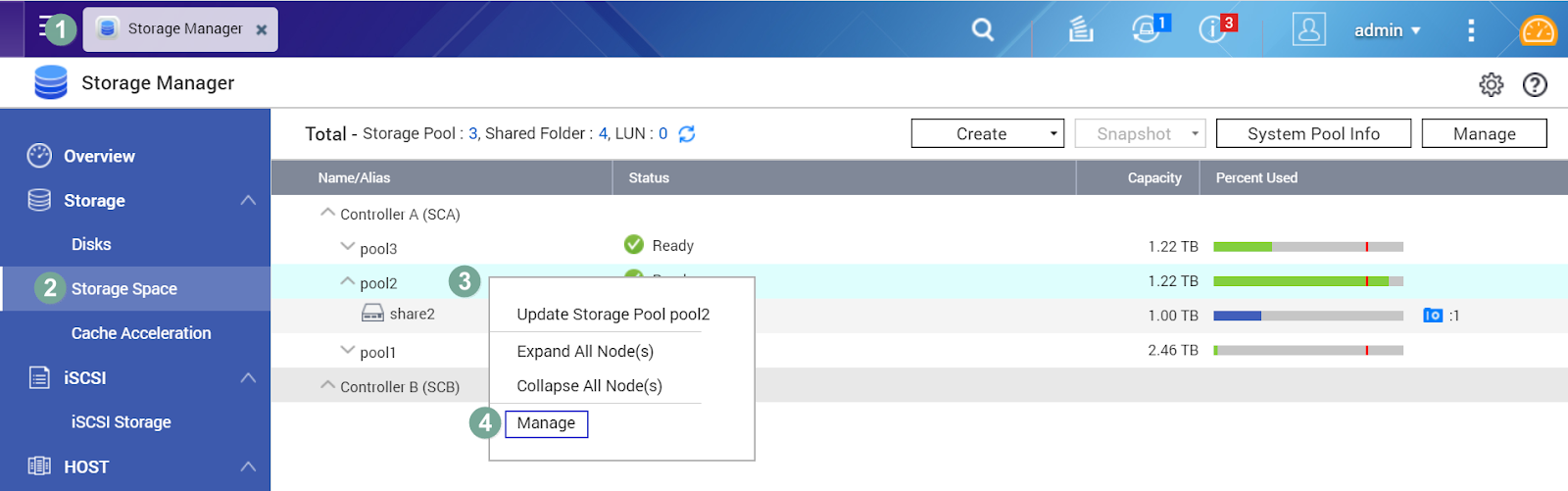
In the Storage Pool Management dialog box, you can find the information of the Pool capacity / Allocated size / Unallocated size.
Ex: There is only 95.25 GB unallocated size available in the example below. There is not enough space reserved for taking the snapshot. 
To solve this issue, you may try to
- delete the old snapshots to free more pool space for taking the new snapshot or
- expand the storage pool capacity or
- convert the thick volume / LUN to thin type (only for QuTS Hero)
Furthermore, from the above example, you may observe that the high allocated size by the thick volume causes the pool to run out of space fast. You may have a clearer picture for the space allocation of the snapshot on the thick volume / LUN in the storage pool with the figure below.
For the snapshot on thin volume / LUN, you can refer to the figure below.