


RAID Types When Using SSD Cache Acceleration Function in QuTS Hero
Applied models:
-
All NAS models that support QuTS Hero
Applied Firmware:
-
All QuTS Hero Firmware Versions
In QuTS Hero, only Cache Type can be selected when setting up Cache acceleration.
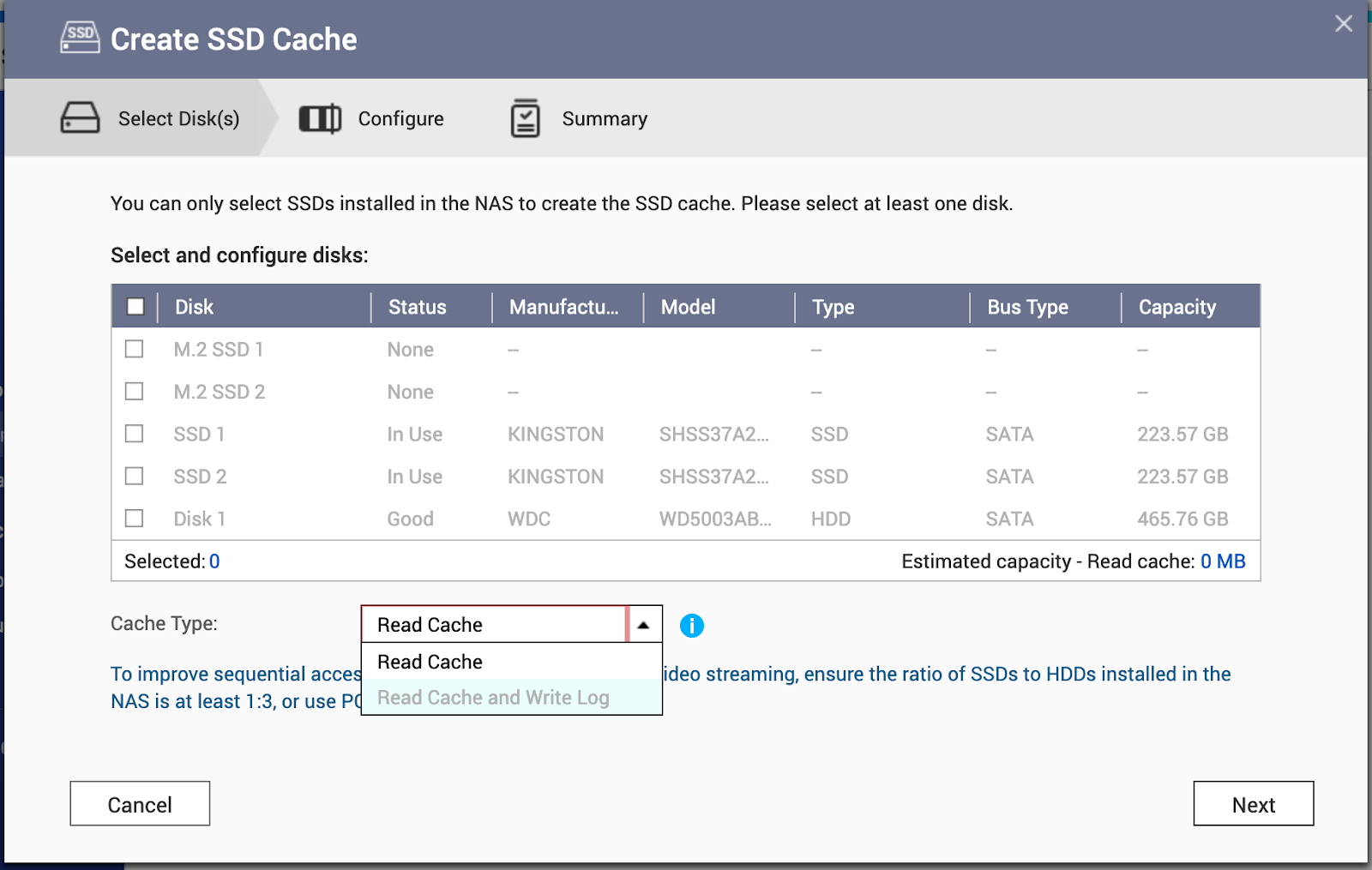
Depending on the number of SSD and Cache types selected, the system will set up different RAID types accordingly. Please refer to the table below.
| The number of SSD | Read Cache | Read Cache and Write Log (Read Write Cache) |
| 1 | Single disk | Not Support |
| 2 | Stripe (RAID 0) | Mirror (RAID 1) |
| 3 | Stripe (RAID 0) | Not Support |
| 4 | Stripe (RAID 0) | Stripe of mirrors (RAID 10) |
Note: If the cache type is set to Read Cache and Write Log, you must select an even number of disks.
Related Documents:
Daha fazla yardım için toplulukta diğer kullanıcılara ve QNAP uzmanlarına sorun. QNAP Topluluğuna Git


