


How to share the files on NAS by myqnapcloud?
Data da última modificação:
2021-11-26
Applicable Products:
- myQNAPcloud
-
Follow the guide to set up myQNAPcloud service
-
Sign in myQNAPcloud service
-
Click on shared folders and login with NAS username/password

-
Locate the folder you want to create sharelink and press share
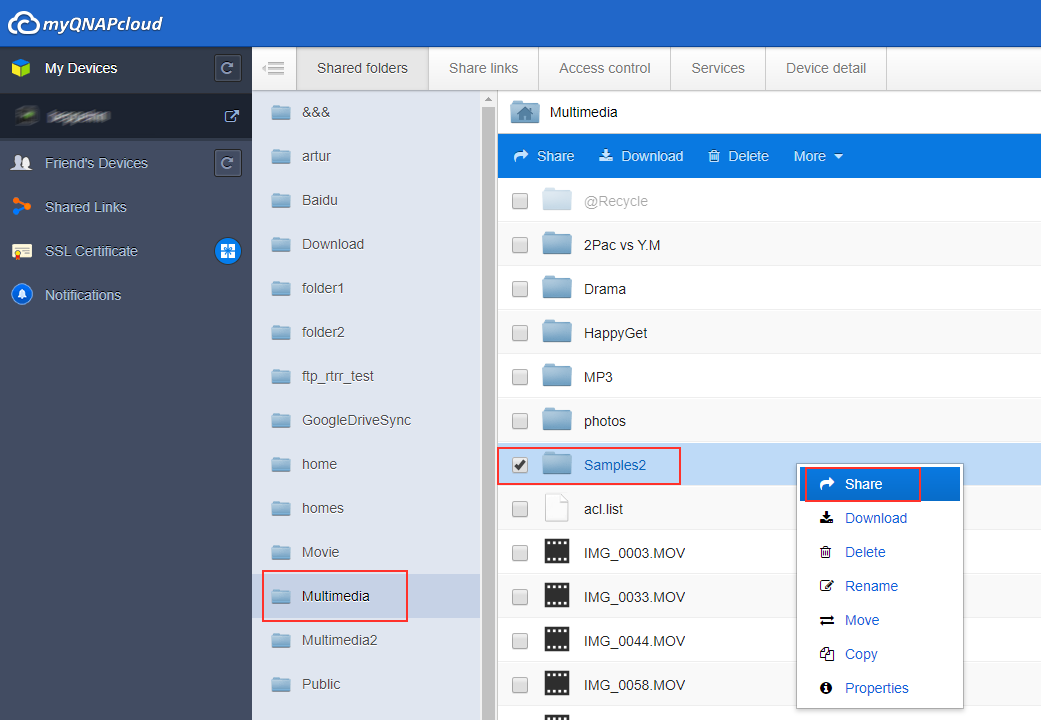
-
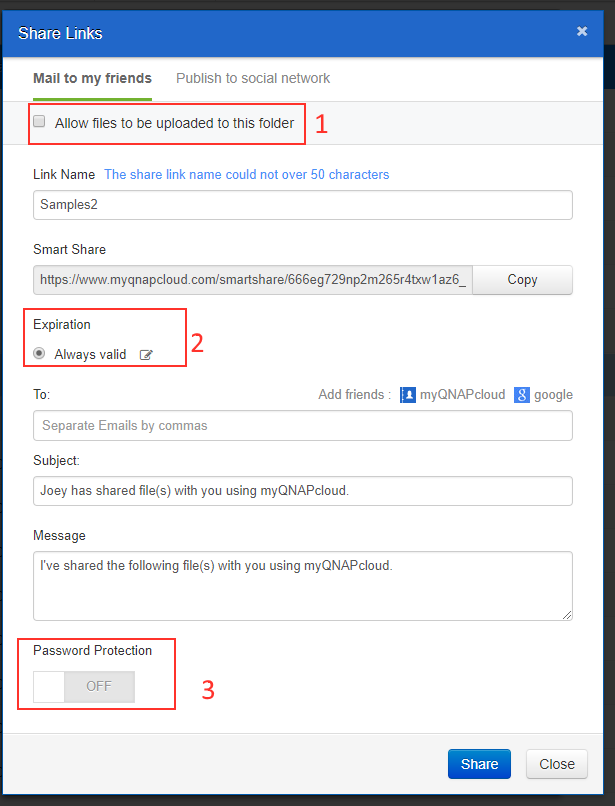
In the setting page, you can set up the following options.
- Allow viewer to upload the files to this folder
- Set up Expiration date
- Set up Password Protection
-
Copy Smart Share link to others.

Para obter mais ajuda, pergunte a outros utilizadores e aos especialistas da QNAP na comunidade. Ir para a Comunidade QNAP


