


How can I directly make a Smart Share link on myQNAPcloud to share the file on my NAS?
최신 업데이트일:
2021-11-26
Applicable Products:
- myQNAPcloud
-
Follow the guide to set up myQNAPcloud service
-
Sign in myQNAPcloud service
-
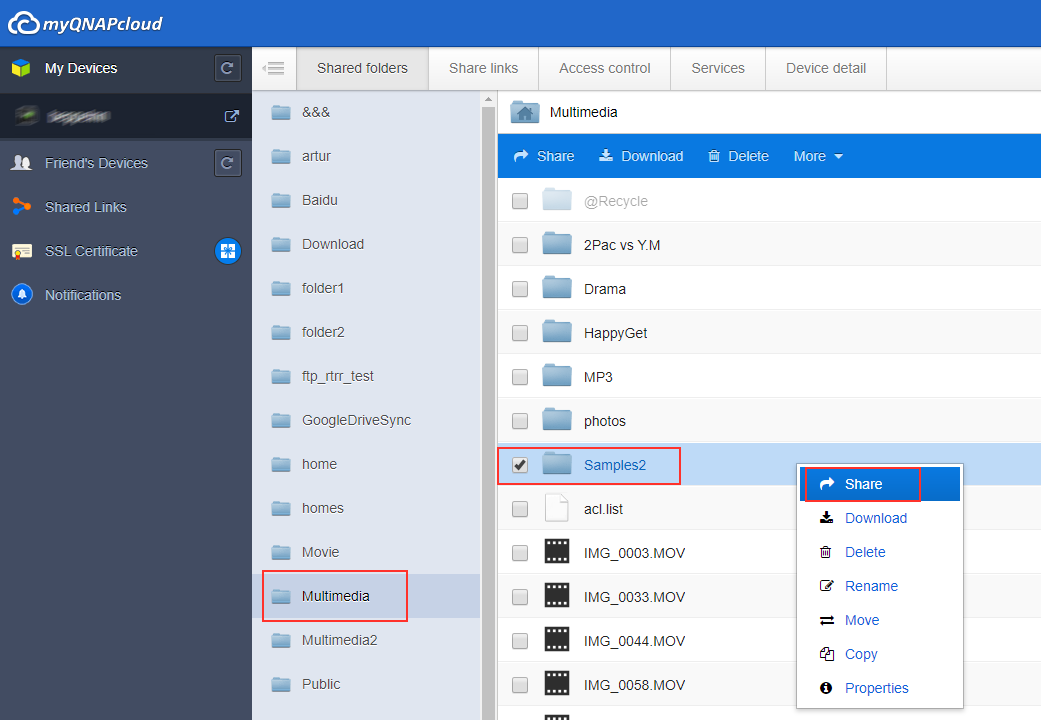
Click on shared folders and login with NAS username/password

-
Locate the folder you want to create sharelink and press share
-
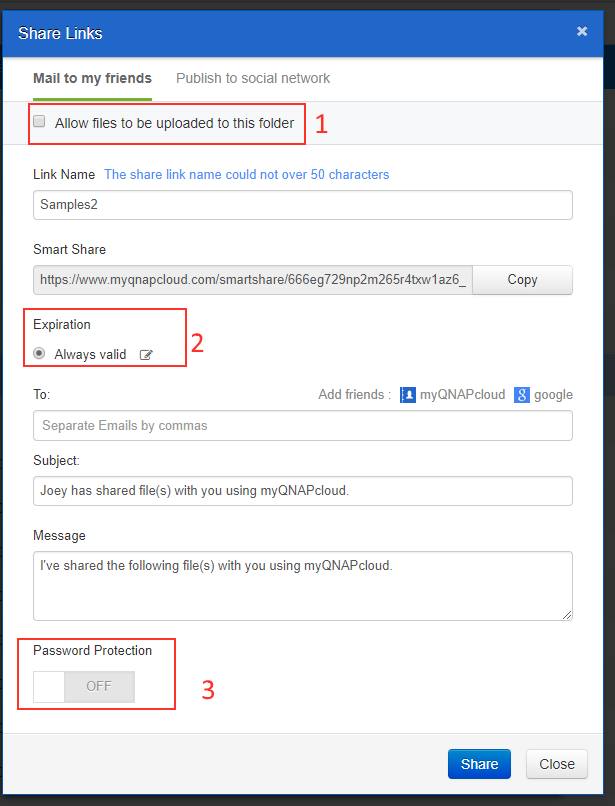
In the setting page, you can set up the following options.
- Allow viewer to upload the files to this folder
- Set up Expiration date
- Set up Password Protection
-
Copy Smart Share link to others.

아직 도움이 필요하신가요?
QNAP 커뮤니티에 질문을 올려 주세요. QNAP 직원과 경험 많은 사용자가 답변해 드립니다.


