


How to setup QuFirewall to allow VPN connections
Applicable Products:
- QuFirewall
- QVPN
If you want to allow VPN connections to the NAS and you enabled QuFirwall, you will need to add a couple of rules to allow the traffic to go through.
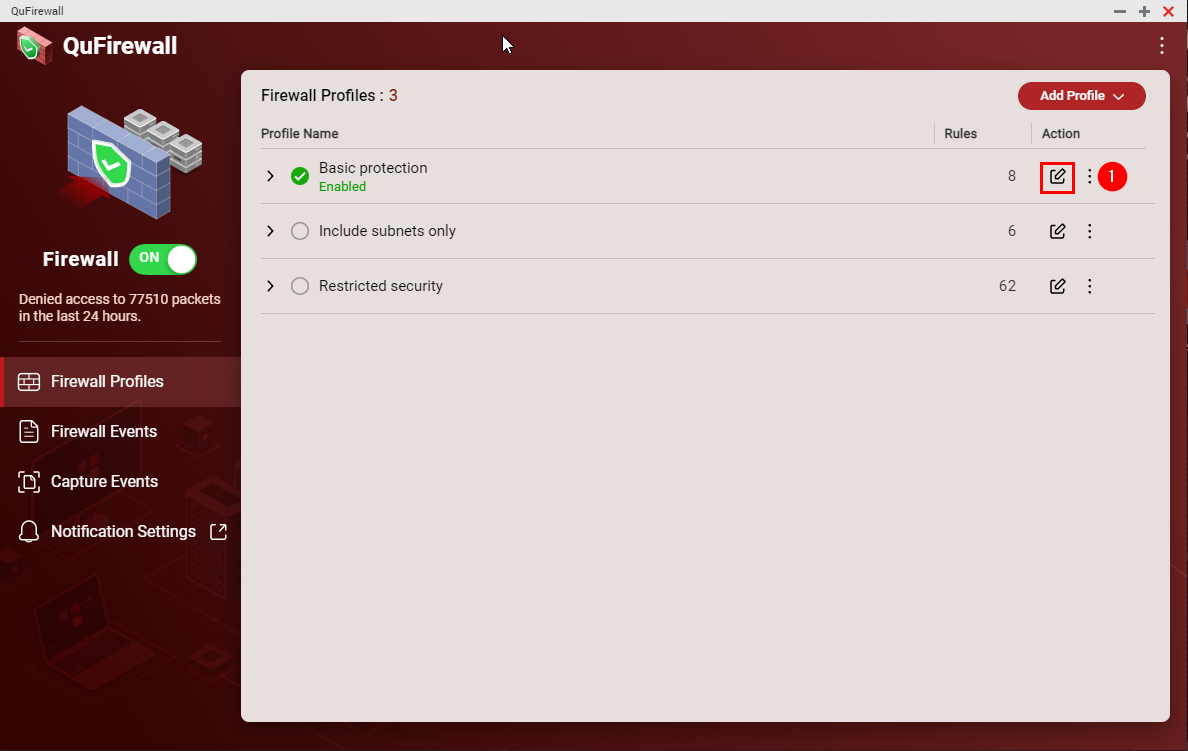
I will take the “Basic Protection” profile to add the rules. So first we need to edit the Profile:
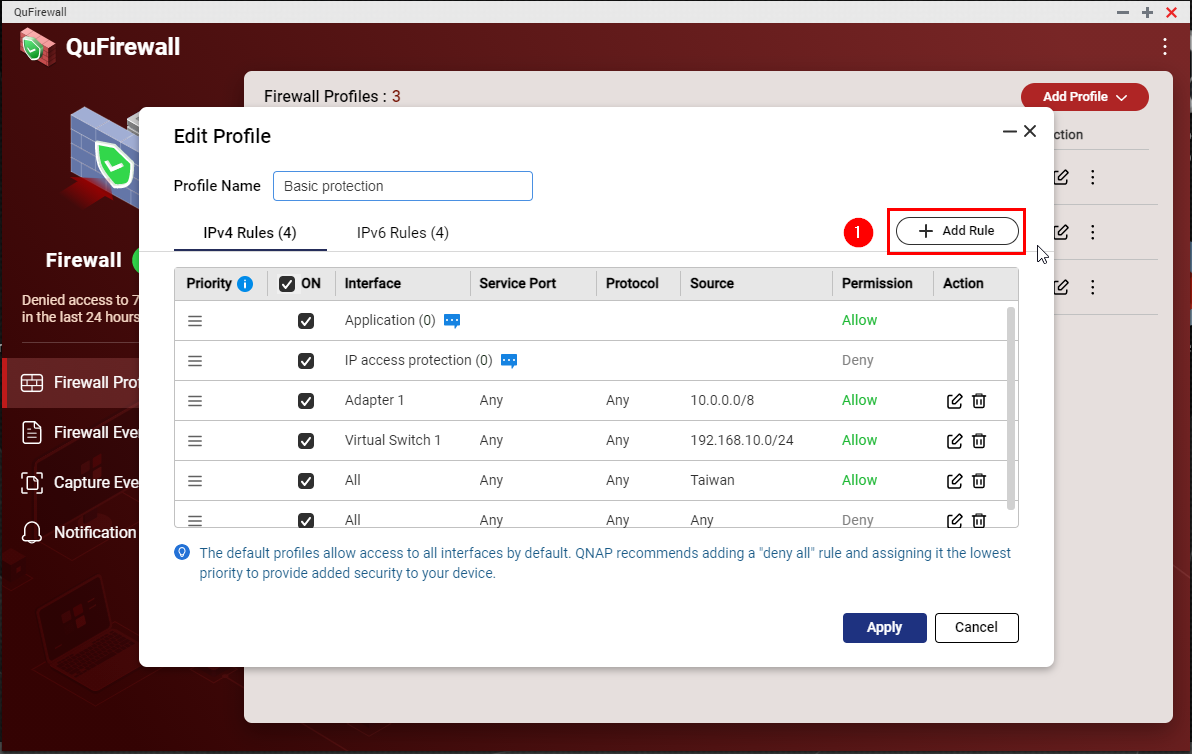
Then we need to add a new rule.
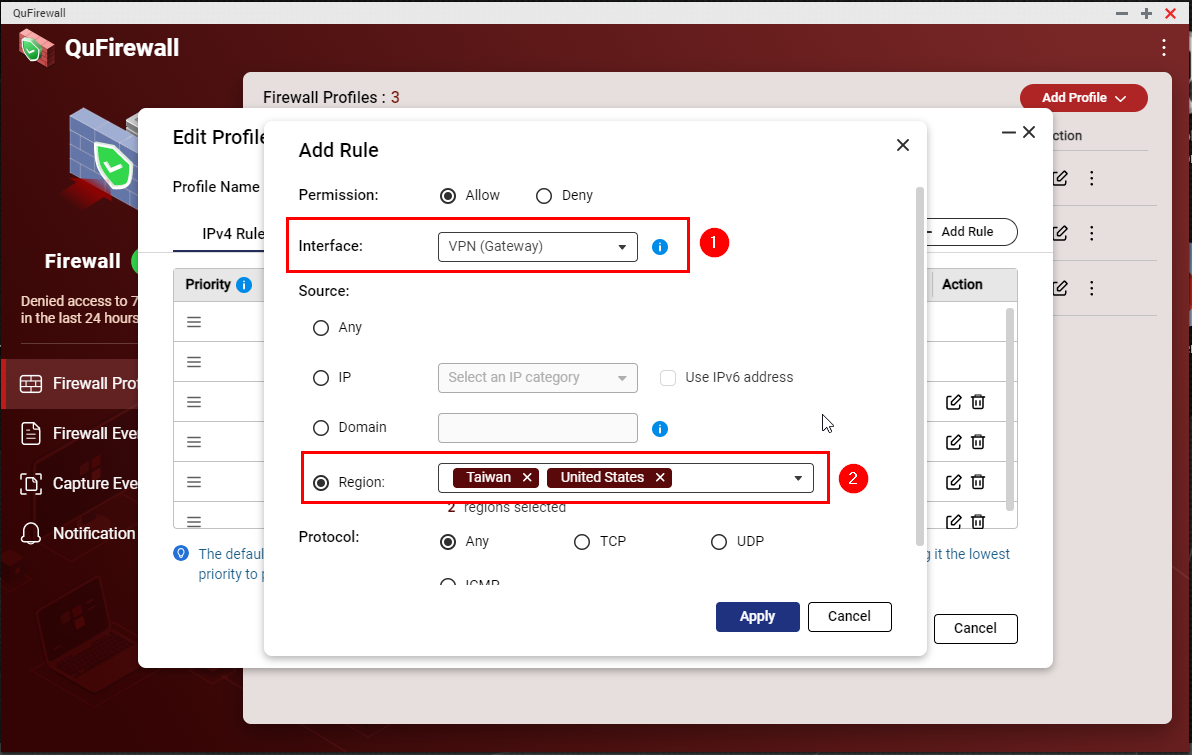
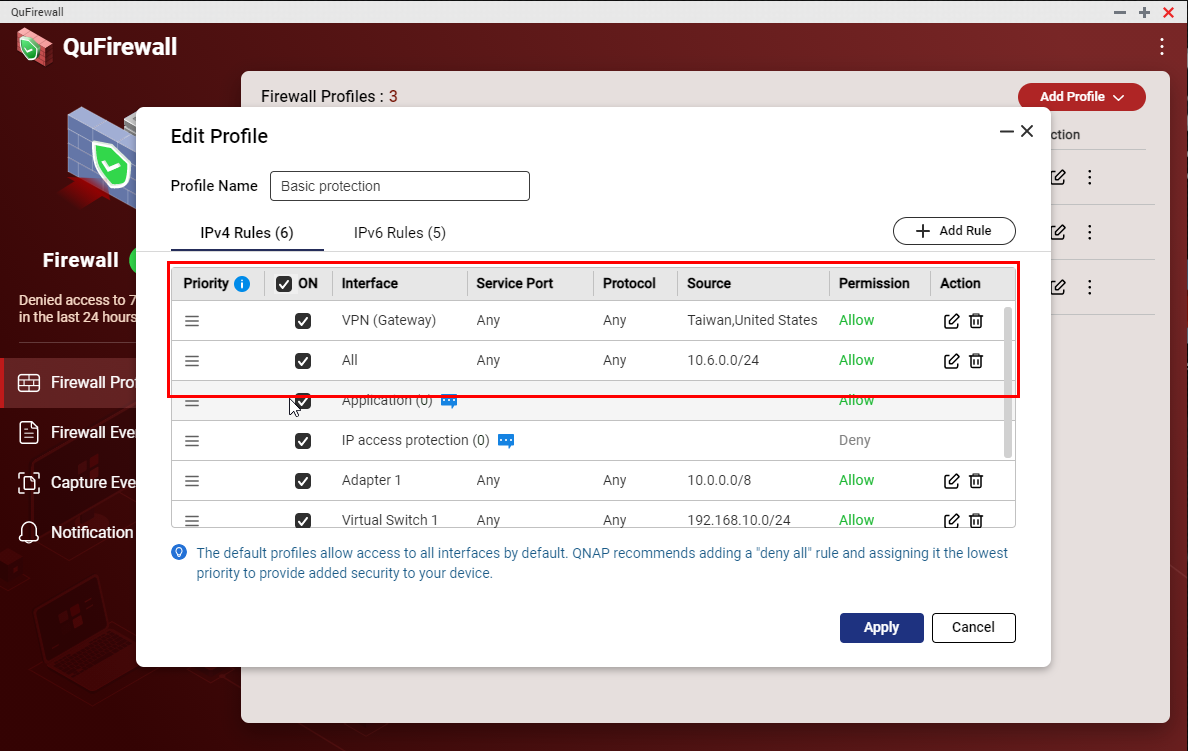
The next step is to allow “VPN (Gateway)” and select the allowed region to access the VPN server
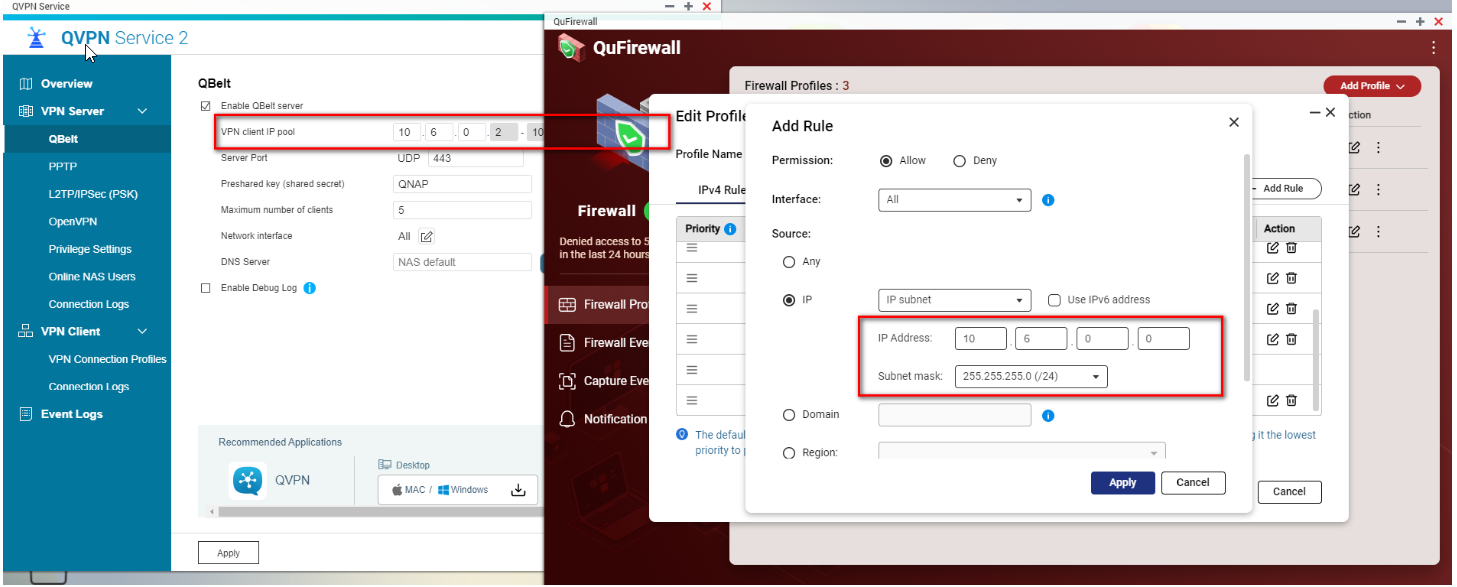
The next step is to create a new rule to allow your VPN IP pool access to the NAS.
Following are the default VPN IP pools
- Qbelt: 10.6.0.2 - 10.6.0.254
- PPTP: 10.0.0.2 - 10.0.0.254
- L2TP/IPsec: 10.2.0.2 - 10.2.0.254
- OpenVPN: 10.8.0.2 - 10.8.0.254
- WireGuard: 192.168.17.1/24
For instance, using QBelt VPN you must allow the connections from the IP pool 10.6.0.2 - 10.6.0.254. In other words, you need to add a QuFirewall Rule to allow permission for IP address 10.6.0.0/Subnet mask 255.255.255.0 (24)
Finally, we will need to move the rules to the top of the list.
Est-ce que cet article a été utile ?
Pour obtenir de l'aide supplémentaire, posez votre question aux autres utilisateurs et aux experts QNAP dans la communauté. Accéder à la communauté QNAP


