


What is the benefit of enabling "Do not take a snapshot" in an HBS job?
Applicable Products
Hybrid Backup Sync (HBS 3)
Overview
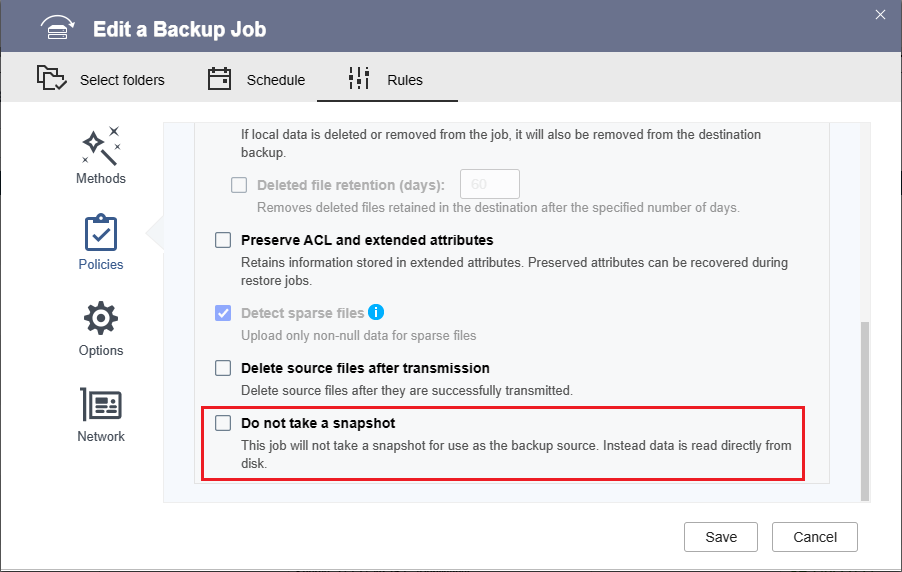
In HBS 3, if Do not take a snapshot is disabled in a backup or sync job, when the job runs, HBS 3 creates a temporary snapshot of the source data, and the temporary snapshot becomes the source for the backup or sync. The purpose of the temporary snapshot is to prevent job errors caused by changes to the source data while the job is running. After the job finishes running, the temporary snapshot is deleted.
If Do not take a snapshot is enabled, HBS 3 backs up or syncs data directly from the source folder to the destination. Because no temporary snapshot is taken, no extra storage space is needed to run the job. In this case, the job runs faster and more efficiently, but it cannot prevent possible errors due to changes to the source data during the job run.
Configuration
You can configure this setting in an existing job by following the steps below.
- Open HBS 3.
- Go to Jobs.
- Identify a backup or sync job to edit.
- Under Action, click the Edit icon.
The Edit a Backup Job or Edit a Sync Job window opens. - Go to Rules > Policies > Advanced settings.TipThe setting is in the same location when creating a new job.
- Select or deselect Do not take a snapshot.
- Click Save.


