6 mins read


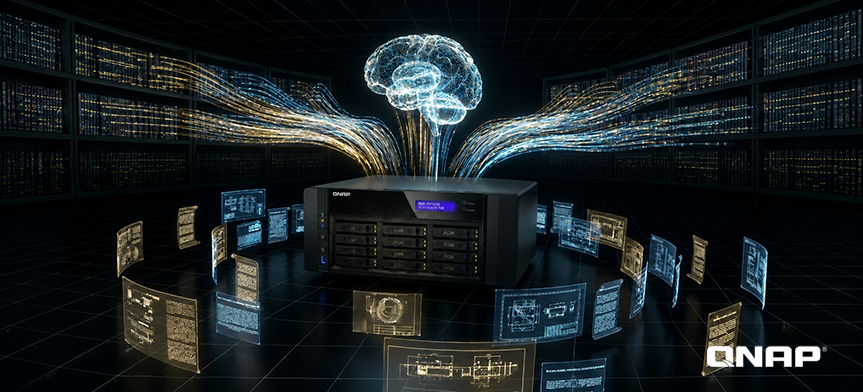
Key takeaway: Worried about AI data leaks but still need ChatGPT-level productivity? Run a private LLM on your QNAP NAS using Ollama and Open WebUI, deployed through Container Station. You get a fully on-premises Edge AI environment in minutes — no cloud, no data ever leaves your premises.
What did your colleague give to AI today? You don't know, and IT doesn't know either.
According to the latest industry research in 2026, enterprise AI security risks have undergone structural changes, with current threats evolving from “manual operations” to “systematic data leaks.” As highlighted in the Cyberhaven 2026 AI Adoption & Risk Report, a high 39.7% of AI interactions involve sensitive data, and employees on average input confidential information into AI once every three days. Meanwhile, the Zscaler ThreatLabz AI Security Report also points out that data traffic transmitted to AI/ML applications has surged by 93%, with total volume exceeding 18,000 terabyte. This demonstrates that AI leak incidents are no longer limited to personal data, but have expanded to include source code and enterprise intellectual property.
Although enterprises have been formulating AI regulations one after another, the 2026 survey shows that more than 97% of organizations still lack effective 'Shadow AI' access control technologies. This means that the AI security defenses of most enterprises remain at the level of 'policy announcement' and are unable to effectively prevent sensitive data from leaking through personal accounts or unauthorized License tools.
Once you give data to AI, it's no longer yours. Do you know what those terms say?
Each cloud AI service has its own data policy, but their structures are highly similar: the content you input may be used for model training unless you actively choose to opt out—assuming you know this option exists. For example, with OpenAI, even if you delete conversation logs, data will still be retained on the server for up to 90 days for internal auditing. When you subscribe to four services, you simultaneously accept four unread data policies. Each account is an data outlet invisible to IT. Moreover, deletion does not equal disappearance.
Consequences of non-compliance are occurring
In December 2024, the Italian Data Protection Authority (Garante) issued a €15 million fine to OpenAI, citing reasons including insufficient legal basis for training data and lack of transparency in personal data processing. Enforcement of the EU GDPR is accelerating. For customers in Japan, Europe, or companies with cross-border operations, having customer data processed by third-party AI services without a signed DPA (Data Processing Agreement, data processing agreement) itself constitutes a potential violation.
Even if there is no guarantee against data leakage, enterprises still need to continue paying monthly fees
Engineers subscribe to Claude Pro, sales use Microsoft Copilot, designers run Gemini Advanced, and the boss has another AI account—one company often uses multiple and different AIs. In enterprise teams that heavily use AI, the average monthly AI subscription cost per person has exceeded $50 USD (just ChatGPT Plus, Claude Pro, and Gemini Advanced together already reach $60 USD). Ten people, $6,000 a year—paying for others to store your data.
Edge AI solution: The explosive rise of on-premises LLMs
This is not just a niche trend. Ollama, the most popular local LLM (Large Language Model) execution tool, became the open-source project with the highest star growth on GitHub in 2024, now boasting over 165,000 stars and more than 520 million downloads per month. On Reddit, the r/LocalLLaMA community has surpassed 690,000 members, and the highest-voted post is: “I no longer pay for ChatGPT, Perplexity, or Claude—I switched to running my own local LLM.”
DEV Community's 2026 Field Guide puts it more directly: “The setup of on-premises AI has already shifted from an engineer’s personal experiment to something anyone can complete in an afternoon.”
QNAP assists enterprises in AI implementation: from NAS to enterprise Edge AI data engine
Enterprise-grade NAS has always been a server running 24/7. In the past, it was only used for storage; now, NAS is a complete private AI infrastructure solution.
QNAP QAI-h1290FX is the enterprise-grade on-premises solution for this architecture. It breaks the traditional definition of “storageunit as just a data container” and, through PCIe expansion, can fully integrate high-end NVIDIA GPUs (such as the RTX PRO 6000 Blackwell Series), enabling NAS itself to perform data pre-processing, semantic chunking, vectorization, and local language model inference — all computation is completed within unit.
Three steps to set up a private AI environment
Step 1: Deploy Ollama via Container Station
QNAP Container Station provides a graphical Docker container management interface, allowing you to install Ollama without command line operations. Ollama serves as the local LLM (Large Language Model) runtime engine, responsible for model loading and inference, and offers an interface compatible with standard API formats for easy integration with existing enterprise tools.
Step 2: Install Open WebUI to provide you with a familiar AI chat interface
Open WebUI is the most widely adopted frontend interface for Ollama. After installation, you get: multi-conversation management, built-in RAG (Retrieval-Augmented Generation) features, file upload and analysis, as well as multi-user account management. The entire system runs completely on the NAS local machine, with no need for external Networking connections.
Step 3: ZFS Snapshot Protection for AI Knowledge Base
QNAP QuTS hero NAS uses the ZFS file system. ZFS (Zettabyte File System, enterprise-grade file system) snapshots provide instant version protection for the RAG knowledge base, allowing for rapid restore in case of accidental deletion or overwriting. After enabling SnapSync, the continuity protection of the knowledge base reaches enterprise-level standards.
FAQ
Q: Cloud AI vs. On-premises AI: How should enterprises choose?
For common enterprise tasks such as document summarization, internal FAQ Q&A, and contract drafting, recently released open-source models (like Llama 3.1, DeepSeek-R1, Qwen 3.6, Gemma 4) have already matched the performance of cloud services like GPT-4o and Claude 3.5 in multiple benchmark tests. The main difference lies in the breadth of general knowledge, rather than the specialized depth for enterprise scenarios. With RAG integration, on-premises AI can directly reference internal enterprise documents for answers, typically offering higher accuracy than general cloud AI and further avoiding concerns about sensitive data leakage.
Q: Does local AI necessarily require installing a GPU? Can it run without a GPU?
After equipping an NVIDIA GPU, inference speed increases by 10–20 times, and response time is shortened to just a few seconds. QNAP QAI-h1290FX supports integrating high-end GPUs via PCIe expansion, Container Station supports GPU acceleration, making it the top choice for deploying enterprise private AI.
Q: Is local AI setup complicated? What technical background do IT staff need?
Familiarity with basic Docker operations and deployment is sufficient. QNAP Container Station provides a GUI interface to lower the entry barrier, allowing the deployment process to be completed in just a few minutes. Whether it's Ollama, Open WebUI, or even official QNAP solutions, there are related tutorials and support documents available.