


Why can’t i access a QuTS hero shared folder from Linux after i create the folder via NFS?
Applicable products:
- QuTS hero
- Linux
Although QuTS hero supports Rich Access Control Lists (RichACLs) as used in Linux, because RichACLs do not fully map to POSIX ACLs, a "Permission denied" error can occur when trying to access a QuTS hero shared folder via NFS.
If you encounter this problem, we recommend a workaround solution by editing the shared folder permissions in QuTS hero:
-
Log in to QuTS hero as an administrator.
-
Go to Control Panel > Privilege > Shared Folders.
-
Locate the shared folder.
-
Under Action, click Edit Shared Folder Permission.
The Edit Shared Folder Permission window opens. -
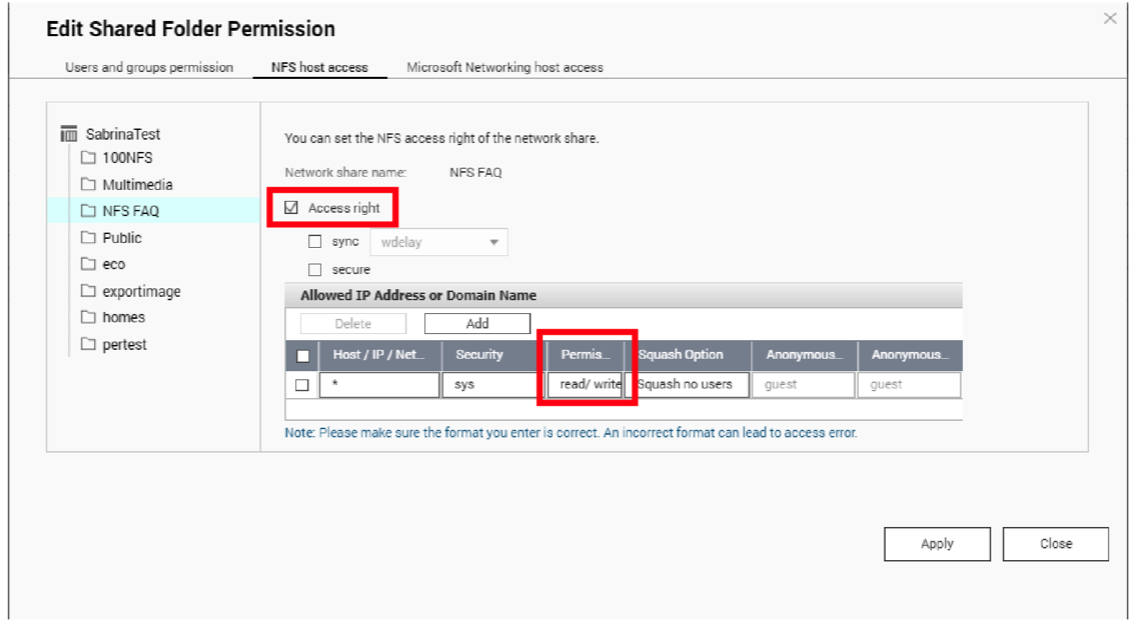
Go to NFS host access.
-
Select Access right.
-
Under Permission, select read/ write.
-
Click Apply.
The system applies the settings to the shared folder. -
In the same window, go to Users and groups permission.
-
Next to guest, select the checkbox under Read/Write.
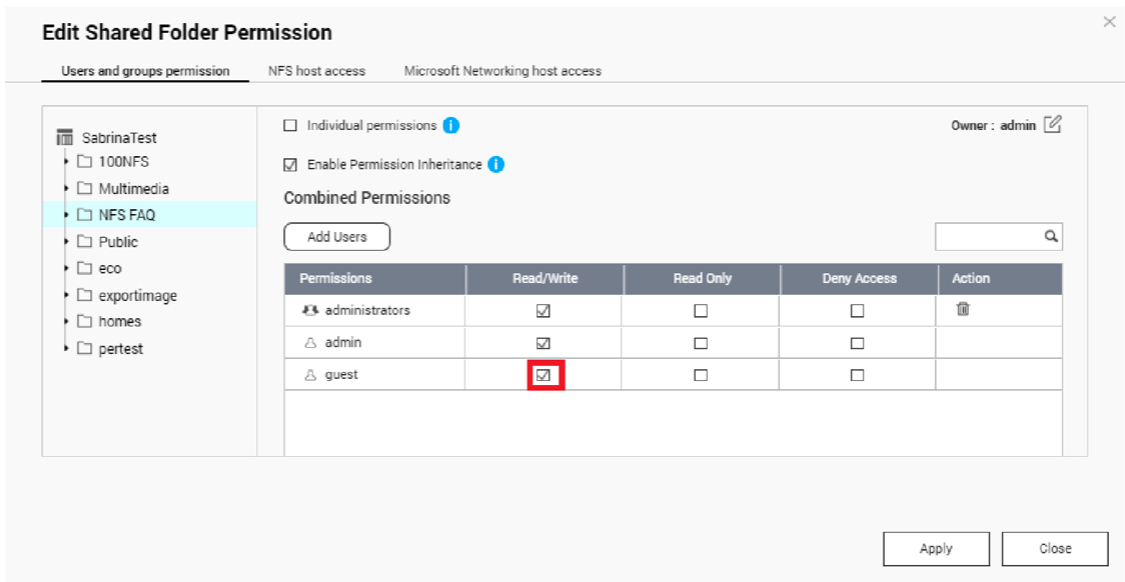
Important: Also deselect Deny Access for all other users and groups.
Tip: You can check existing richacl permissions for a shared folder by entering "richacl -g
- Click Apply.
The system applies the settings to the shared folder. - Click Close.


