Updating the firmware on QXP-1620S
Applicable Products
QXP-1620S
Solution
To update the firmware of QXP-1620S card, please follow steps below.
1. Download QXP-1620S firmware and the utility
QXP-1620S_Firmware_Utility
2. Extract the downloaded file into the folder of Windows PC (Windows 10 64-bit or higher version)
3. Enter the Windows command prompt.
Press Windows+R key to open "Run" box. Type "cmd" and then click "OK" to open a regular Command Prompt.
4. Run the command below to show the Board Tracer Number and write it down before performing next step.
storcli64.exe /c0 show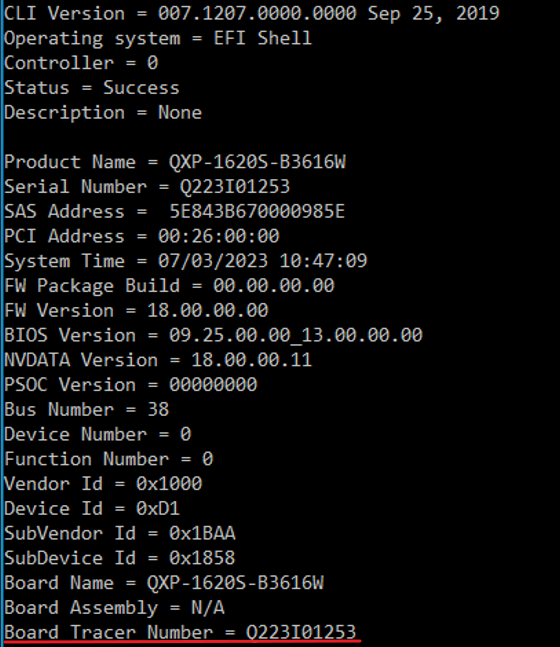
5. Run the command below to update the firmware.
update.BATe.g.
6. Run the command below to write the Board Tracer Number back to the card.
storcli64.exe /c0 set tracernumber=xxxxxxxxxx = Board Tracer Number
e.g.
7. Restart the Windows PC to make changes take effect.
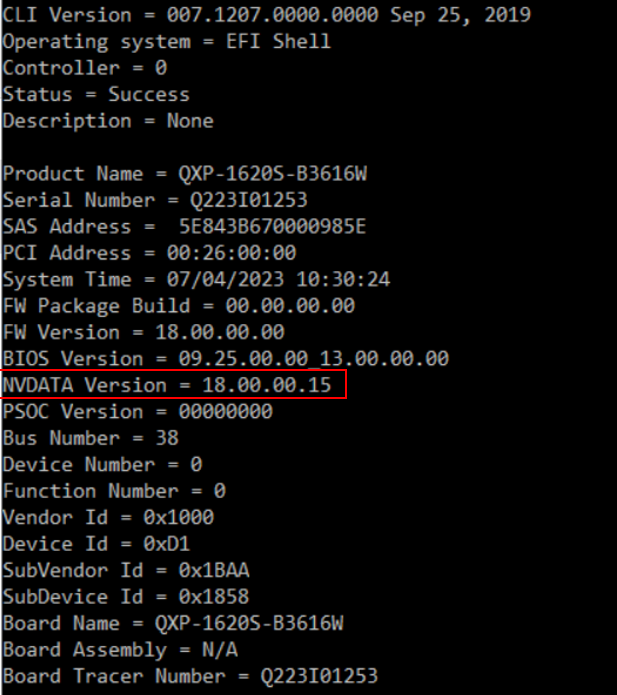
8. Run the command below to ensure the NVDATA version is updated and the card information is correct.
storcli64.exe /c0 show