What should I do if I see the log ”Detected expired digital signature for...“ after restarting my NAS?
Last modified date:
2025-03-26
Applicable Products
- QTS versions 4.4.2 to 5.0.1 Public Beta
- QuTS Hero versions h4.5.0 to h5.0.1 Public Beta
Scenario
If your firmware version is one of the above versions, and you restart your system, a system log may appear indicating that your firmware's digital signature has expired.

Recommendation
Because you previously installed your current firmware version with a valid digital signature, the expiration of the signature will not result in any issues. You can safely ignore this log. However, if you want to stop this log from appearing, you can update your system using one of the following methods:
- Update your firmware to the latest version.
This is the recommended way to update your firmware. For details, see the topic "System Settings > Firmware update > Checking for updates" in the QTS User Guide or the QuTS Hero User Guide. - Manually update your firmware to one of the following versions:
- QTS: version 5.0.1.2145 or later
- QuTS hero: version h5.0.1.2192 or later
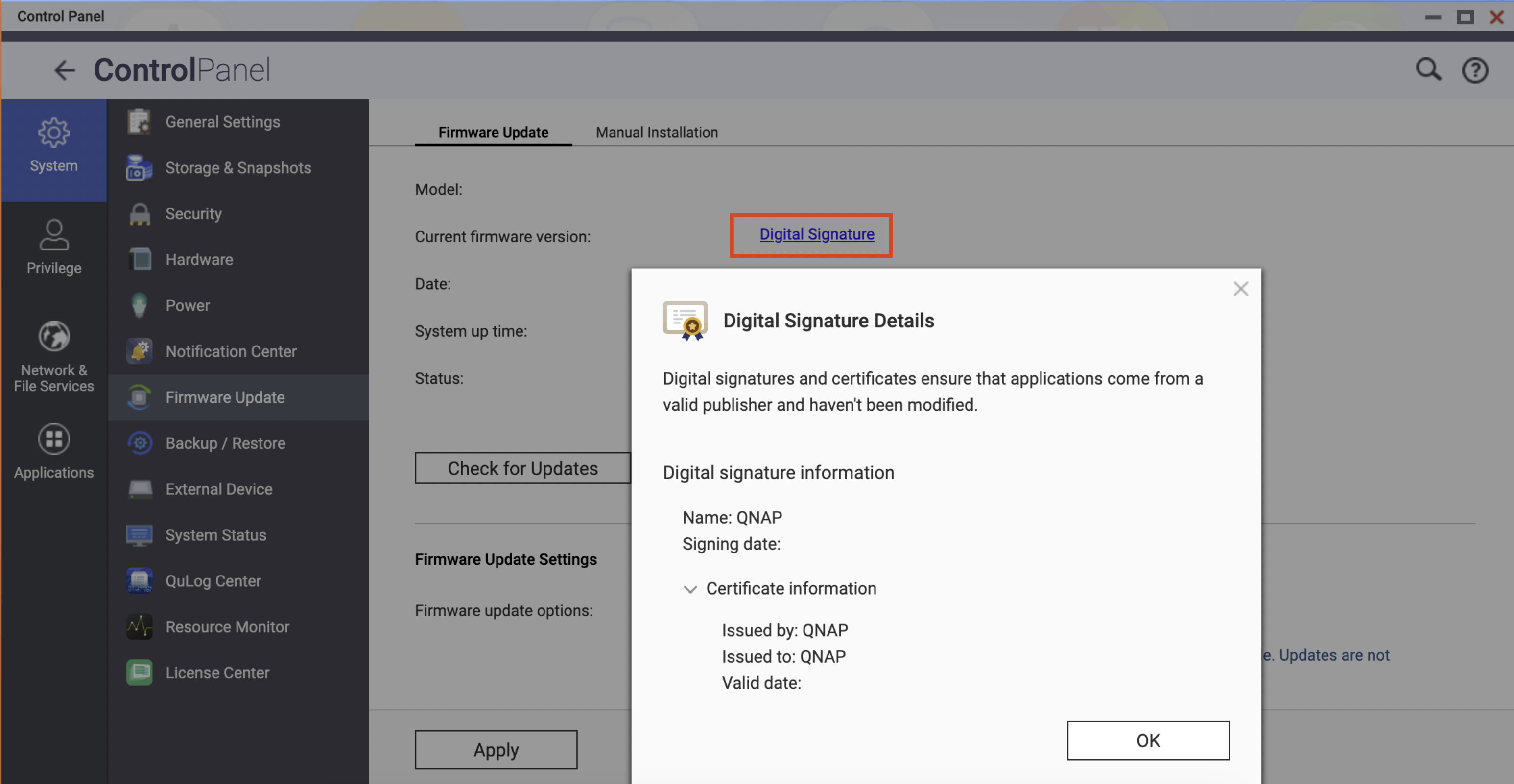
Viewing your firmware's digital signature
You can view the digital signature of your current firmware version by doing the following:
- Open Control Panel.
- Go to System > Firmware Update > Firmware Update (tab).
- In Model (section) > Current firmware version (field), click Digital Signature.
The Digital Signature Details window appears and you can view the digital signature's details.