


How to rename an External USB drive?
Last modified date:
2022-03-30
Summary
Following steps show how to rename an external USB device
Steps
1.Find Control Panel > Storage & Snapshots > Storage > External Storage

2.Select the USB disk you would like to rename
3.Select Storage Information from the Actions drop-down menu in the top right corner
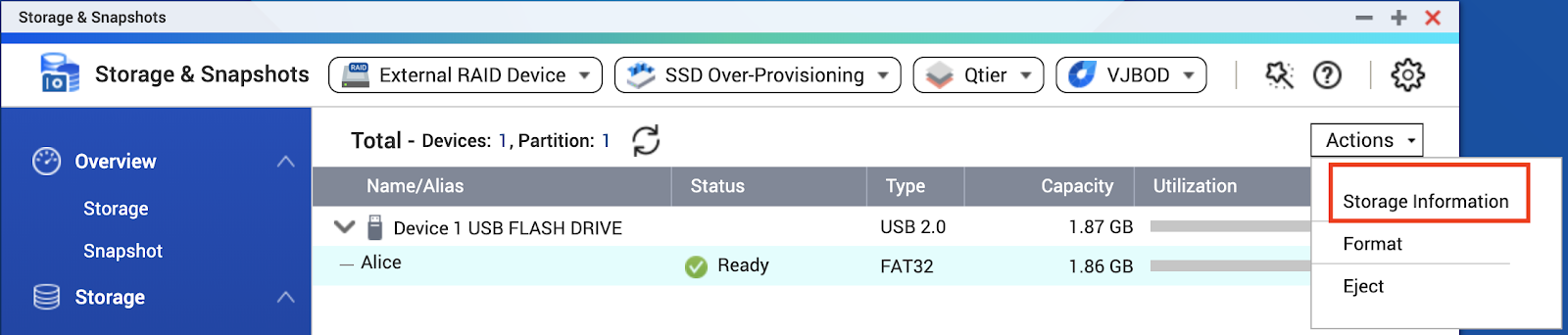
4.In the next window, double click the current name and type in the new one
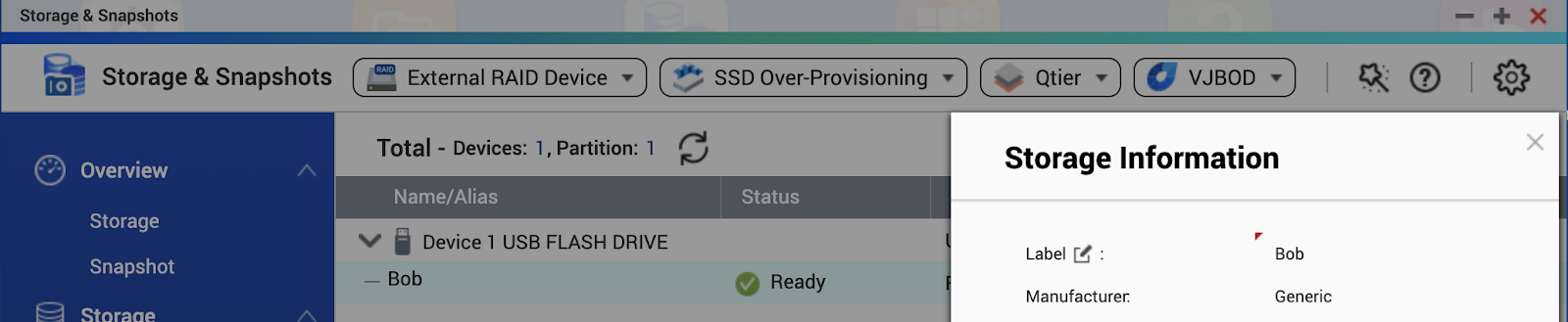
The changes you made will be effective immediately and the USB drive will show up with the new name in File Station.
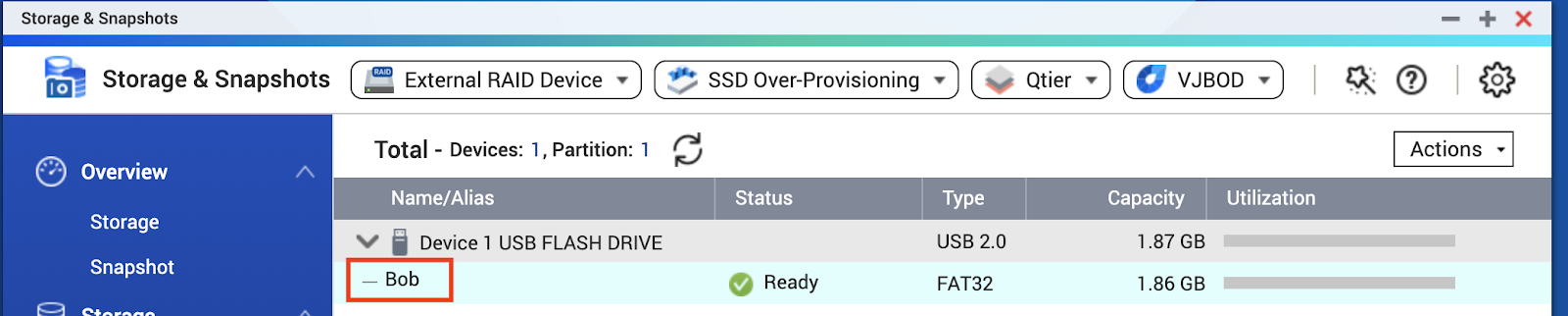
In File Staton

Note: The above solution only works on models that use the HAL type QTS. For more information about how to check whether your device is using Legacy or HAL type QTS, please refer to this article.
Related links:
How to copy folder and files to external drive by Hybrid Backup Sync 3


