


How do I reserve IP addresses for specific devices on QuRouter?
Last modified date:
2022-12-17
Use the Network > VLAN page to reserve IP addresses for specific devices by adding their media access control (MAC) address to the DHCP reserved IP table.
When the added device sends a request to the DHCP server, the MAC address is compared with the reserved IP table database. If the device MAC address matches, the reserved IP address is assigned to the device. If not, the system automatically assigns an IP address from the DHCP server IP pool.
To reserve an IP address for your device:
- Go to “Network > VLAN”.
- Click
 to edit an existing VLAN. Click Add VLAN to create a new VLAN.
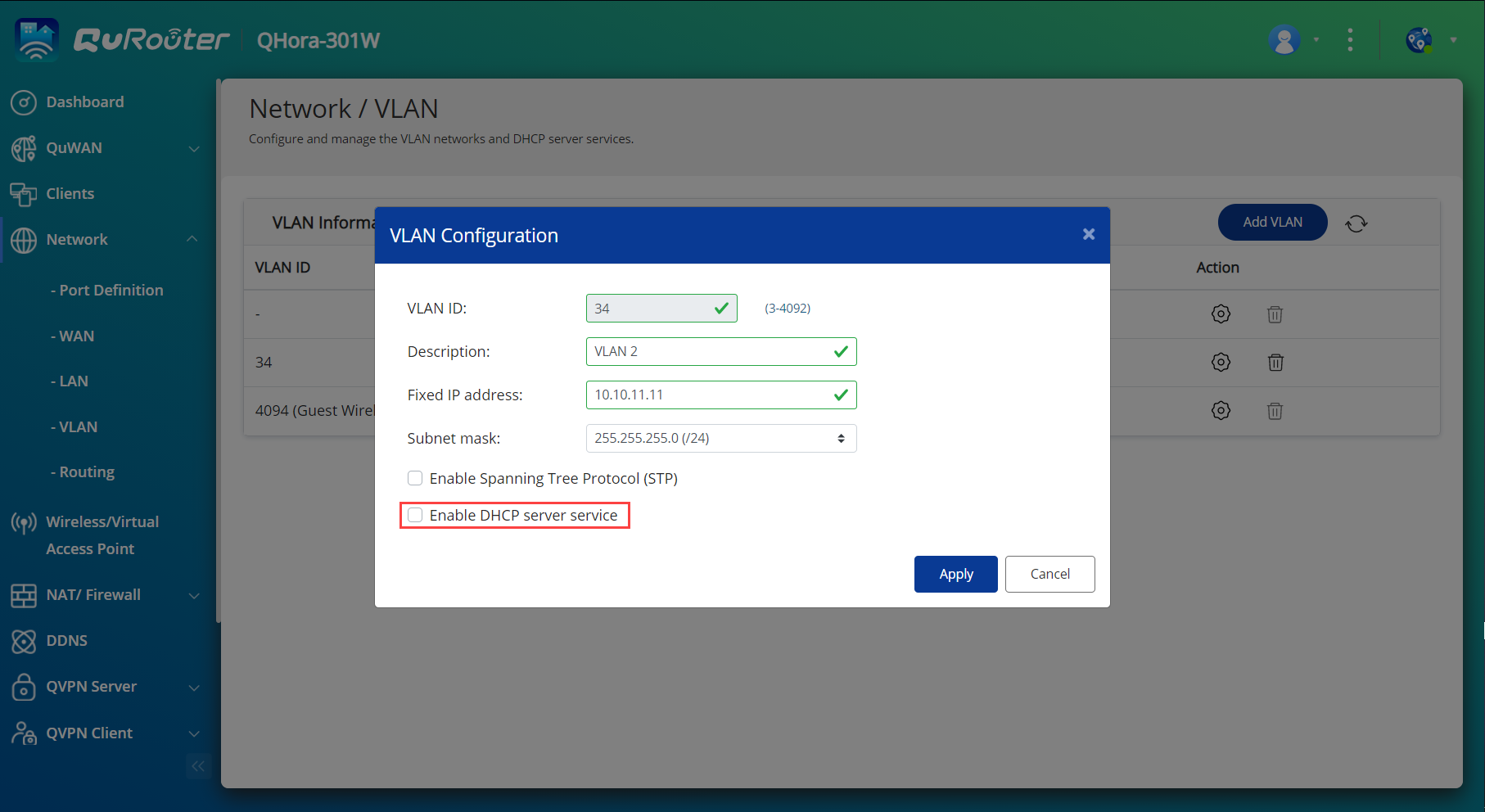
 - Specify the following:
- VLAN ID
- VLAN description
- fixed IP address of the router
- subnet mask
- Select Enable DHCP server service.
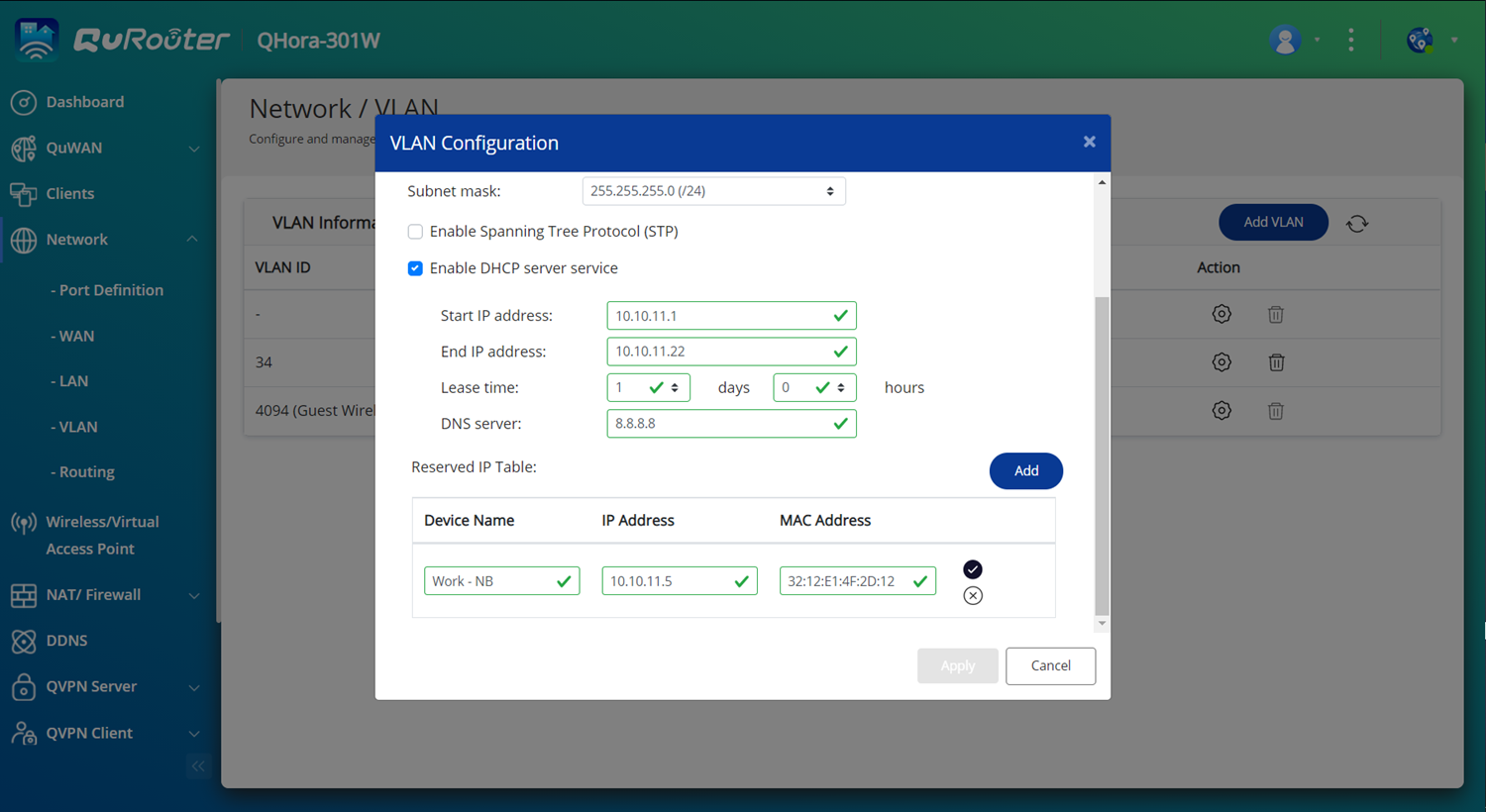
- Specify the following DHCP server information:
- starting IP address of the DHCP server
- ending IP address of the DHCP server
- lease time
- DNS server IP address
- Under Reserved IP Table, click Add.
- Specify the following:
- name of the device
- IP address that is assigned to the device. The address must be within the DHCP server pool of the VLAN.
- MAC address of the device
- Click
 to add the device to the reserved IP table.
 - Click Apply.
Note: You can reserve only up to 32 IP addresses.


