


How can I exclude specific files and folders in an HBS job?
Last modified date:
2024-04-09
Applicable Products
Hybrid Backup Sync (HBS 3 version 24.0 or later)
Solution
In Hybrid Backup Sync (HBS 3), you can exclude specific files and folders in a backup or sync job by configuring an advanced filter.
- Open HBS 3.
- Go to Backup & Restore or Sync.
- Identify and select a job.
- Click Edit.
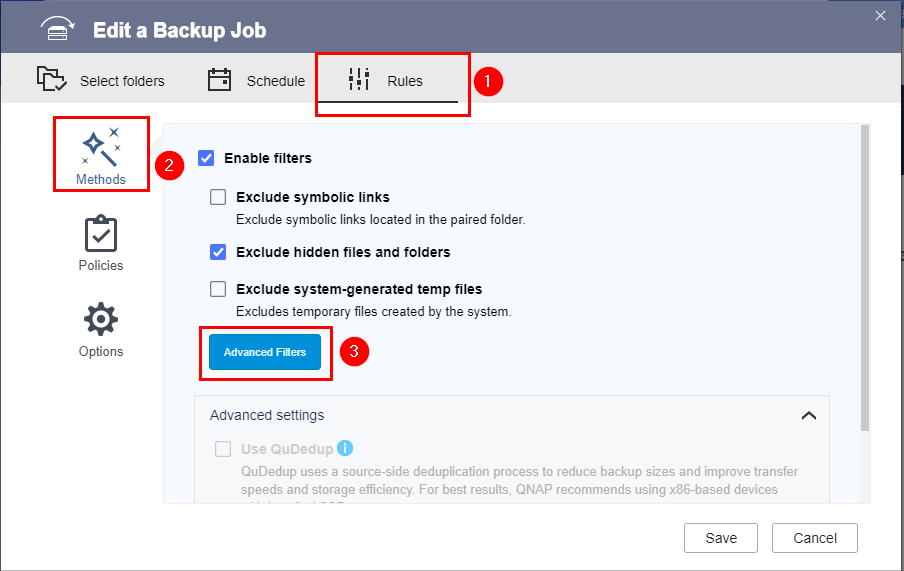
The Edit window opens. - Go to Rules > Methods.
- Click Advanced Filters.
- Select Exclude specific files and folders.
- Specify one or more files or folders to exclude.Note
- Separate entries with a comma (,) without spaces before or after the comma.
- Use the asterisk (*) as a wildcard to represent zero or more instances of any character.
Example Description test Specifies all files and folders with the name "test" test* Specifies all files and folders with the following names: "test", "testX", "testXXX", etc. *test Specifies all files and folders with the following names: "test", "Xtest", "XXXtest", etc. *test* Specifies all files and folders with the following names: "test", "XtestX", "XXXtestXXX", "XtestXXXX", etc. test.txt Specifies the file with the name "test.txt" *.txt Specifies all ".txt" files For example, let's suppose you enter "*.txt,HBS*.pdf,*HBS":
This example specifies the following files and folders to exclude: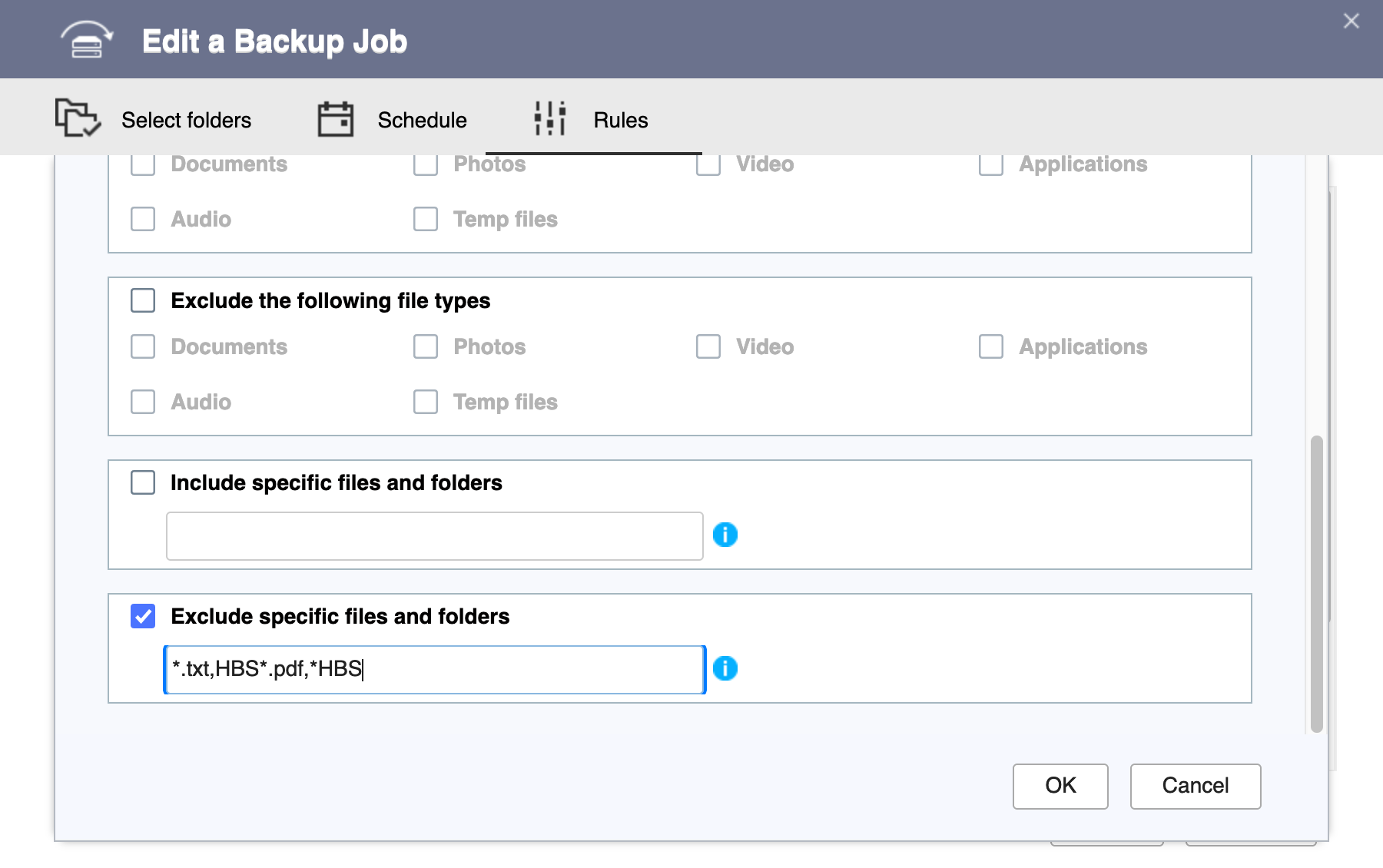
- All ".txt" files
- All ".pdf" files starting with "HBS" followed by zero to any number of any characters (e.g., "HBS.pdf", "HBSdoc.pdf", "HBS_functions.pdf")
- All files and folders starting with zero to any number of any characters and ending with "HBS" (e.g., "HBS", "myHBS", "source-HBS")
- Click OK.
- Click Save.
HBS 3 saves the changes to the job.
You can now run the job. The specified source files and folders will not appear in the destination.


