


What to do if the app shows "This WeChat account isn't linked to a QNAP ID" when signing in with WeChat?
Last modified date:
2026-09-10
Applicable Products
QNAP Mobile app
Solution
If the app (such as Qfile) shows "This WeChat account isn't linked to a QNAP ID" when you sign in with WeChat, sign in once with WeChat on the QNAP Account website using the steps below.
Steps
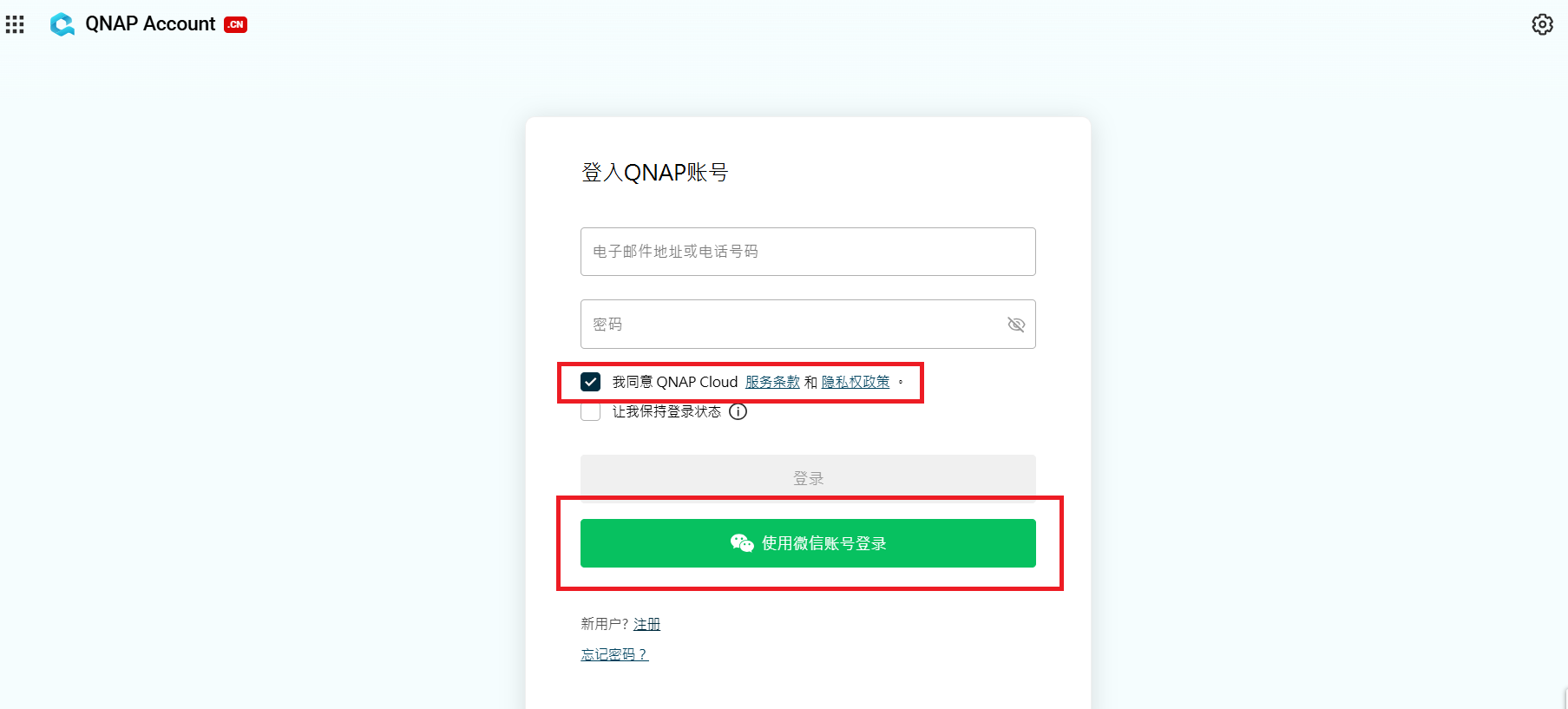
- On a computer, open the QNAP Account sign-in page: https://account.qnap.com.cn/signin
- Select the "I agree to the QNAP Cloud Terms of Service and Privacy Policy" checkbox.
- Click the green "Sign in with WeChat" button. A WeChat login QR code appears.
- Open the WeChat app on your phone, tap Scan, and scan the QR code on your computer screen.
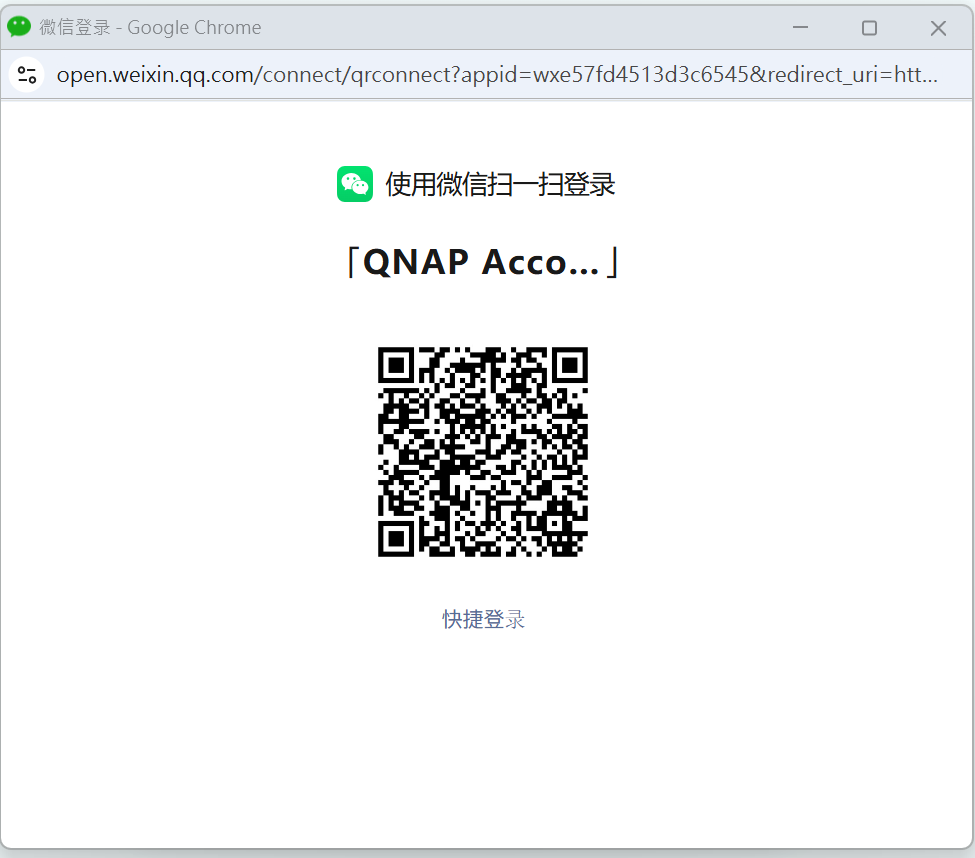
- Confirm the sign-in in WeChat on your phone. You are now signed in to your QNAP Account.
Note
After you sign in with WeChat on the website, your WeChat link status is updated automatically. You can then return to the app and sign in with WeChat as usual.
Bạn vẫn cần hỗ trợ?
Hãy đăng câu hỏi của bạn trong Cộng đồng QNAP. Nhân viên QNAP và những người dùng giàu kinh nghiệm sẽ trả lời.


