


How can I directly make a Smart Share link on myQNAPcloud to share the file on my NAS?
Last modified date:
2021-11-26
Applicable Products:
- myQNAPcloud
-
Follow the guide to set up myQNAPcloud service
-
Sign in myQNAPcloud service
-
Click on shared folders and login with NAS username/password

-
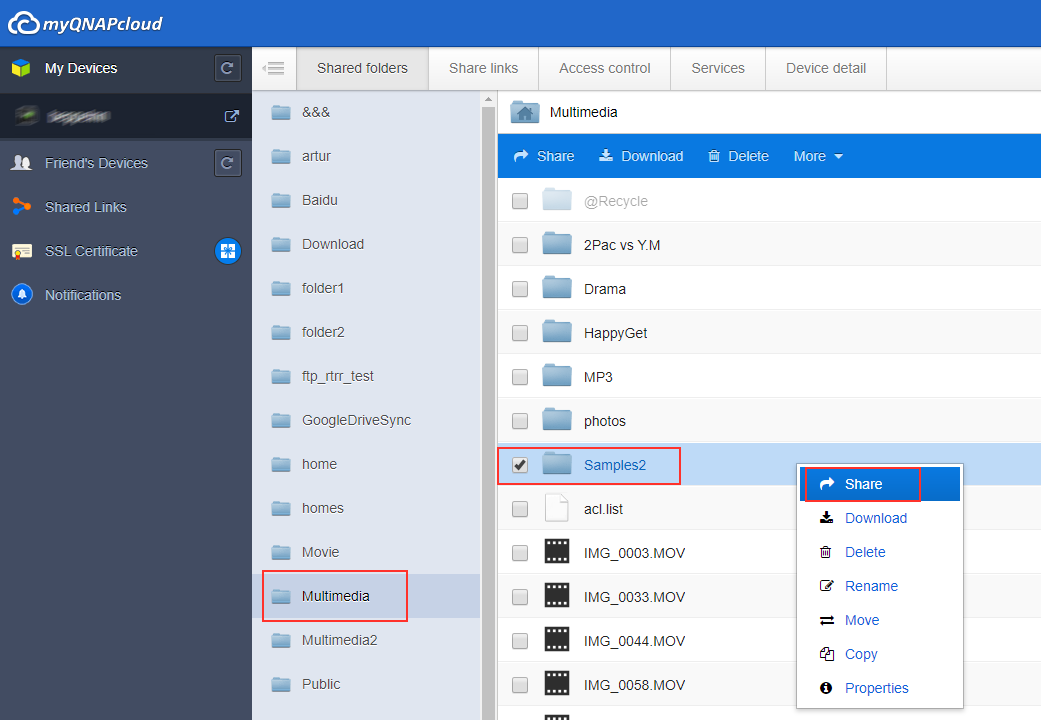
Locate the folder you want to create sharelink and press share
-
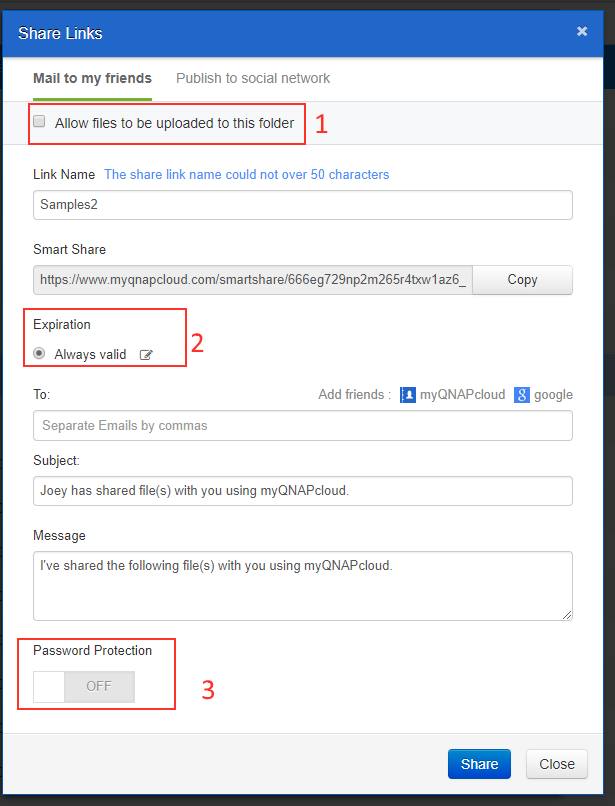
In the setting page, you can set up the following options.
- Allow viewer to upload the files to this folder
- Set up Expiration date
- Set up Password Protection
-
Copy Smart Share link to others.

Bạn vẫn cần hỗ trợ?
Hãy đăng câu hỏi của bạn trong Cộng đồng QNAP. Nhân viên QNAP và những người dùng giàu kinh nghiệm sẽ trả lời.


